



Controlling Timing - Warp Modes

With
Isaac CotecLearn how Ableton Live's Warp Modes stretch and reshape audio to fit a new tempo, and how to choose the right mode for different kinds of sound.

What's in the course
20 lessons (2h 16m) · 1 free
Lesson transcript
Understanding Warp Modes in Ableton Live
To look at the warp modes now, every time you stretch audio, you have to add information to fill in the gaps. Or, if you're speeding it up, you also have to somehow warp the sound to fit the new timing. This is where warp modes come in.
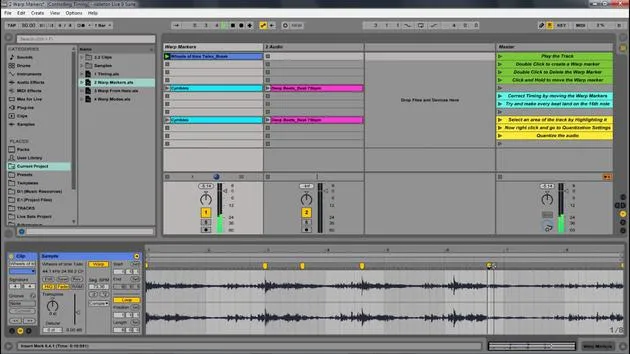
The Importance of Warp Markers
- The warp markers ensure that the timing is correct.
- If we're stretching the sound in any way, we're essentially creating empty space.
- The question is: How are we going to fill that space?
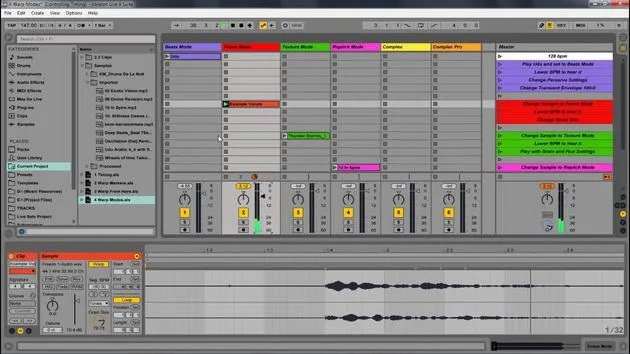
Here's a good example of a sample that was slowed down. It was slowed down to half the speed. You'll notice that I have all this empty space. How am I filling up that information? This is where warp modes come in.
Types of Warp Modes
There are different types of warp modes for different types of audio. The different settings let you fill in the space in various ways to best maintain the aspects of the audio you want.
Important Note: The way you fill that information on a beat (like drums) would differ from how you'd fill out information if it was a vocalist. Because of these different concerns, we have different modes.
Overview of Warp Modes
These modes might seem a little nerdy at first, but they are pretty straightforward:
- Beats: Use for beats.
- Tones: Use for tonal sounds.
- Complex: Use for complex audio, like songs.
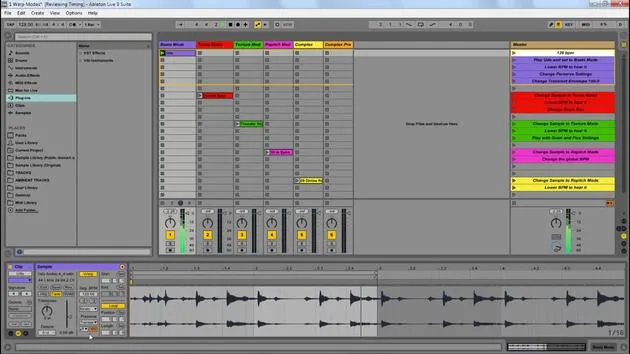
I'm going to walk through each of these different modes so you know how to use them within Ableton.
1. Beats Mode
Beats mode works best for rhythm-dominant music, like drum loops and some electronic dance music.
- Open up the warp modes live set to see the example.
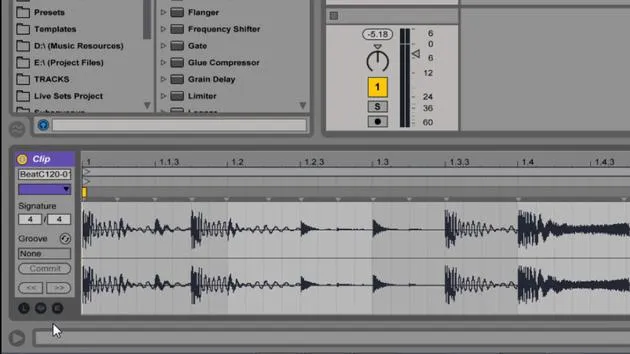
- With beats mode, it looks at all the different hits and transients.
Settings:
- Preserve: Focuses on transient hits.
- Fixed Timing: Can be set to look at half a bar, a bar, or 16th notes.
- Playback Options:
- Forward: Plays parts of the hit forward to fill in gaps.
- Forward and Back: Plays forward and reverses playback.
- Forward and Stop: Puts in silence, which can create interesting layering with other beats.
2. Tones Mode
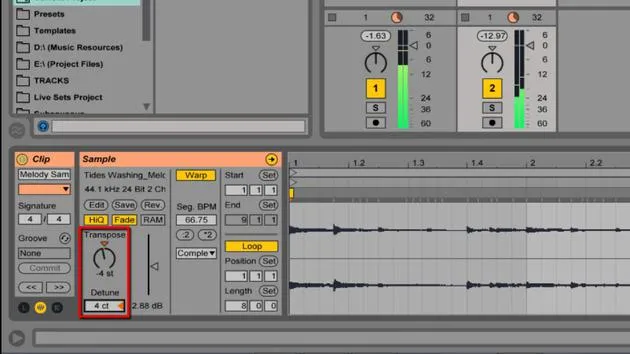
Tones mode helps preserve the tonal or pitch quality of the original sample, making it best for melody or harmony-rich samples.
- Adjust the Grain Size to manage how the tonal quality is perceived:
- Wider grains create a fluttery effect.
- Smaller grains provide a more exact tonal quality.
3. Texture Mode
Texture mode primarily maintains the spatial quality of samples, ideal for field recordings and pads that lack a distinct tonal quality.
- Grain Size affects the texture, smaller grains sound more tonal while larger grains introduce flutter.
- Flux: Randomizes the playback, which is most noticeable at smaller grain sizes.
4. RE Pitch Mode
RE Pitch speeds or slows down the playback by altering the pitch of the original sample, similar to how a vinyl record changes speed.
- This mode is the least destructive but can lead to unrealistic sounds if the BPM changes unexpectedly.
5. Complex and Complex Pro Modes
-
Complex Mode is tailored for composite signals, effectively warping entire songs.
-
Complex Pro is a more advanced version, designed for better handling of vocals.
Settings:
- Formats: Adjusts the tonal range.
- Envelope: Controls how quickly the effect is applied.
Conclusion
That was a look at how we can control the timing of different parts within Ableton Live and really get them to fit together.
A great example is when we have different songs at different speeds; if we warp them correctly, they sound great together. Their playback is solid, and everything feels like it fits seamlessly.
This capability is a core part of what makes Ableton Live so powerful in stretching, manipulating, and playing with music.
20 lessons
2h 16m of structured video lessons
Advanced video features
Slow down, loop a passage, follow along
Mobile, tablet & desktop
Practise wherever you are
100% satisfaction guarantee
30-day money-back guarantee
Meet your guru
Meet your guru
Isaac Cotec is, arguably, one of the best Ableton trainers in the world! While working on his own music, he began teaching recording techniques, sound design, and Ableton Live to private students, and since earning his certification as an official Ableton Certified Trainer he has helped thousands of producers step up their game and succeed as musicians.
Isaac started producing electronic music in 2005 with Psyche Sonics, an experimental group working with the science and research of binaural beats and altering consciousness through sound. After touring, he continued writing music under the alias Cotec and later emerged as the artist Subaqueous, blending his electronic past with both future and organic production techniques. To date, he has released 3 albums and 4 EPs.
Isaac is also the founder and manager of the record label Invibe Music, which represents some of the Pacific Northwest's best electronic music and specialises in midtempo dance music.
In his Ableton Live courses, Isaac shares the production, sound design and songwriting techniques he has spent years refining - the very skills he uses to turn a spark of an idea into a finished track.







