



Exercise - Editing MIDI - Sample Beat

With
Isaac CotecWith MIDI Clips and Drum Racks, you can start writing your own unique beats. This activity will walk you through creating a beat in Live. This is a great way to make sure you've understood everything about editing MIDI in Ableton Live. The Example Set is available for download on the first lesson of this Module. If you do not have it already, you can download it below.
What's in the course
17 lessons (1h 33m) · 1 free
Lesson transcript
Music Lesson: Creating a Beat in Ableton Live
So we have this example set for creating a beat. Here's what we're going to do:
- Open the Project: Start by opening up the project.
- Create a MIDI Clip:
- Add a drum rack to the MIDI clip to implement some sounds.
- Write your own unique beat.
Step-by-Step Instructions
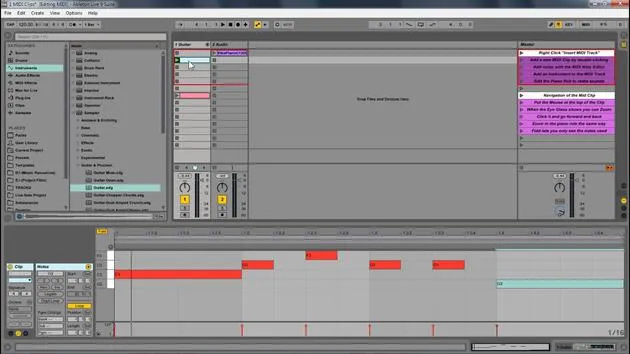
- Here is this set and all you have to do is follow along what's written here:
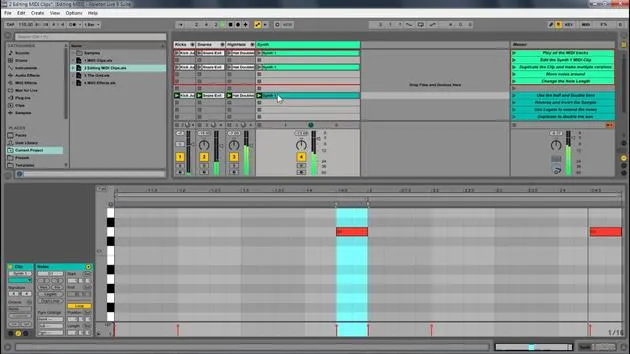
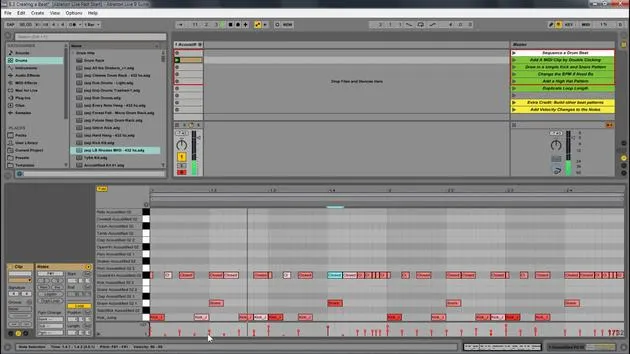
- Add a MIDI Clip: Double click to do that.
- Draw in a Kick and Snare Pattern: This is very easy.
- Choose your speed (BPM). I'm going to go with 90 to create something a little more hip hop.
Working with the Drum Rack
-
The drum rack displays only what's in it. There's already a drum rack available within this track.
- If you want to use a different one, go to Drums and drag in another drum rack.
-
Now, let's draw in a kick and some snare. Great!
Adding Hi-Hats and Adjusting the Grid
- Next, I want to add a closed hi-hat.
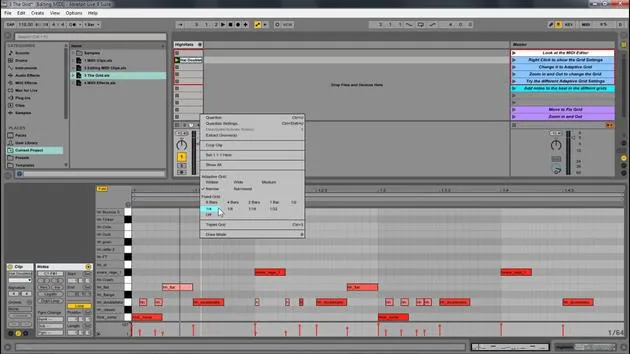
- Change the grid to 16th notes.
- Select all the elements and press Ctrl D to duplicate them.
- Change the grid to 32nd notes.
- Create a little fill at the end.
Enhancing the Beat with Velocity Changes
-
This is a great start to a beat:
- Kick
- Different elements
- Hi-hat
-
Now, let's add some velocity changes:
- Select all of this.
- Hit Duplicate Loop to double the size, allowing for variation in the loop.
-
Accent the kicks on the one.
- Since this kick instrument isn't velocity sensitive, I'll change that in the Simpler.
- Also, add variation to the hi-hats.
Finalizing the Beat
-
Ensure the hi-hat is velocity sensitive.
- Increase it and adjust the others accordingly.
- You can hold Alt and drag up to adjust velocity.
-
We have the beginning of the beat; it's a pretty good start!
Exploring Different Styles
-
This is a simple project for you to go through, but you can go crazy creating various beats.
-
Different Examples:
- Let's say we want something in 4/4 time.
- Delete the preceding elements.
- Duplicate and add a snare and some shakers.
-
Set it to 16th notes and again use Ctrl D to duplicate.
-
Add more variation and sounds until you find something that flows.
Creative Exploration
- You can create genres like hip hop, dubstep, or trap. Play around with different structures and sounds:
- Lay down a simple kick.
- Experiment with different elements and see how it sounds.
Hot Swap and Final Tweaks
-
Now that we've looked at the basics, let's discuss the Hot Swap feature:
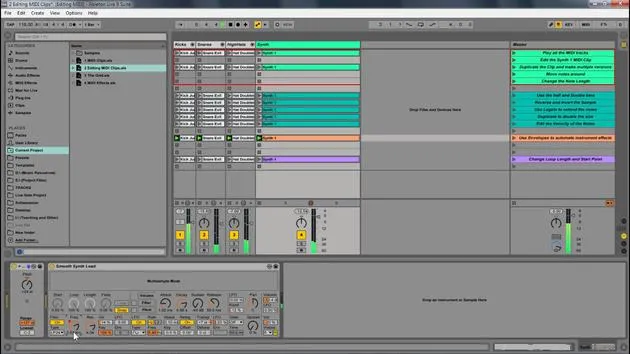
- Simply press that button to change out the instrument to any other you like.
-
Try different instruments and see how they transform your beat.
Conclusion
- Editing MIDI within Ableton Live allows you to create your own instruments, sounds, and melodies. Explore and enjoy making music using MIDI!
17 lessons
1h 33m of structured video lessons
Advanced video features
Slow down, loop a passage, follow along
Mobile, tablet & desktop
Practise wherever you are
100% satisfaction guarantee
30-day money-back guarantee
Meet your guru
Meet your guru
Isaac Cotec is, arguably, one of the best Ableton trainers in the world! While working on his own music, he began teaching recording techniques, sound design, and Ableton Live to private students, and since earning his certification as an official Ableton Certified Trainer he has helped thousands of producers step up their game and succeed as musicians.
Isaac started producing electronic music in 2005 with Psyche Sonics, an experimental group working with the science and research of binaural beats and altering consciousness through sound. After touring, he continued writing music under the alias Cotec and later emerged as the artist Subaqueous, blending his electronic past with both future and organic production techniques. To date, he has released 3 albums and 4 EPs.
Isaac is also the founder and manager of the record label Invibe Music, which represents some of the Pacific Northwest's best electronic music and specialises in midtempo dance music.
In his Ableton Live courses, Isaac shares the production, sound design and songwriting techniques he has spent years refining - the very skills he uses to turn a spark of an idea into a finished track.







