



Setting up an External Sound Card in Ableton Live

With
Isaac Cotec
What's in the course
17 lessons (1h 33m) · 1 free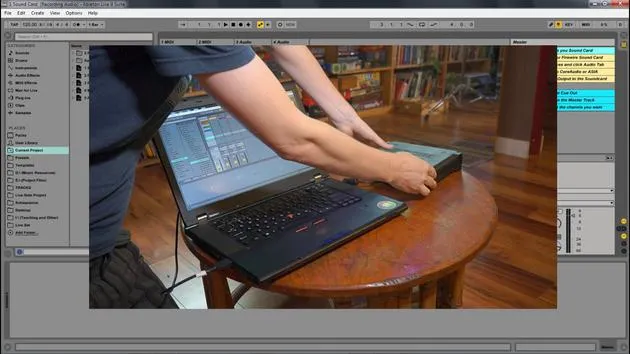

Lesson transcript
Recording Audio in Ableton Live
In this module, we're going to be looking at how we can record audio within Ableton Live. We'll cover:
- Setting up our system to record external audio
- Creating new parts, clips, and recordings
You can only get so far using loops and pre-made clips. Let's expand the palette with our own recording.
Setup Overview
To do this, there are a few things we need to set up and learn:
- Set up your external audio interface
- Routing the ins and outs within Live
- Arming tracks and monitoring
- Global record, recording, and playback
- Metronome, multi-tracking, and editing recordings
External Audio Interface
An external audio interface or sound card allows you to connect microphones, instruments, and other external sounds to your computer, and in turn, to Ableton Live.
Important Note: You don't need an external audio interface, but you will be limiting your sound quality and ability to record external sounds if you don't.
External interfaces typically use USB or FireWire to connect to your computer.
Steps for Connecting Your Audio Device
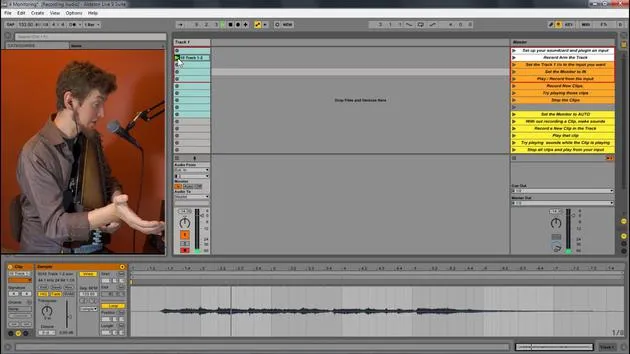
Let's look at connecting your audio device within Ableton Live. This Ableton Live set goes through all the different necessary steps to prepare your audio interface.
Setting Up Your Sound Card
-
Connect Your Interface
Here I am connecting my MOTU sound card to my computer via USB. -
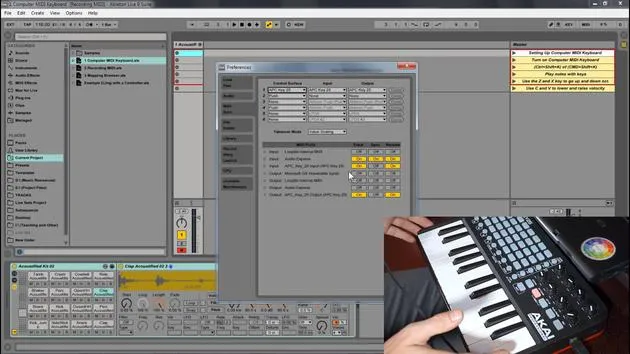
Open Preferences
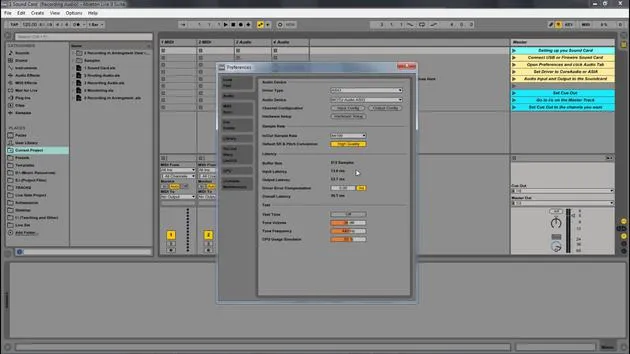
- Go to: Options > Preferences (or File > Preferences on Mac).
-
Choose Your Audio Driver
- Main driver type:
- ASIO for PC
- Core Audio for Mac
- MME DirectX is for the onboard sound card.
If I set it to this, I can choose my headphones or speakers. Note that you can only select one thing at a time in this setting.
- Main driver type:
-
Select ASIO or Core Audio
When using ASIO or Core Audio, you can pick the device, which can have multiple inputs and outputs.- Example: I would select the MOTU interface.
-
Input Choices
- You can look at your inputs; my device has several options, and you can choose either mono or stereo.
- I typically only use these.
-
Output Settings
- I also have several output options, but I usually only need two channels in stereo.
- You can turn inputs and outputs on and off by clicking them.
By following these setup steps, you'll be able to effectively record audio within Ableton Live, expanding your creative capabilities!
17 lessons
1h 33m of structured video lessons
Advanced video features
Slow down, loop a passage, follow along
Mobile, tablet & desktop
Practise wherever you are
100% satisfaction guarantee
30-day money-back guarantee
Meet your guru
Meet your guru
Isaac Cotec is, arguably, one of the best Ableton trainers in the world! While working on his own music, he began teaching recording techniques, sound design, and Ableton Live to private students, and since earning his certification as an official Ableton Certified Trainer he has helped thousands of producers step up their game and succeed as musicians.
Isaac started producing electronic music in 2005 with Psyche Sonics, an experimental group working with the science and research of binaural beats and altering consciousness through sound. After touring, he continued writing music under the alias Cotec and later emerged as the artist Subaqueous, blending his electronic past with both future and organic production techniques. To date, he has released 3 albums and 4 EPs.
Isaac is also the founder and manager of the record label Invibe Music, which represents some of the Pacific Northwest's best electronic music and specialises in midtempo dance music.
In his Ableton Live courses, Isaac shares the production, sound design and songwriting techniques he has spent years refining - the very skills he uses to turn a spark of an idea into a finished track.







