



How to edit MIDI in Ableton Live

With
Isaac CotecA walkthrough of Ableton Live's MIDI editor - the piano roll, note velocity and beat ruler - so you can edit clips and write your own beats and melodies.
What's in the course
17 lessons (1h 33m) · 1 free
Lesson transcript
MIDI Editing in Ableton Live
Live gives you access to a wide range of powerful tools to edit your MIDI. This allows you to write new beats, melody lines, or anything you can think of. The key to this is the MIDI editor.
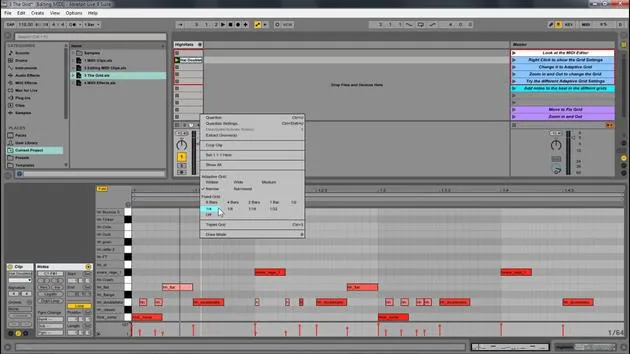
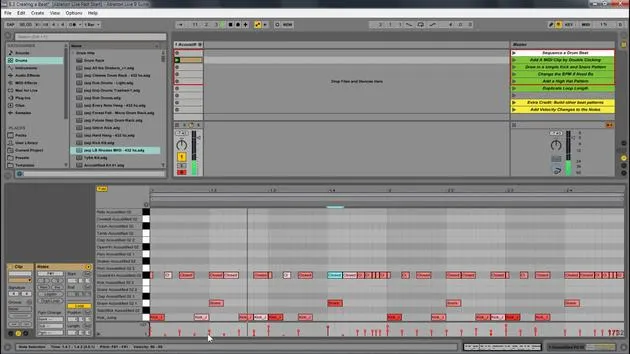
Overview of the MIDI Editor
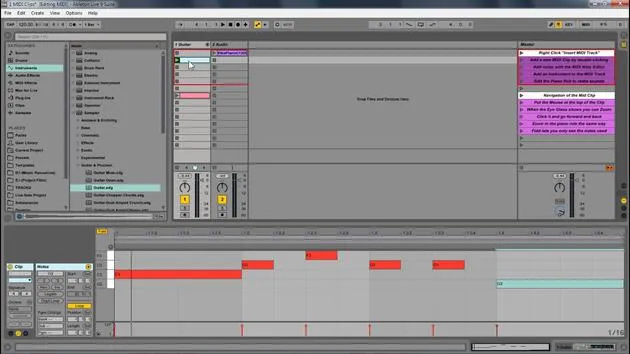
So, that's what we've been looking at, the MIDI editor. Here are some key components of the MIDI clip:
- Piano Roll: The main area for MIDI notes.
- Loop Brace: Similar to the sample editor, it designates the looped portion for MIDI.
- MIDI Note: Double-click to create a note.
- Beat Time Ruler: Displays the timing of your MIDI notes.
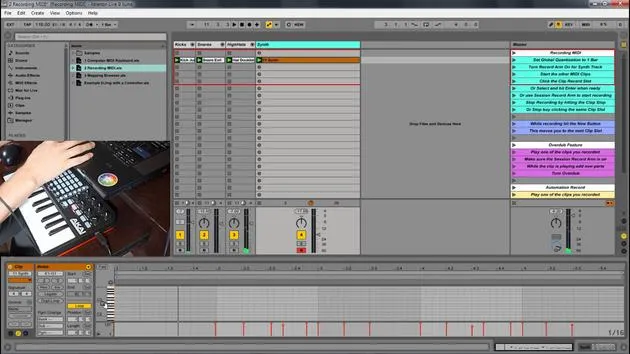
- MIDI Velocity Editor: Allows you to change the velocity of notes.
- Velocity doesn't always mean volume, but it is generally mapped to volume. You can map it to anything, essentially defining how hard a note is pressed.
- Note Velocity: Displays the velocity of individual notes.
- Clip Overview and Zooming: You can zoom in and out to navigate your MIDI clip easily.
Editing MIDI in Ableton Live
Now, we're going to look at editing MIDI within Ableton Live.
- Play Samples: First, I'll play these samples to start.
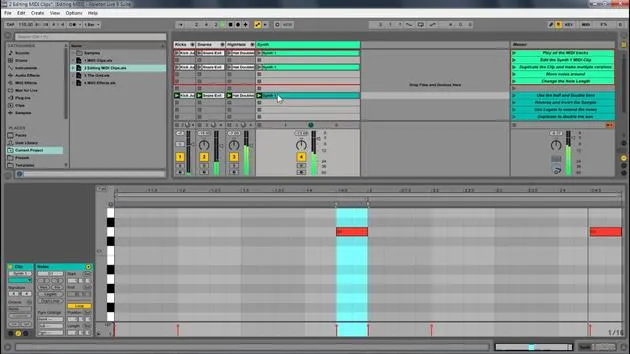
- Duplicate Notes: Select them and press Control D (or Command D) to duplicate and create different versions.
Adjusting Notes
- Zoom Out: I will extend this out and zoom out a little for more room.
- Transpose Notes: By selecting all these notes, I can move them up or down to transpose the key. Let's move them up to C.
- Change Length: I can also change their length by clicking and dragging.
- Pro Tip: Hold Alt to change notes freely off the grid. This works for any note.
Adding New Notes
For instance, on the hi-hat, I can add a new note:
- Just click to create a note, and it'll be added to the drum rack.
Additional Features
Now, let's look at some other features we have:
- Double Time & Half Time: Select all notes, and if I double time, it makes it a lot slower. Half-time it and then go back to normal.
- Reverse: This takes the position of the notes and reverses it. Selecting all and hitting reverse changes the order of playback.
Invert Feature
Next, we have the invert function:
- This will switch the positions of the highest and lowest notes.
Legato Feature
Now, let's explore legato:
- Select Notes: If I hit legato, the position of the notes shifts to the next note.
- If notes overlap, legato will crop them so only one note plays at a time, ensuring there's never an empty space.
Adjusting Velocity
Lastly, I'm going to select this note because I like it, and I will:
- Adjust Velocity: By clicking and dragging, I can lower the velocity of high notes to make them subtler.
- Notice how the color changes:
- Lower Velocity: Lighter colors.
- Higher Velocity: More intense red.
You can also hold Alt to quickly adjust the velocity up or down.
17 lessons
1h 33m of structured video lessons
Advanced video features
Slow down, loop a passage, follow along
Mobile, tablet & desktop
Practise wherever you are
100% satisfaction guarantee
30-day money-back guarantee
Meet your guru
Meet your guru
Isaac Cotec is, arguably, one of the best Ableton trainers in the world! While working on his own music, he began teaching recording techniques, sound design, and Ableton Live to private students, and since earning his certification as an official Ableton Certified Trainer he has helped thousands of producers step up their game and succeed as musicians.
Isaac started producing electronic music in 2005 with Psyche Sonics, an experimental group working with the science and research of binaural beats and altering consciousness through sound. After touring, he continued writing music under the alias Cotec and later emerged as the artist Subaqueous, blending his electronic past with both future and organic production techniques. To date, he has released 3 albums and 4 EPs.
Isaac is also the founder and manager of the record label Invibe Music, which represents some of the Pacific Northwest's best electronic music and specialises in midtempo dance music.
In his Ableton Live courses, Isaac shares the production, sound design and songwriting techniques he has spent years refining - the very skills he uses to turn a spark of an idea into a finished track.







