



Ajouter une partie rythmique de plus

Avec
John Watson
Le contenu du cours
14 leçons (1h 39min) · 2 gratuites
01. Démarrage et configuration du matériel
11:07
02. Générer des idées avec le MIDI - introduction au MIDI
Leçon gratuite6:12
03. Enregistrer une piste guide rythmique simple
7:41
04. Enregistrer de l'audio : configuration et niveaux
6:21
05. Enregistrer de l'audio
6:25
06. Utiliser un instrument externe
3:27
07. Créer la ligne de basse
11:05
08. Ajouter une partie rythmique de plus
Tu es ici2:50
09. Prémixage et Session View
9:59
10. Structure du morceau et vue Arrangement
8:47
11. Mixage : EQ et compression
7:37
12. Effets spatiaux
4:40
13. Effets de modulation
5:26
14. BONUS : Créer une ligne de basse avec le Doepfer Dark Energy II
Leçon gratuite7:26
Transcription de la leçon
Adding a Percussion Layer to Your Track
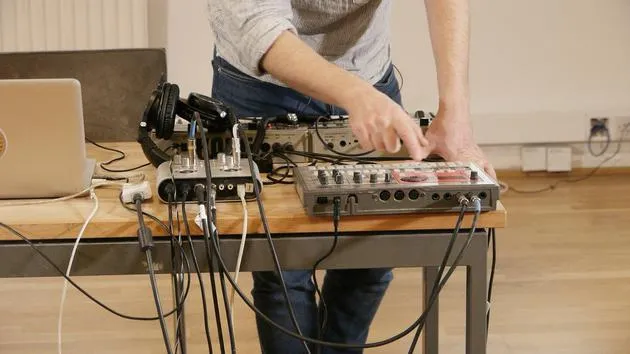
Okay, so I wanted to add one more percussion layer to my track here.
Reconnecting the Drum Machine
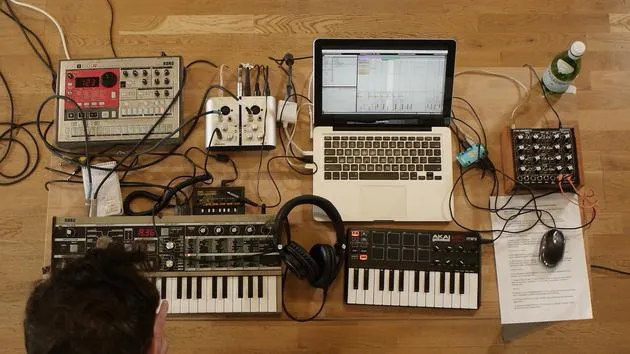
- I'm going to replug back in the drum machine like so.
- I'm just thinking about getting maybe a clap or a snare on the backbeat.
Existing Elements
- I've got the kicks on every downbeat.
- I've got some percussion.
- I found this little pattern here.
Let me just arm the track so that we can hear it.
Adjusting the Kick Drum
I've already got a kick drum programmed in on a previous beat.
- I'm going to select the kick like so.
- I'm going to take down the level so that we're no longer hearing it.
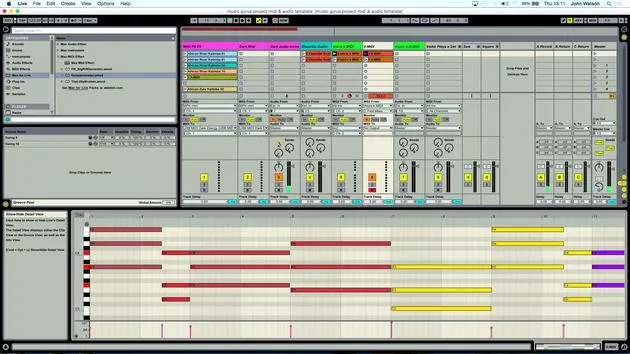
- I also need to match the tempo here.
- I've got 123 beats per minute.
- I'm just going to scroll down and make sure that we're matching the same tempo.
There's another little sound in here that I don't want as well. So I'm just going to select it again and then turn down the level.
Current Elements
Really all we've got now is a little hi-hat and a clap, and that should work quite nicely.
Creating a Fresh Track
What I'm going to do here is come over to the previous drum track that I did again:
- I just duplicate it like so.
- I'm going to delete the clip inside.
- Now, I have a fresh track to record that part on.
Recording the New Layer
What I'm going to do is click record again.
- I get eight counts before I need to come in, two bars.
Okay, so I'm fairly confident I've got something in there. I'll have a little seat and then have a little tweak.
Listening Back
- I'll set the metronome up and we'll just have a little listen back.
- The first part is sounding okay.
Let's just loop that up here.
- I'm going to loop two bars.
- That sounds fine to me.
I'm just going to turn the clip volume up a little bit as well.
Finalizing Elements
Okay, so that there is going to be our claps.
I'm pretty happy now that we've got pretty much all the elements that we need to start structuring the track.
14 leçons
1h 39m de leçons vidéo structurées
Fonctions vidéo avancées
Ralentissez, bouclez un passage, suivez la partition
Mobile, tablette et ordinateur
Pratiquez où vous voulez
Satisfaction garantie à 100 %
Garantie remboursement 30 jours
Rencontrez votre guru
Rencontrez votre guru
Après un stage auprès de Dave Allen, producteur de Depeche Mode et The Cure, John a eu envie d'étudier la Music Technology à Londres. Sa carrière musicale a décollé après une signature réussie chez CookShop Records, où il a sorti 9 singles et un album en 2007 salué par Q, Uncut et Lowdown Magazine, en plus d'être diffusé sur XFM et Radio One.
John a commencé à se former comme ingénieur du son au studio Bonafide en 2005, où il a affiné son talent, avant de fonder Jackdaw Recordings plus tard la même année. Il a collaboré avec de nombreux artistes à succès et, en 2007, a commencé à jouer pour le musicien pop Patrick Wolf, se produisant dans des salles de premier plan au Royaume-Uni et à l'international — dont The Astoria et le Shepherds Bush Empire.
Depuis son studio londonien, John compose désormais de la musique, avec deux autres sorties chez CookShop, assure l'ingénierie du son pour des artistes en vue et conçoit le design sonore de publicités télévisées, de films, de pièces de théâtre et de vidéos d'entreprise.
Ce mélange rare d'auteur-compositeur, de producteur et d'ingénieur de studio en activité est précisément ce que John apporte à son enseignement. Dans Creative Composition & Production in Ableton Live et Creative Sampling & Production in Ableton Live, il te montre comment il transforme des idées brutes en morceaux finis, prêts à sortir — l'écriture, le sampling, le design sonore et le savoir-faire concret de l'ingénierie derrière un disque professionnel.







