



Premezcla y Vista de Sesión

Con
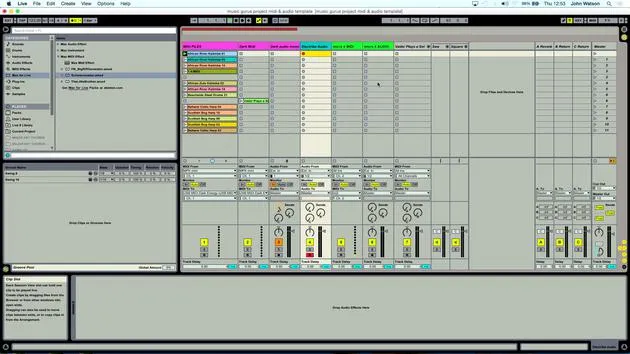
John WatsonJohn Watson hace una premezcla rápida en la Vista de Sesión de Ableton, ajustando niveles, reetiquetando pistas y afinando las palmas antes de arreglar.
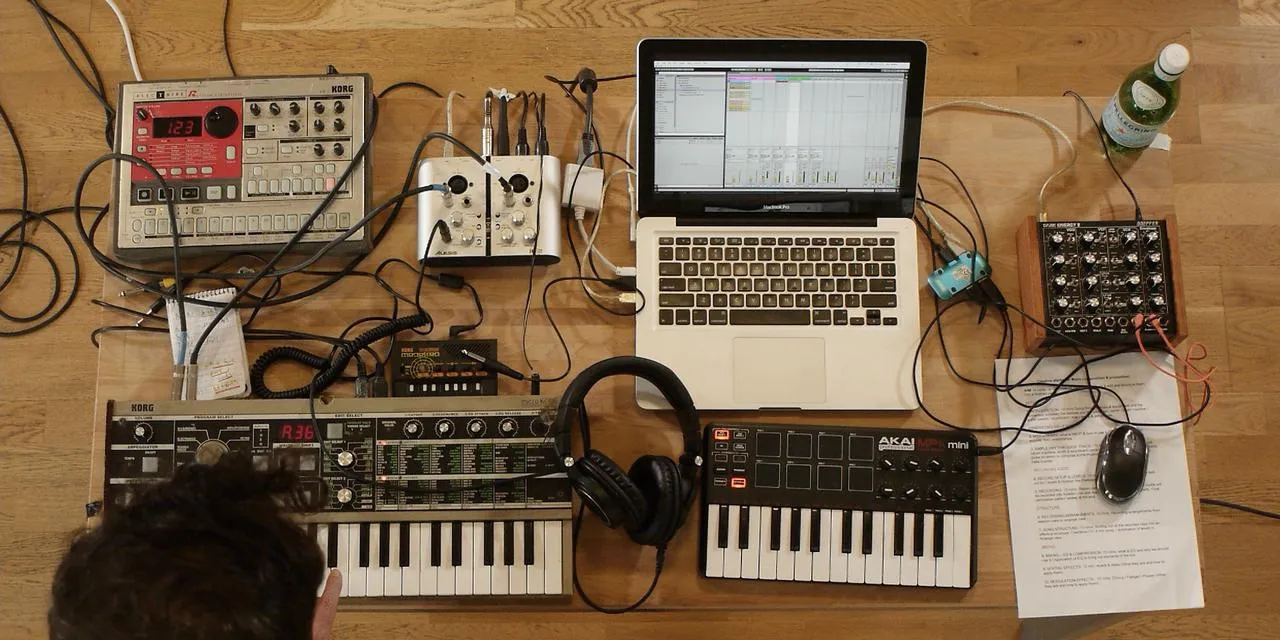
Qué incluye el curso
14 lecciones (1h 39m) · 2 gratis
01. Primeros pasos y configuración del equipo
11:07
02. Generar ideas con MIDI - introducción al MIDI
Lección gratis6:12
03. Grabar una guía rítmica sencilla
7:41
04. Grabar audio: configuración y niveles
6:21
05. Grabar audio
6:25
06. Usar un instrumento externo
3:27
07. Crear la línea de bajo
11:05
08. Añadir una parte rítmica más
2:50
09. Premezcla y Vista de Sesión
Estás aquí9:59
10. Estructura de la canción y vista de arreglo
8:47
11. Mezcla: ecualización y compresión
7:37
12. Efectos espaciales
4:40
13. Efectos de modulación
5:26
14. BONUS: Crear una línea de bajo con el Doepfer Dark Energy II
Lección gratis7:26
Transcripción de la lección
Music Track Structuring Lesson
I'm pretty happy now that we've got pretty much all the elements we need to start structuring the track.
Premix and Initial Adjustments
The first thing I'm going to do is a little sort of premix, just to get the levels right.
- Let's come up to the first track up here.
- Let's get rid of that click as well. We don't really need that now, as we're synchronized to Ableton's tempo, so we know all the parts are going to fit.
Adjusting Chords and Labels
- First, I'm going to come to my chords and turn them up a little bit, as they are a bit low in the recording itself.
- We'll also relabel some of this stuff:
- Kicks
- Percussion
- Clap
Tightening Up the Claps
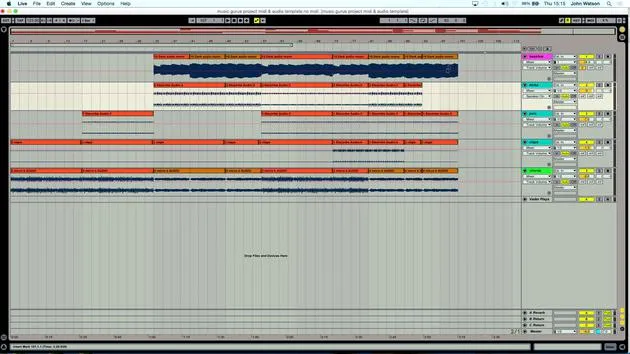
It sounds like it's just a little bit lagging behind there, and I think it's the claps loop. I can see that the claps have lined up with the grid and are just a little bit out. You know things like that can happen, little discrepancies.
So, here's how I need to tidy that up:
- Click just before the first beat (bar).
- Click the one before it, the little marker, and delete it.
- Pull this marker in here for a much better loop.
This feels a lot tighter and should work better with everything else.
Levels and Scene Creation
- Now, I'm going to turn up the kicks a little bit too.
- I want to start thinking about laying down some scenes here for a better structure.
Creating Extra Scenes
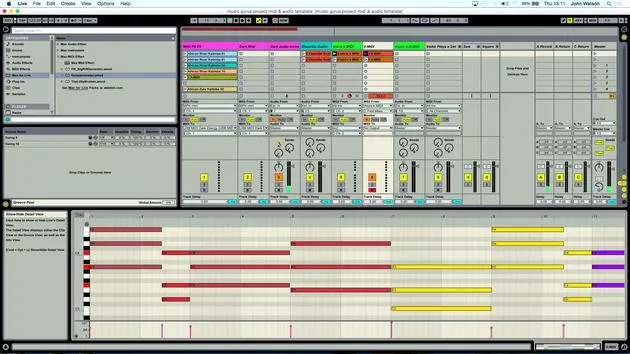
- The next thing I like to do is create some extra scenes. This will help with the layout of the structure:
- Press Command + I and maybe do this five or six times.
- Move the two clips down like so.
I also want to think about the layout. I've got the MIDI tracks in here, and I don't really need these now, so I can get rid of them.
Saving a Version
Before that, I'm going to save a version called No MIDI. This simply means the previous version, saved at the start, will contain the MIDI clips.
Now, I can delete these MIDI tracks without worrying about pulling them back in later. If I needed them again, I can just open the other project.
Labeling and Playing with Elements
- Let's get rid of all the MIDI tracks.
- Making sure everything is labeled:
- Bass line
- Kicks
- Percussion
- Clap
- Chords
Experimenting with Sounds
Let's grab the first of the chords and have a play. There's no real right or wrong here, but I just want to think about what's going to come in first.
- Here are our chords, and this is working quite nicely.
- I'm feeling that, so I'll lay down some percussion underneath it for the first round of chords.
I'll put the click on to aid with the rhythm.
Duplicate and Change Scenes
- I'm going to duplicate that scene again.
- Now, I want to think about what else would work in here.
I'll get rid of this scene and put in my other chords and kick. Let's turn this up as well.
Structuring the Backbone
- I think that's going to work, so I'm going to duplicate this as part of the backbone structure.
While I still feel there are areas that might need a little something else, we have still got some effects to put in to help the transitions between the different scenes.
Final Adjustments
I think I'll copy this down and maybe add a little bass line as well, probably run this scene a couple of times.
Next, I'll go back to this scene, and I'll put in the percussion again and the kick this time. Then we'll move in with our bass line.
Color Coding
One important thing here is that if stuff isn't labeled the way you would like, at least color it to avoid confusion.
We've actually got two different bass lines here, so let me just copy this one over.
This bass line goes down here, and we're back to this with the kicks.
Concluding the Pre-Structure
So, we now have the claps. I'm going to duplicate this scene down and put the claps in here. Finally, I want to build up this layer too, getting everything playing in this section here, including our claps.
This little pre-structure is looking like it's going to work fairly well!
14 lecciones
1h 39m de lecciones en vídeo estructuradas
Funciones de vídeo avanzadas
Ralentiza, repite un pasaje, sigue la partitura
Móvil, tablet y ordenador
Practica donde quieras
Garantía de satisfacción 100%
30 días de garantía de devolución
Conoce a tu gurú
Conoce a tu gurú
Tras hacer prácticas con Dave Allen, productor de Depeche Mode y The Cure, John se sintió inspirado para estudiar Tecnología Musical en Londres. Su carrera musical despegó tras un exitoso fichaje por CookShop Records, con el que publicó 9 sencillos y un álbum en 2007 que recibió críticas entusiastas de Q, Uncut y Lowdown Magazine, además de sonar en XFM y Radio One.
John empezó a formarse como ingeniero de sonido en el estudio Bonafide en 2005, donde perfeccionó su talento, y ese mismo año fundó Jackdaw Recordings. Ha colaborado con numerosos artistas de éxito y, en 2007, comenzó a tocar para el músico pop Patrick Wolf, actuando en salas de primer nivel tanto en el Reino Unido como a nivel internacional, incluidos The Astoria y el Shepherds Bush Empire.
Desde su estudio londinense, John ahora compone música, con dos lanzamientos más en CookShop, se ocupa de la ingeniería de sonido para artistas destacados y crea diseño sonoro para anuncios de televisión, cine, teatro y vídeo corporativo.
Esa infrecuente combinación de compositor, productor e ingeniero de estudio en activo es justo lo que John aporta a su enseñanza. En Creative Composition & Production in Ableton Live y Creative Sampling & Production in Ableton Live, te muestra cómo transforma ideas en bruto en temas terminados y listos para publicar: la composición, el sampleo, el diseño sonoro y el saber hacer práctico de la ingeniería que hay detrás de un disco profesional.







