



¿Qué es MIDI?

Con
Isaac Cotec
Qué incluye el curso
17 lecciones (1h 33m) · 1 gratis

Transcripción de la lección
MIDI Editing and Creation in Ableton Live
In this module, we're going to look at editing and creating MIDI.
What is MIDI?
MIDI is short for Musical Instrument Digital Interface. It is a technical standard that describes a protocol, digital interface, and connectors, allowing a wide variety of electronic musical instruments, computers, and other related devices to connect and communicate with one another.
Key points about MIDI:
- MIDI is not audio and audio is not MIDI.
- MIDI is a signal that an instrument or synth can read and output audio.
- In other words, MIDI is information, a standardized way of sending information between a controller and a synthesizer, Ableton, or any electronic device.
- The instrument used with MIDI defines what happens; that instrument is what makes the sound.
- It's important to know that MIDI is just information that something translates into sound later.
Understanding MIDI Clips in Ableton Live
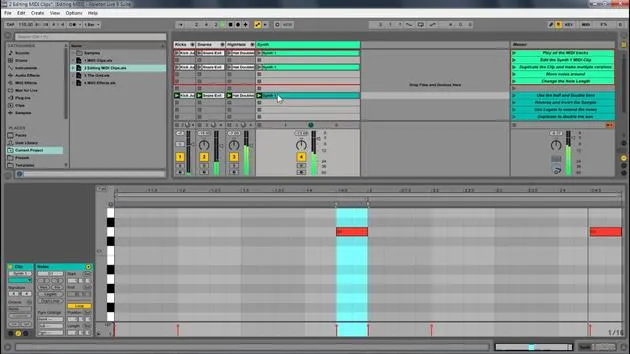
A MIDI clip contains musical material in the form of MIDI notes and controller envelopes. This information can then be passed on to your synth, VST, or live instrument to create sound.
- The MIDI clip is comparable to an audio clip.
- You control it from the clip view, where you can edit, add notes, and create new parts.
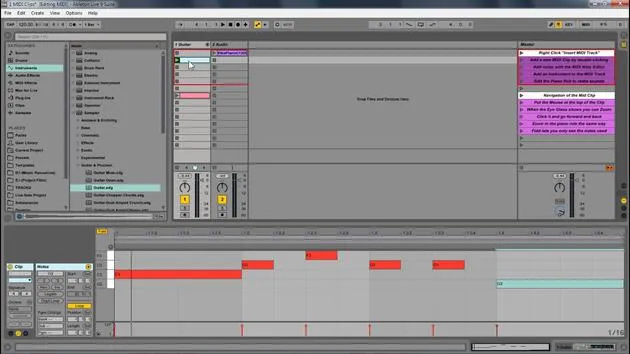
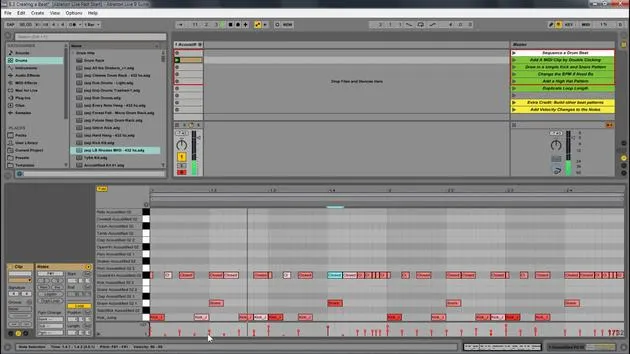
- The clip view is similar to MIDI clips, but instead of displaying a sample, there is the MIDI note editor.
The Piano Roll
Here's an image of the piano roll: normally, you would see the sound right, the sample, but in this case, you see little red boxes on this piano roll, indicating the MIDI notes.
Adding and Editing MIDI Clips
To add a new MIDI clip:
- Double-click to create a clip, or you can always record one.
- Once you have a clip, you can add a note. For example, let's add a C note:
- Double-click to create the note.
- Adjust the length of the note as desired.
- Create multiple notes if needed.
No Sound? Understanding the Data
When you play this, you may notice nothing happens. This is because, as mentioned before, this is data.
- You'll see a little yellow indicator showing that MIDI data is happening, but there's just no sound from it.
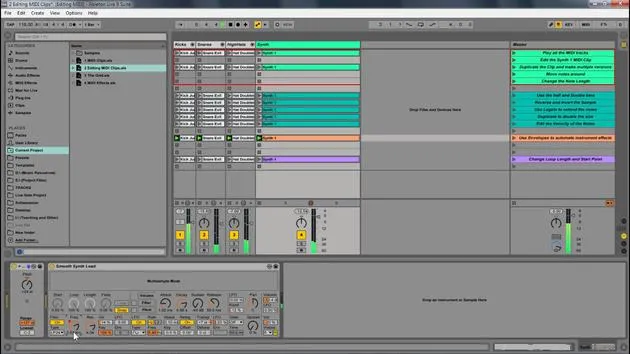
- To make it audible, add an instrument from the browser:
- Navigate to Instruments.
- Select an instrument (e.g., Sampler or Guitar Pluck) and drag it into the MIDI clip.
Playback and Zooming
Once you have added an instrument, you can:
- Play the MIDI clip.
- Use the cue feature to hear the sound when moving the note.
- Draw in notes and adjust their lengths as desired.
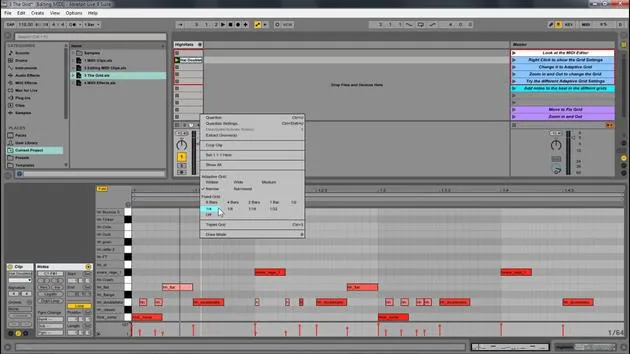
To zoom in and out:
- Use the magnifying glass tool at the top.
- Click to zoom in and out of the MIDI.
- Navigate left and right to adjust view.
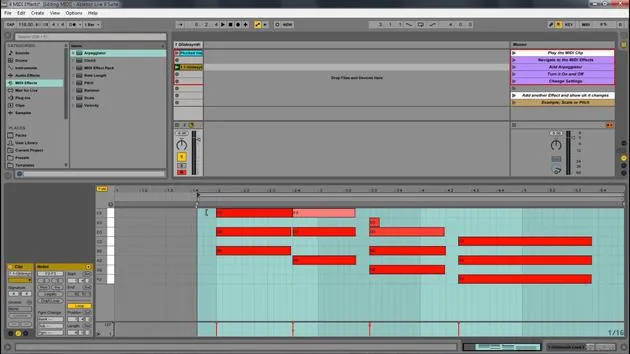
You can also utilize the piano roll:
- Click to zoom in and out.
- Navigate up and down through the notes.
Helpful Features
An important feature is the fold button:
- Hitting fold displays only the notes you played, making it easier to edit and manage notes in your key.
You can duplicate notes using Ctrl D (or Command D on Mac) or create variations:
- Create different changes.
- Just like with samples, you can have multiple versions and modify them.
Conclusion
In summary, the basics of MIDI editing in Ableton Live involve utilizing the piano roll to click to add notes, delete them, and manage various elements similar to audio samples. MIDI adds engaging features, offering more depth to your musical creations.
17 lecciones
1h 33m de lecciones en vídeo estructuradas
Funciones de vídeo avanzadas
Ralentiza, repite un pasaje, sigue la partitura
Móvil, tablet y ordenador
Practica donde quieras
Garantía de satisfacción 100%
30 días de garantía de devolución
Conoce a tu gurú
Conoce a tu gurú
Isaac Cotec es, posiblemente, ¡uno de los mejores formadores de Ableton del mundo! Mientras trabajaba en su propia música, empezó a enseñar técnicas de grabación, diseño sonoro y Ableton Live a alumnos particulares y, desde que obtuvo su certificación como Ableton Certified Trainer oficial, ha ayudado a miles de productores a mejorar su nivel y triunfar como músicos.
Isaac comenzó a producir música electrónica en 2005 con Psyche Sonics, un grupo experimental que trabajaba con la ciencia y la investigación de los binaural beats y la alteración de la consciencia a través del sonido. Tras salir de gira, siguió componiendo música bajo el alias Cotec y más tarde surgió como el artista Subaqueous, fusionando su pasado electrónico con técnicas de producción tanto futuristas como orgánicas. Hasta la fecha ha publicado 3 álbumes y 4 EPs.
Isaac es también fundador y gerente del sello discográfico Invibe Music, que representa a algunos de los mejores artistas de música electrónica del Pacífico Noroeste y se especializa en dance de midtempo.
En sus cursos de Ableton Live, Isaac comparte las técnicas de producción, diseño sonoro y composición que ha pasado años perfeccionando: justo las habilidades que emplea para convertir la chispa de una idea en un tema terminado.







