



Cómo editar MIDI en Ableton Live

Con
Isaac CotecUn recorrido por el editor MIDI de Ableton Live —el piano roll, la velocity de las notas y la regla de compás— para que puedas editar clips y crear tus propios beats y melodías.
Qué incluye el curso
17 lecciones (1h 33m) · 1 gratis
Transcripción de la lección
MIDI Editing in Ableton Live
Live gives you access to a wide range of powerful tools to edit your MIDI. This allows you to write new beats, melody lines, or anything you can think of. The key to this is the MIDI editor.
Overview of the MIDI Editor
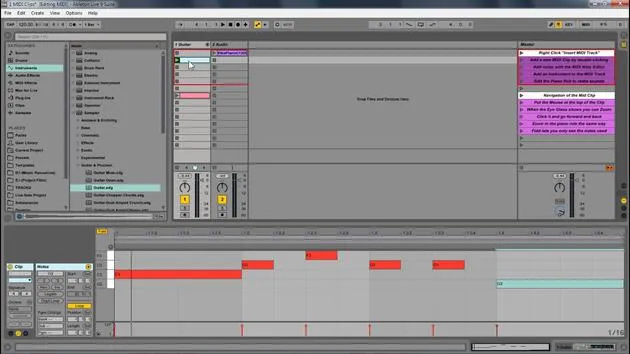
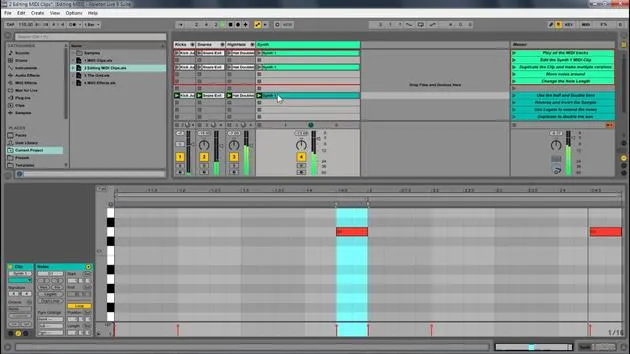
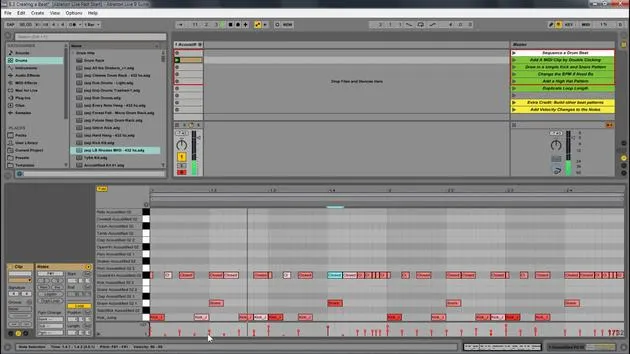
So, that's what we've been looking at, the MIDI editor. Here are some key components of the MIDI clip:
- Piano Roll: The main area for MIDI notes.
- Loop Brace: Similar to the sample editor, it designates the looped portion for MIDI.
- MIDI Note: Double-click to create a note.
- Beat Time Ruler: Displays the timing of your MIDI notes.
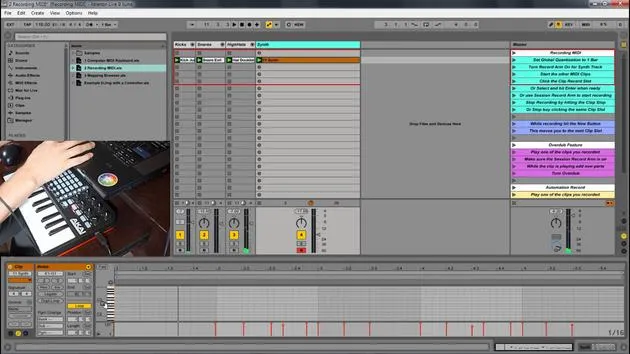
- MIDI Velocity Editor: Allows you to change the velocity of notes.
- Velocity doesn't always mean volume, but it is generally mapped to volume. You can map it to anything, essentially defining how hard a note is pressed.
- Note Velocity: Displays the velocity of individual notes.
- Clip Overview and Zooming: You can zoom in and out to navigate your MIDI clip easily.
Editing MIDI in Ableton Live
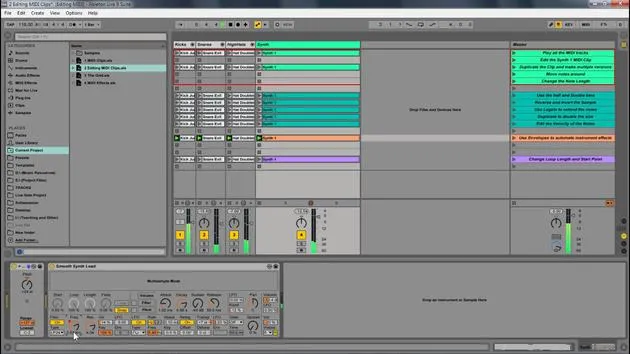
Now, we're going to look at editing MIDI within Ableton Live.
- Play Samples: First, I'll play these samples to start.
- Duplicate Notes: Select them and press Control D (or Command D) to duplicate and create different versions.
Adjusting Notes
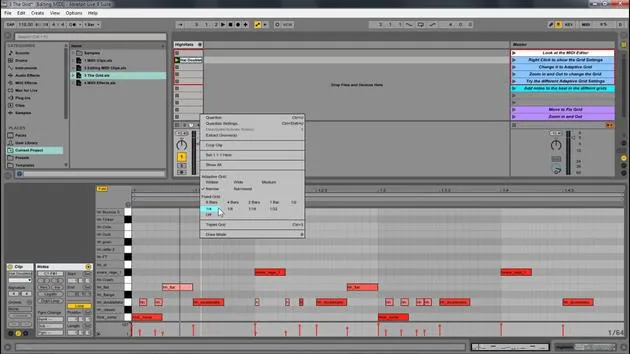
- Zoom Out: I will extend this out and zoom out a little for more room.
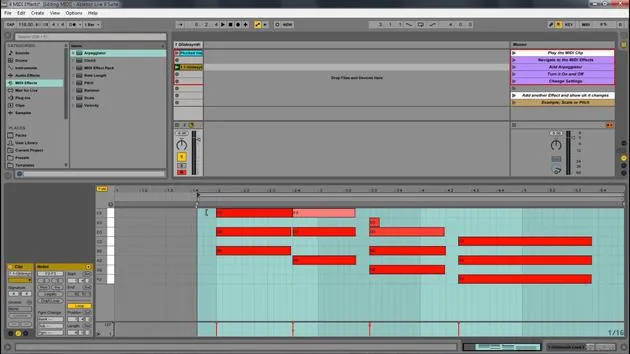
- Transpose Notes: By selecting all these notes, I can move them up or down to transpose the key. Let's move them up to C.
- Change Length: I can also change their length by clicking and dragging.
- Pro Tip: Hold Alt to change notes freely off the grid. This works for any note.
Adding New Notes
For instance, on the hi-hat, I can add a new note:
- Just click to create a note, and it'll be added to the drum rack.
Additional Features
Now, let's look at some other features we have:
- Double Time & Half Time: Select all notes, and if I double time, it makes it a lot slower. Half-time it and then go back to normal.
- Reverse: This takes the position of the notes and reverses it. Selecting all and hitting reverse changes the order of playback.
Invert Feature
Next, we have the invert function:
- This will switch the positions of the highest and lowest notes.
Legato Feature
Now, let's explore legato:
- Select Notes: If I hit legato, the position of the notes shifts to the next note.
- If notes overlap, legato will crop them so only one note plays at a time, ensuring there's never an empty space.
Adjusting Velocity
Lastly, I'm going to select this note because I like it, and I will:
- Adjust Velocity: By clicking and dragging, I can lower the velocity of high notes to make them subtler.
- Notice how the color changes:
- Lower Velocity: Lighter colors.
- Higher Velocity: More intense red.
You can also hold Alt to quickly adjust the velocity up or down.
17 lecciones
1h 33m de lecciones en vídeo estructuradas
Funciones de vídeo avanzadas
Ralentiza, repite un pasaje, sigue la partitura
Móvil, tablet y ordenador
Practica donde quieras
Garantía de satisfacción 100%
30 días de garantía de devolución
Conoce a tu gurú
Conoce a tu gurú
Isaac Cotec es, posiblemente, ¡uno de los mejores formadores de Ableton del mundo! Mientras trabajaba en su propia música, empezó a enseñar técnicas de grabación, diseño sonoro y Ableton Live a alumnos particulares y, desde que obtuvo su certificación como Ableton Certified Trainer oficial, ha ayudado a miles de productores a mejorar su nivel y triunfar como músicos.
Isaac comenzó a producir música electrónica en 2005 con Psyche Sonics, un grupo experimental que trabajaba con la ciencia y la investigación de los binaural beats y la alteración de la consciencia a través del sonido. Tras salir de gira, siguió componiendo música bajo el alias Cotec y más tarde surgió como el artista Subaqueous, fusionando su pasado electrónico con técnicas de producción tanto futuristas como orgánicas. Hasta la fecha ha publicado 3 álbumes y 4 EPs.
Isaac es también fundador y gerente del sello discográfico Invibe Music, que representa a algunos de los mejores artistas de música electrónica del Pacífico Noroeste y se especializa en dance de midtempo.
En sus cursos de Ableton Live, Isaac comparte las técnicas de producción, diseño sonoro y composición que ha pasado años perfeccionando: justo las habilidades que emplea para convertir la chispa de una idea en un tema terminado.







