



Usar la cuadrícula en Ableton Live

Con
Isaac CotecIsaac Cotec repasa la cuadrícula de edición en Ableton Live: cómo funciona el ajuste automático y cómo alternar entre cuadrículas adaptativas y fijas para mantener tus partes a tiempo.
Qué incluye el curso
17 lecciones (1h 33m) · 1 gratis
Transcripción de la lección
Working in the MIDI Editor
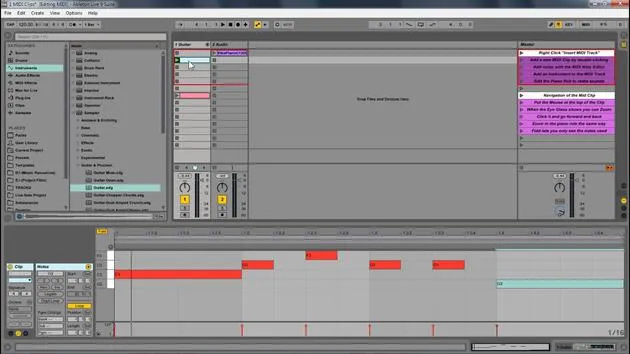
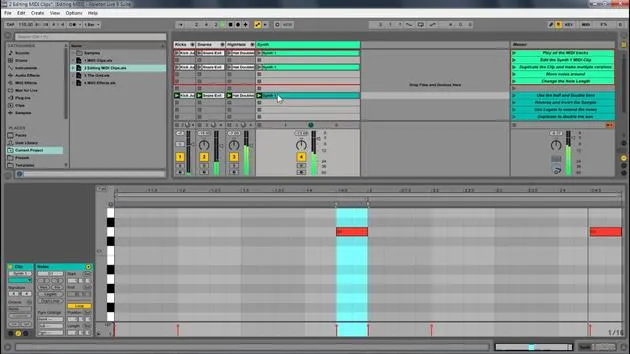
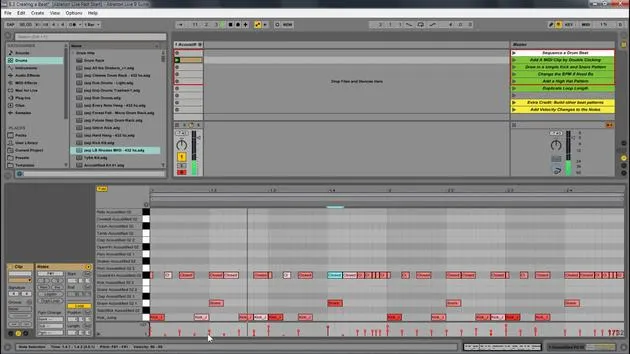
Now, when working in the MIDI editor, you will notice that things snap into place. This is because, by default, Ableton Live snaps everything to a grid to ensure that they are in time.
Grid Options
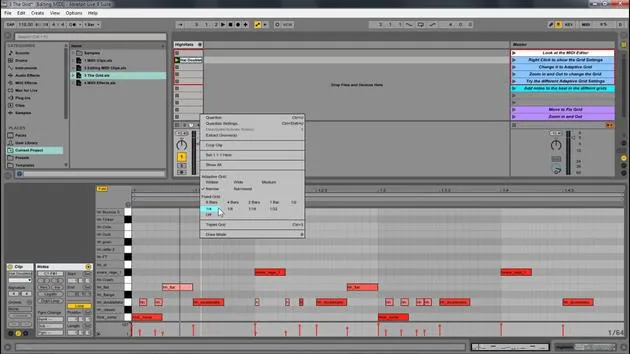
If you have your mouse on a grid and right-click, you will see your grid options. So let's open up this new set and look at that.
- Hats: We have these hats.
- Adding Elements: If I wanted to add some new elements, I just double-click and then add them. But right now, you'll notice it's to a grid, right?
If I right-click, I have all my different grid options here.
Adaptive Grid
- Right now, it's set to adaptive grid.
- This means if I zoom in, you'll notice that it's getting more and more fine.
- All the little grid points are getting finer than if I zoom out.
- If I double-click in here, it's going to create a much bigger size.
It's adaptive in the way that the more you zoom in, the more fine your detail control is, or the more you zoom out, the bigger the notes.
Other Grid Options
We have all these different grid settings:
- Widest: You'll still see that it's creating new grid points; they're just very big grid points.
- Narrowest: These grid points are very small, no matter where we are zoomed in.
- Personal Preference: I personally like narrow or medium.
Then we also have fixed grids.
- Fixed Grid: This means that no matter where we're zoomed in, it will stay at that specific amount.
- For example, if I set it to eighth notes, zooming in and out will always show eighth notes.
- If I set it to thirty-second notes, it will always show thirty-second notes.
Understanding Triplets
Another important feature is the triplet setting.
- If I hit triplet, it will show us all the beats within a triplet.
- For this, you'll need to know a little bit about triplets and rhythm.
The basic concept is that we're not putting things in a faulty sense.
Let's go back to not using triplets. You'll notice that these notes are slightly off that same size grid, but now we're not looking at triplets. This way, you can create more interesting rhythms.
Quick Tip
A quick trick is that if I click and create one, if I hold Alt, you'll notice there is no grid.
- It's a great way to move something off the grid if you want to.
- You can always right-click and then set it to off, which will also have no grid.
So, wherever I click, it will create something. However, it can be hard to keep the timing this way.
Personally, I like adaptive narrow; it seems to work really well for me.
17 lecciones
1h 33m de lecciones en vídeo estructuradas
Funciones de vídeo avanzadas
Ralentiza, repite un pasaje, sigue la partitura
Móvil, tablet y ordenador
Practica donde quieras
Garantía de satisfacción 100%
30 días de garantía de devolución
Conoce a tu gurú
Conoce a tu gurú
Isaac Cotec es, posiblemente, ¡uno de los mejores formadores de Ableton del mundo! Mientras trabajaba en su propia música, empezó a enseñar técnicas de grabación, diseño sonoro y Ableton Live a alumnos particulares y, desde que obtuvo su certificación como Ableton Certified Trainer oficial, ha ayudado a miles de productores a mejorar su nivel y triunfar como músicos.
Isaac comenzó a producir música electrónica en 2005 con Psyche Sonics, un grupo experimental que trabajaba con la ciencia y la investigación de los binaural beats y la alteración de la consciencia a través del sonido. Tras salir de gira, siguió componiendo música bajo el alias Cotec y más tarde surgió como el artista Subaqueous, fusionando su pasado electrónico con técnicas de producción tanto futuristas como orgánicas. Hasta la fecha ha publicado 3 álbumes y 4 EPs.
Isaac es también fundador y gerente del sello discográfico Invibe Music, que representa a algunos de los mejores artistas de música electrónica del Pacífico Noroeste y se especializa en dance de midtempo.
En sus cursos de Ableton Live, Isaac comparte las técnicas de producción, diseño sonoro y composición que ha pasado años perfeccionando: justo las habilidades que emplea para convertir la chispa de una idea en un tema terminado.







