



Overview of library and channel strips

With
Dov WatermanDov Waterman tours Logic's Library - how it organises instrument and channel-strip presets, and how to browse and load them quickly.

What's in the course
10 lessons (0h 46m) · 1 free
01. Welcome to the course & Dov's take on creativity
Free lesson3:29

02. Intro to Workflow & Efficiency
1:30
03. Workflow and Efficiency
7:13
04. Key Commands
6:04

05. Creating a sound pallette
4:02
06. Setting up and saving a template
4:30
07. Overview of library and channel strips
You are here9:20
08. The Toolbar
4:23
09. Screen-sets
4:34

10. Assignment: Create your template
1:18
Lesson transcript
Understanding Logic's Library of Sounds
Overview
The library of sounds is Logic's way of categorizing all its different presets, including:
- Instrument presets
- Channel strip presets
Accessing Settings
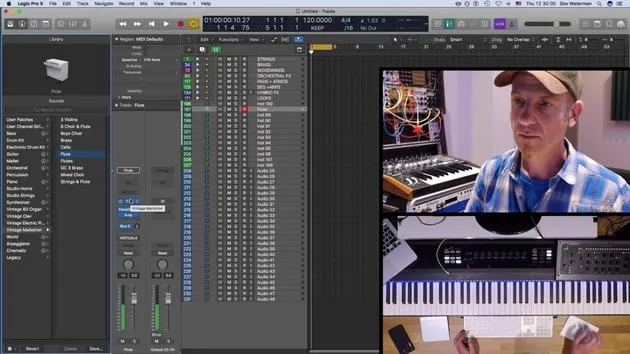
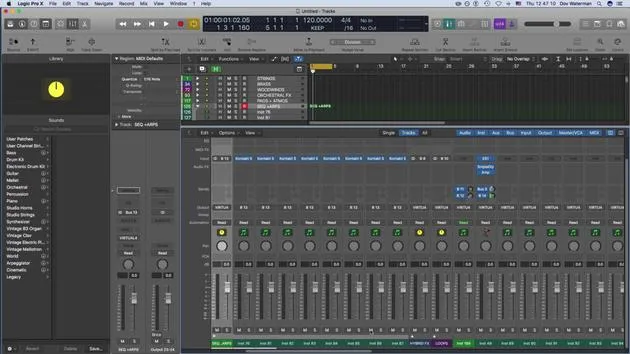
If I go to Settings over here, these are the settings pertaining to the library. This little focus triangle over here is pointing to the settings right now. It will automatically pull up this section.
For example, if I'm looking for a Mellotron flute:
- I pick up a Mellotron flute.
- It opens up the channel strip setting.
- The instrument (the Mellotron) opens up a bunch of plugins.
Additionally, it's saved in the send, which defines where it's going.
Channel Strip Overview
The channel strip opens up. If you don't already have an auxiliary on bus 5, it will create a new auxiliary with the channel strip for the send.
- This is bused to 5.
- If I turn this volume up, it's going to play.
This preset (vintage Mellotron flute) opens up the channel strip and also any send that was saved within it.
Using Custom Instruments
While this is all very interesting for inspiring new ideas, what if you have an instrument you like that isn't part of the Logic sound set?
For example:
- I'm going to pull up an instrument, but I'm not going to tweak it just yet.
- Let's say I have made some adjustments and added various plugins, and I'm bussing it out to another bus (like bus 14).
Saving Channel Strip Settings
If I go to Save and select Save Channel Strip Setting, it will save the entire channel strip, including:
- The new instrument
- Its plugins
- Any sends associated with it
I can save it to any folder or create new folders for better organization.
Structuring Folders
I have several folders opened in various sections, such as:
- Orchestral
- Percussion
- Various performances
- Sound effects
- Synths
If I like a sound that I've just pulled up and think I'll use it in other projects:
- I'll save it to my Synths folder.
- I'll call it Synth Bass because that's what it is.
- I'll save it in Synths → Synth Leads → Synth Bass.
Renaming Files
After saving, when I go to find it later, it shows up as Untitled. A more useful name would have helped, so I will go back and resave it as New Bass for now, placing it in Synth → Synth Bass. Now it appears as Synth Bass and is part of my arsenal.
Finding Your Saved Settings
How does this relate to my library?
To find it later:
- I can access Settings to pull up my section.
- The focus triangle on the leftmost section of the library will show my user patches and user channel strips.
These are where I save my settings. For instance, my settings reside in user channel strip settings under my Synths.
Logic Workflows
It's important to note that in Logic, there are many ways to do different things. You don't need to be a guru or know everything; it's about discovering the methods that work for you.
- We don't need to be Logic ninjas; we can explore different approaches to find what fits our workflow.
User Channel Strip Settings
Now, back to our library section:
This little focus triangle is pointing at the settings for user channel strips. You can also save settings for each instrument.
For instance:
- Massive may not have any settings, but if you pull up one of Logic's instruments, you'll find various presets for the plugins.
- You can also access these directly within the plugin itself, though they are often presented more conveniently in the library.
Utilizing Channel Strip Settings
The channel strip settings are crucial because they allow you to save your own channel settings, which is very handy for:
- Quick recall
- Populating a template with newer sounds
Preloaded Sounds
For example, I have stock sounds in my template that all load preloaded. However, I leave a few sounds open.
- Let's pull up my Rise and Hit instruments.
If I go to Settings on a new instrument and look for:
- Effects
- Synth effects
- Sound effects
- Tension
Currently, I only have Rise. If I go to leads, I might look for something to create a new sound.
Efficiency in Sound Design
Instead of spending a long time searching for a sound, utilizing pre-saved sounds allows you to stay in the zone and focus on creativity rather than recreating what's in your head.
10 lessons
0h 46m of structured video lessons
Advanced video features
Slow down, loop a passage, follow along
Mobile, tablet & desktop
Practise wherever you are
100% satisfaction guarantee
30-day money-back guarantee
Meet your guru
Meet your guru
Dov Waterman is a composer, pianist and producer. He has written and designed sound for films including After Earth, Terminator Genisys, Transformers: The Last Knight and The Snowman, and works as a sample-library audio editor and sound designer with companies such as Native Instruments and SonoKinetic.
His Composition in Logic series walks through building a track end to end in Logic Pro - from templates and workflow to synthesis and beat programming, MIDI effects, editing and the final mix - for producers who want to turn their ideas into finished records.







