



The Toolbar

With
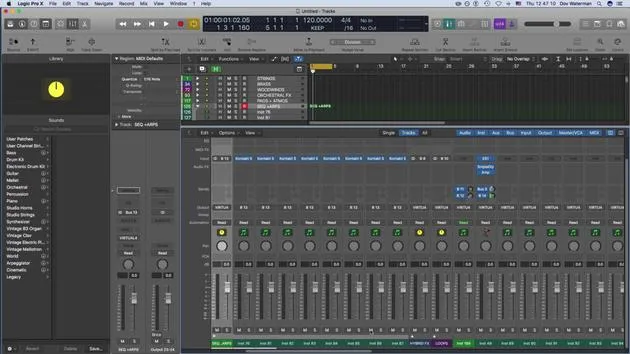
Dov WatermanDov Waterman shows how Logic Pro's toolbar gives one-click access to the functions you reach for most, and how to customise it for a faster composing workflow.
What's in the course
10 lessons (0h 46m) · 1 free
01. Welcome to the course & Dov's take on creativity
Free lesson3:29
02. Intro to Workflow & Efficiency
1:30
03. Workflow and Efficiency
7:13
04. Key Commands
6:04
05. Creating a sound pallette
4:02
06. Setting up and saving a template
4:30
07. Overview of library and channel strips
9:20
08. The Toolbar
You are here4:23
09. Screen-sets
4:34
10. Assignment: Create your template
1:18
Lesson transcript
Recap on Template Building and Customization
Building a Template
- Building a template consists of:
- Getting your sounds correctly in place
- Loading them into folders
- Categorizing them for easier visibility
Customizing the Environment
- We looked at adding elements to:
- The control bar
- The toolbar
Control Bar Functions
- The control bar, located just beneath the toolbar, includes various functions that I frequently reference.
- Key Commandable Functions:
- Most functions here can be accessed via key commands.
- This includes:
- Editing MIDI
- Repeating sections
- Arranging
- Bouncing regions
- Splitting locators
Customizing Functions
- To customize the toolbar:
- Use Control + Click to add functions.
- I prefer seeing certain functions visually rather than relying solely on key commands to avoid accidental pressing.
Useful Functions to Add
- Bounce: I haven't assigned a key command for this, but I keep it visible in the control bar.
- Automatic Quick Assign: We'll discuss this further, particularly regarding automation.
- Import/Export Audio: Essential functions for workflow.
Bouncing Stems
- When creating stems or bouncing out audio, the process is as follows:
- It generates bounce folders (as opposed to "bounce in place," which we'll explore later).
- This feature helps in exporting selections of regions or tracks effectively.
Grouping Tracks for Post Production
- One critical aspect of post-production involves organizing your audio:
- Using folder tracks or summing buses (aux tracks) aids in managing audio when stemming.
- During final mix stages, mixers may need sections grouped (e.g., string sections, brass sections).
- To bounce a section, highlight it and:
- Click Bounce or go to Bounce Output (both perform the same action).
- We will cover more about bouncing and importing files in detail later on.
10 lessons
0h 46m of structured video lessons
Advanced video features
Slow down, loop a passage, follow along
Mobile, tablet & desktop
Practise wherever you are
100% satisfaction guarantee
30-day money-back guarantee
Meet your guru
Meet your guru
Dov Waterman is a composer, pianist and producer. He has written and designed sound for films including After Earth, Terminator Genisys, Transformers: The Last Knight and The Snowman, and works as a sample-library audio editor and sound designer with companies such as Native Instruments and SonoKinetic.
His Composition in Logic series walks through building a track end to end in Logic Pro - from templates and workflow to synthesis and beat programming, MIDI effects, editing and the final mix - for producers who want to turn their ideas into finished records.







