



Screen-sets

With
Dov WatermanDov Waterman shows how to set up screen-sets in Logic Pro, saving and recalling screen layouts so the right windows are a keystroke away.
What's in the course
10 lessons (0h 46m) · 1 free
01. Welcome to the course & Dov's take on creativity
Free lesson3:29
02. Intro to Workflow & Efficiency
1:30
03. Workflow and Efficiency
7:13
04. Key Commands
6:04
05. Creating a sound pallette
4:02
06. Setting up and saving a template
4:30
07. Overview of library and channel strips
9:20
08. The Toolbar
4:23
09. Screen-sets
You are here4:34
10. Assignment: Create your template
1:18
Lesson transcript
Customizing Screen Sets for Mixing
One other aspect to touch on in terms of customization is screen sets. Screen sets are great for:
- Working on a mix
- Managing a bunch of plugins on your output
For example, if you're mixing down and you have various outputs with plugins that you need to monitor, let's take a closer look.
Monitoring Signals
We'll pull up some metering plugins, such as:
- Correlation Meter
- Loudness Meter
Link Button Functionality
The link button, represented by the little purple icon, has a handy feature:
- When clicked, plugins will open in single plugin view.
This is useful when you only need one plugin open but not when you need several plugins visible to monitor various signals.
Saving Screen Sets
Now, let's proceed to open the various plugins. If I'm working on a mix and require certain plugins to be open, here's what I do:
- Duplicate the current screen set.
- Rename it: For example, call it "Mixing Window".
Now, I can return to the original screen set and delete the unnecessary plugins.
Mixing Pages
As you can see, these two pages serve different mixing purposes. This setup is particularly handy if I'm arranging and need multiple instrument plugins open.
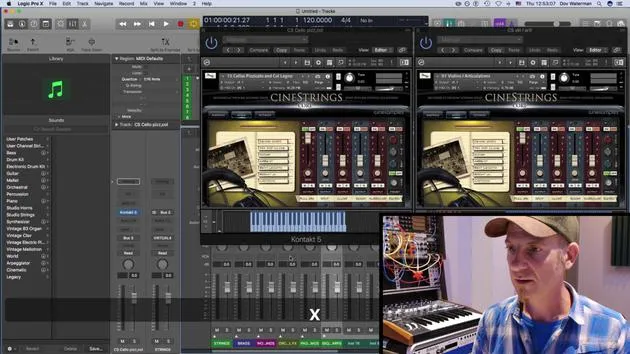
For instance, if I'm arranging strings and working on the harmonization of various string articulations, I might have:
- My current plugin up for strings
- A cello plugin, such as cello pizzicato
Once I have the setup I need, I can save it as a template.
Instrument Page Setup
This will be my Instrument Page. I can go in here, turn off any excess plugins, and lock the page.
The lock button will ensure that:
- The preset is saved
- The screen preset remains unchanged
I can lock additional screens as needed, like Screen Set 3. All these screen sets can be accessed either:
- From the toolbar at the top or
- Through your key commands.
This allows easy navigation to Screen Set 1, Screen Set 2, and Screen Set 3.
Making Changes
If I need to make changes to a specific screen set that I don't like (for example, the mixing window), I simply:
- Unlock it
- Close the mixer
- Go back to my screen set
- Lock it again
Though there is a key command for this, I must admit I don't use screen sets often enough to have one memorized.
Conclusion
And that's it for setting up your template!
10 lessons
0h 46m of structured video lessons
Advanced video features
Slow down, loop a passage, follow along
Mobile, tablet & desktop
Practise wherever you are
100% satisfaction guarantee
30-day money-back guarantee
Meet your guru
Meet your guru
Dov Waterman is a composer, pianist and producer. He has written and designed sound for films including After Earth, Terminator Genisys, Transformers: The Last Knight and The Snowman, and works as a sample-library audio editor and sound designer with companies such as Native Instruments and SonoKinetic.
His Composition in Logic series walks through building a track end to end in Logic Pro - from templates and workflow to synthesis and beat programming, MIDI effects, editing and the final mix - for producers who want to turn their ideas into finished records.







