



Aleatorización de dispositivos con M4L

Con
Isaac CotecIsaac Cotec muestra cómo usar el dispositivo Randomization de Max for Live para añadir movimiento y crear efectos en tu tema de Ableton. Solo Live Suite, y opcional.
Qué incluye el curso
19 lecciones (2h 54m) · 1 gratis
Transcripción de la lección
Exploring the Randomization Device in Ableton Live
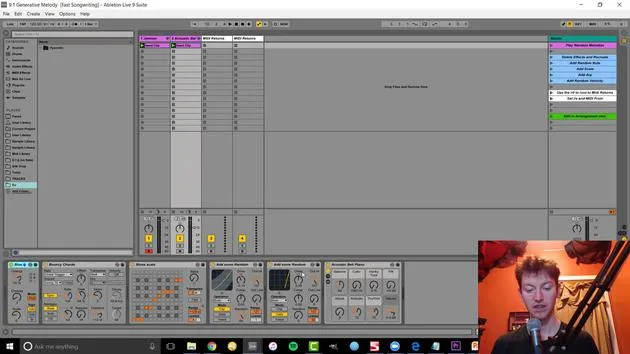
All right, let's look at another thing: the randomization device. This can be more helpful for creating effects compared to what we were doing before. Previously, we focused on making whole sounds using generative techniques. Now, let's explore this randomization idea.
Getting Started with the Randomization Device
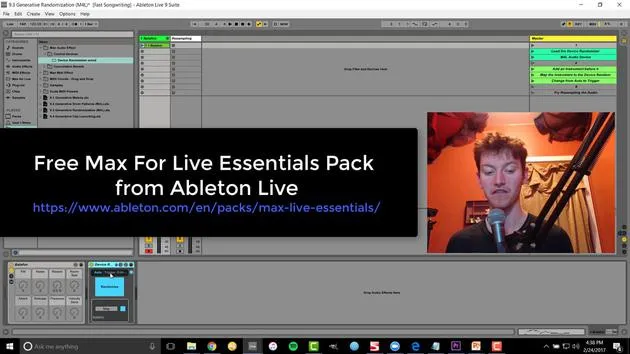
- Load the Randomization Device:
- This device comes with the Ableton Live Max for Live kit, which includes most of the different effects you see in Ableton Live videos.
How It Works
The randomization device randomizes whatever it's pointed to. Let's open it up and check it out.
-
Play the Device:
- Randomization is already set.
-
Turning Off Randomization:
- Nothing is happening right now.
-
Mapping to Randomize:
- Map this device by hitting map and clicking. This takes it over.
Exploring Controls
Once you hit a little button to open it up, you'll see the different controls available:
- Frequency
- Depth
- Smoothness
- And many other options
You can easily randomize anything! For example, add a frozen smear and adjust the sync amount to make it like super slow.
Now, we have a slow-evolving change, and you can see how that's going to create a cool new morphing sound that we might not think of or create by hand. This is a much faster way of doing it!
Additional Features of the Randomization Device
When using the Randomizer, if you switch from Auto to Trigger or Edit, you access a lot more parameters:
- You can edit which effects are being affected.
- You can turn off parameters selectively.
For instance, you could:
- Turn off a couple to narrow it down.
- This leaves you with the desired effects to tweak further.
Using the Trigger Option
The Trigger option allows you to:
- Randomize only once by hitting randomize.
- This way, you can find an effect you like, and it will stay consistent rather than always changing over time.
In conclusion, adding randomization to your audio opens up a world of creative possibilities!
19 lecciones
2h 54m de lecciones en vídeo estructuradas
Funciones de vídeo avanzadas
Ralentiza, repite un pasaje, sigue la partitura
Móvil, tablet y ordenador
Practica donde quieras
Garantía de satisfacción 100%
30 días de garantía de devolución
Conoce a tu gurú
Conoce a tu gurú
Isaac Cotec es, posiblemente, ¡uno de los mejores formadores de Ableton del mundo! Mientras trabajaba en su propia música, empezó a enseñar técnicas de grabación, diseño sonoro y Ableton Live a alumnos particulares y, desde que obtuvo su certificación como Ableton Certified Trainer oficial, ha ayudado a miles de productores a mejorar su nivel y triunfar como músicos.
Isaac comenzó a producir música electrónica en 2005 con Psyche Sonics, un grupo experimental que trabajaba con la ciencia y la investigación de los binaural beats y la alteración de la consciencia a través del sonido. Tras salir de gira, siguió componiendo música bajo el alias Cotec y más tarde surgió como el artista Subaqueous, fusionando su pasado electrónico con técnicas de producción tanto futuristas como orgánicas. Hasta la fecha ha publicado 3 álbumes y 4 EPs.
Isaac es también fundador y gerente del sello discográfico Invibe Music, que representa a algunos de los mejores artistas de música electrónica del Pacífico Noroeste y se especializa en dance de midtempo.
En sus cursos de Ableton Live, Isaac comparte las técnicas de producción, diseño sonoro y composición que ha pasado años perfeccionando: justo las habilidades que emplea para convertir la chispa de una idea en un tema terminado.







