



Organizar las muestras

Con
Isaac CotecNo querrás quedarte atascado buscando muestras en mitad de una sesión. Este vídeo repasa las buenas prácticas para la gestión de archivos en Ableton Live. No olvides descargar el PDF de actividad adjunto que acompaña a esta lección.
Qué incluye el curso
19 lecciones (2h 54m) · 1 gratis
Transcripción de la lección
Organizing Your Samples
In this video, we're going to be talking about organizing your samples. Now, I know this isn't the most fun or interesting thing you can think of when it comes to music. When you think of music, you don't picture someone sitting in front of a computer making files, folders, and organizing things. However, I'm going to tell you this: it makes your life so much quicker and easier when you are producing.
"This is just the nature of being an electronic or computer-based musician."
The Digital Equivalent of Gear Maintenance
If you were playing a guitar or another instrument, the equivalent task might be changing out strings or fixing gear. This organizing task is the digital equivalent of that. It's important to ensure you do this so that it makes your production process a lot quicker.
My Samples Folder
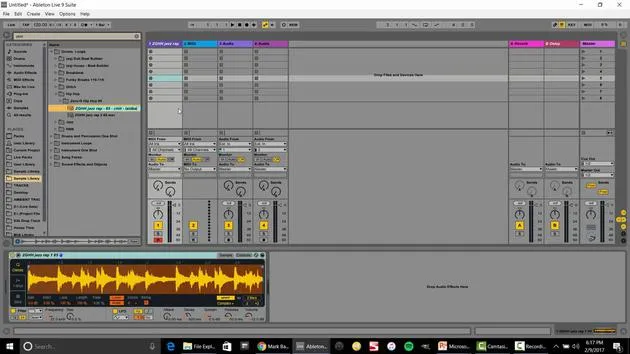
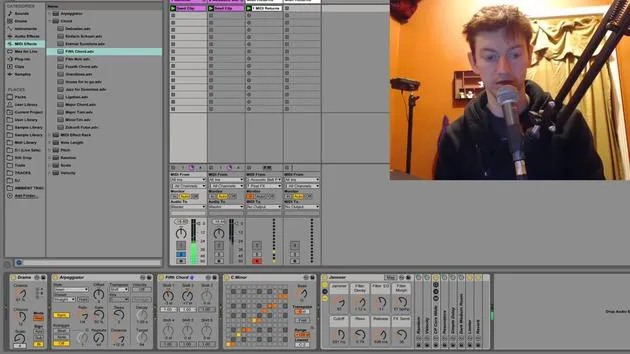
Here's an image of what my samples folder looks like when it's very clearly organized. Let me show you how I have it set up in Ableton:
- Drum Loops: I open this folder and it contains only drum loops.
- I can browse by genre or BPM, such as "funky house" or "dubstep."
This structure allows me to find exactly what I'm looking for, whether it's loops, single shots, instrument loops, or single instrument one shots. It's a lot better than when I first started with a gigantic list of sounds that confused me.
Tips and Tricks for Organizing Your Samples
Structure Your Folders
When you look at my organization, you'll see the first section consists of:
- Drum Loops
- Drum and Percussion One Shots
- Instrument Loops
If you pick one of these, it opens up to a new folder. For example:
- Drums and Percussion: Opens to various categories such as:
- Drum Kits
- Glitch Sounds
- Tuned Percussion
- Untuned Percussion
This organization becomes very specific. I choose a major folder, which then goes to another subset of folders.
Guidelines for Creating Organization
Here are a few guidelines I recommend:
-
Break It Into Groups:
- If there are more than 10 samples, try to categorize them.
- For example, if you have a variety of percussion sounds, create a folder labeled "Drums." Inside that, you can have subfolders for each specific type of drum.
"If you have a tabla, create two separate folders for each side of the tabla set."
-
Only Keep Usable Samples:
- Avoid keeping samples that sound bad or that you know you shouldn't use in your music.
- Copyright: If you don't have the rights to a sample or you're unsure of its origin, don't include it.
-
Add Keywords for Easy Searching:
- For example, if you have a sax loop, you can add keywords like "jazzy," "dark," "verb," "120 BPM," and "A minor" to make it easier to find in your browser.
Example: If I search "jazz," I can quickly see all associated samples, like "killer jazzy break 102."
Sample Activity
As a cool example to test your knowledge and make sure you're organizing your samples, I created a sample activity. Here's a PDF you can download to follow along.
- Organize Samples Activity:
- Open your sample library (whatever samples you have).
- You can use samples from your class collection or your own.
Steps:
- Organize your samples into larger folders by type (e.g., instruments, drums, sound effects).
- Break it down further into more specific folders.
No Hard Rules
There is no hard rule to this; it's completely up to your style and the sound you prefer. Use some creativity here! You don't have to strictly follow an example structure.
Adding Folders to the Browser
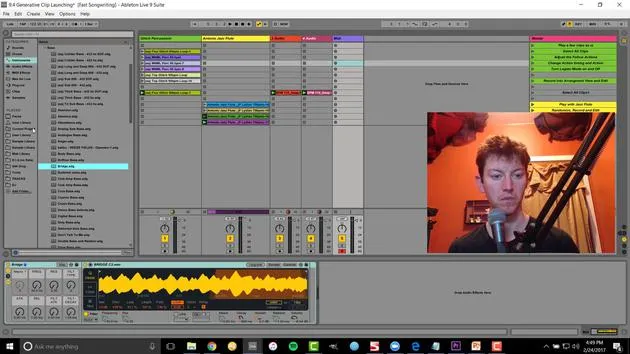
- In Ableton Live: Navigate to the browser on the side.
- Use the "Add Folder" option to choose your organized folder location. This will make it easily accessible from your places in the browser.
Conclusion
There you go! That is the activity for organizing your samples and considering the file structure.
Keep in Mind:
- Break down your samples as you go
- Ensure a good bit rate
- Respect copyright rules
- Use good keywords
Organizing your samples will allow you to find what you need quickly. I remember spending two frustrating days reorganizing files after years as a producer. Now that I'm organized, it's smooth and easy to navigate; you'll be lucky if you start fresh and implement these strategies from the get-go! If you already have a backlog, it's time to clean it up.
That's it, organizing your samples!
19 lecciones
2h 54m de lecciones en vídeo estructuradas
Funciones de vídeo avanzadas
Ralentiza, repite un pasaje, sigue la partitura
Móvil, tablet y ordenador
Practica donde quieras
Garantía de satisfacción 100%
30 días de garantía de devolución
Conoce a tu gurú
Conoce a tu gurú
Isaac Cotec es, posiblemente, ¡uno de los mejores formadores de Ableton del mundo! Mientras trabajaba en su propia música, empezó a enseñar técnicas de grabación, diseño sonoro y Ableton Live a alumnos particulares y, desde que obtuvo su certificación como Ableton Certified Trainer oficial, ha ayudado a miles de productores a mejorar su nivel y triunfar como músicos.
Isaac comenzó a producir música electrónica en 2005 con Psyche Sonics, un grupo experimental que trabajaba con la ciencia y la investigación de los binaural beats y la alteración de la consciencia a través del sonido. Tras salir de gira, siguió componiendo música bajo el alias Cotec y más tarde surgió como el artista Subaqueous, fusionando su pasado electrónico con técnicas de producción tanto futuristas como orgánicas. Hasta la fecha ha publicado 3 álbumes y 4 EPs.
Isaac es también fundador y gerente del sello discográfico Invibe Music, que representa a algunos de los mejores artistas de música electrónica del Pacífico Noroeste y se especializa en dance de midtempo.
En sus cursos de Ableton Live, Isaac comparte las técnicas de producción, diseño sonoro y composición que ha pasado años perfeccionando: justo las habilidades que emplea para convertir la chispa de una idea en un tema terminado.







