



Organiser les samples

Avec
Isaac CotecTu ne veux pas te retrouver bloqué à chercher des samples au milieu d'une session. Cette vidéo passe en revue les bonnes pratiques de gestion de fichiers dans Ableton Live. N'oublie pas de télécharger le PDF d'activité joint à cette leçon.
Le contenu du cours
19 leçons (2h 54min) · 1 gratuites
Transcription de la leçon
Organizing Your Samples
In this video, we're going to be talking about organizing your samples. Now, I know this isn't the most fun or interesting thing you can think of when it comes to music. When you think of music, you don't picture someone sitting in front of a computer making files, folders, and organizing things. However, I'm going to tell you this: it makes your life so much quicker and easier when you are producing.
"This is just the nature of being an electronic or computer-based musician."
The Digital Equivalent of Gear Maintenance
If you were playing a guitar or another instrument, the equivalent task might be changing out strings or fixing gear. This organizing task is the digital equivalent of that. It's important to ensure you do this so that it makes your production process a lot quicker.
My Samples Folder
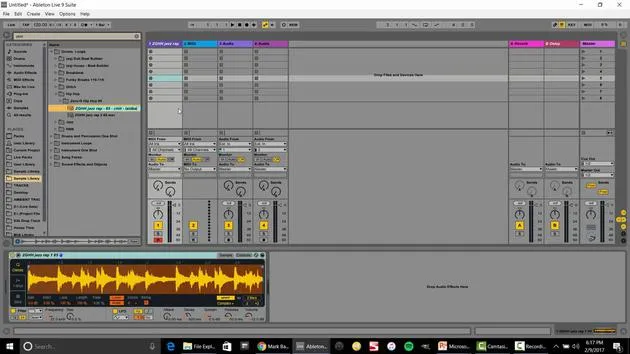
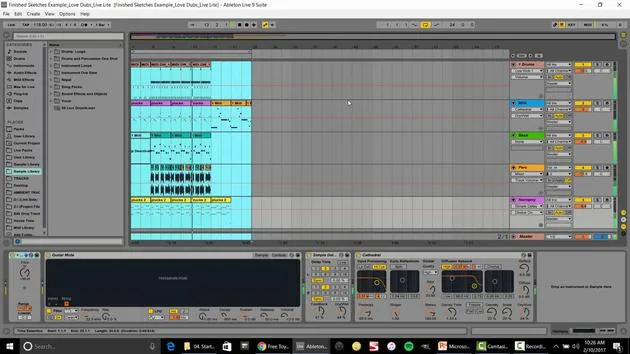
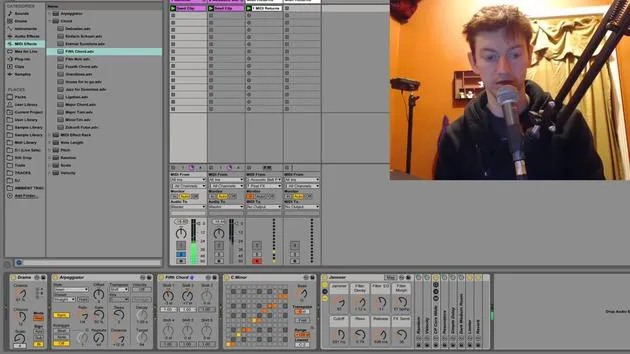
Here's an image of what my samples folder looks like when it's very clearly organized. Let me show you how I have it set up in Ableton:
- Drum Loops: I open this folder and it contains only drum loops.
- I can browse by genre or BPM, such as "funky house" or "dubstep."
This structure allows me to find exactly what I'm looking for, whether it's loops, single shots, instrument loops, or single instrument one shots. It's a lot better than when I first started with a gigantic list of sounds that confused me.
Tips and Tricks for Organizing Your Samples
Structure Your Folders
When you look at my organization, you'll see the first section consists of:
- Drum Loops
- Drum and Percussion One Shots
- Instrument Loops
If you pick one of these, it opens up to a new folder. For example:
- Drums and Percussion: Opens to various categories such as:
- Drum Kits
- Glitch Sounds
- Tuned Percussion
- Untuned Percussion
This organization becomes very specific. I choose a major folder, which then goes to another subset of folders.
Guidelines for Creating Organization
Here are a few guidelines I recommend:
-
Break It Into Groups:
- If there are more than 10 samples, try to categorize them.
- For example, if you have a variety of percussion sounds, create a folder labeled "Drums." Inside that, you can have subfolders for each specific type of drum.
"If you have a tabla, create two separate folders for each side of the tabla set."
-
Only Keep Usable Samples:
- Avoid keeping samples that sound bad or that you know you shouldn't use in your music.
- Copyright: If you don't have the rights to a sample or you're unsure of its origin, don't include it.
-
Add Keywords for Easy Searching:
- For example, if you have a sax loop, you can add keywords like "jazzy," "dark," "verb," "120 BPM," and "A minor" to make it easier to find in your browser.
Example: If I search "jazz," I can quickly see all associated samples, like "killer jazzy break 102."
Sample Activity
As a cool example to test your knowledge and make sure you're organizing your samples, I created a sample activity. Here's a PDF you can download to follow along.
- Organize Samples Activity:
- Open your sample library (whatever samples you have).
- You can use samples from your class collection or your own.
Steps:
- Organize your samples into larger folders by type (e.g., instruments, drums, sound effects).
- Break it down further into more specific folders.
No Hard Rules
There is no hard rule to this; it's completely up to your style and the sound you prefer. Use some creativity here! You don't have to strictly follow an example structure.
Adding Folders to the Browser
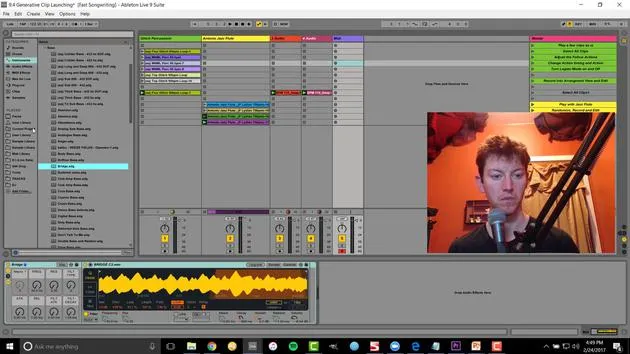
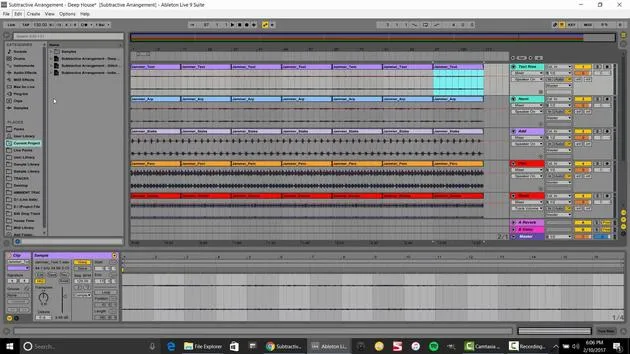
- In Ableton Live: Navigate to the browser on the side.
- Use the "Add Folder" option to choose your organized folder location. This will make it easily accessible from your places in the browser.
Conclusion
There you go! That is the activity for organizing your samples and considering the file structure.
Keep in Mind:
- Break down your samples as you go
- Ensure a good bit rate
- Respect copyright rules
- Use good keywords
Organizing your samples will allow you to find what you need quickly. I remember spending two frustrating days reorganizing files after years as a producer. Now that I'm organized, it's smooth and easy to navigate; you'll be lucky if you start fresh and implement these strategies from the get-go! If you already have a backlog, it's time to clean it up.
That's it, organizing your samples!
19 leçons
2h 54m de leçons vidéo structurées
Fonctions vidéo avancées
Ralentissez, bouclez un passage, suivez la partition
Mobile, tablette et ordinateur
Pratiquez où vous voulez
Satisfaction garantie à 100 %
Garantie remboursement 30 jours
Rencontrez votre guru
Rencontrez votre guru
Isaac Cotec est, sans doute, l'un des meilleurs formateurs Ableton au monde ! Tout en travaillant sur sa propre musique, il a commencé à enseigner les techniques d'enregistrement, le design sonore et Ableton Live à des élèves particuliers et, depuis qu'il a obtenu sa certification d'Ableton Certified Trainer officiel, il a aidé des milliers de producteurs à passer un cap et à réussir comme musiciens.
Isaac a commencé à produire de la musique électronique en 2005 avec Psyche Sonics, un groupe expérimental travaillant sur la science et la recherche des binaural beats et la modification de la conscience par le son. Après avoir tourné, il a continué à écrire de la musique sous l'alias Cotec puis a émergé comme l'artiste Subaqueous, mêlant son passé électronique à des techniques de production à la fois futuristes et organiques. À ce jour, il a sorti 3 albums et 4 EPs.
Isaac est aussi le fondateur et le gérant du label Invibe Music, qui représente certains des meilleurs artistes de musique électronique du Pacific Northwest et se spécialise dans la dance midtempo.
Dans ses cours Ableton Live, Isaac partage les techniques de production, de design sonore et d'écriture qu'il a passé des années à affiner — les compétences mêmes qu'il utilise pour transformer l'étincelle d'une idée en un morceau fini.







