



Die Werkzeugleiste

Mit
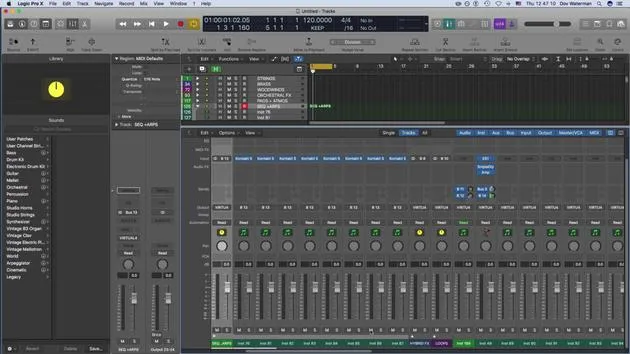
Dov WatermanDov Waterman zeigt, wie dir die Werkzeugleiste von Logic Pro mit einem Klick Zugriff auf die am häufigsten genutzten Funktionen gibt und wie du sie für einen schnelleren Kompositions-Workflow anpasst.
Das steckt im Kurs
10 Lektionen (0h 46m) · 1 gratis
01. Willkommen zum Kurs und Dovs Sicht auf Kreativität
Gratis-Lektion3:29
02. Einführung in Workflow & Effizienz
1:30
03. Workflow und Effizienz
7:13
04. Tastenbefehle
6:04
05. Eine Klangpalette erstellen
4:02
06. Ein Template einrichten und speichern
4:30
07. Überblick über die Library und Channel-Strips
9:20
08. Die Werkzeugleiste
Du bist hier4:23
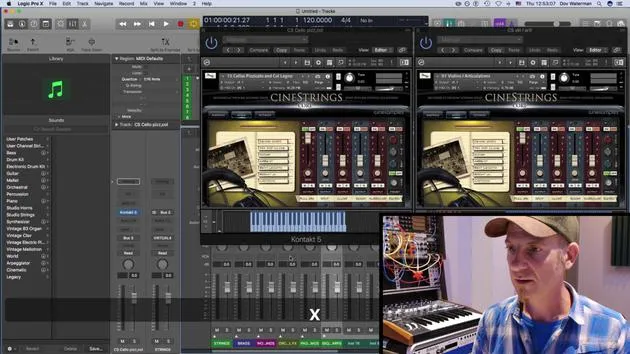
09. Screen-Sets
4:34
10. Aufgabe: Erstelle dein Template
1:18
Transkript der Lektion
Recap on Template Building and Customization
Building a Template
- Building a template consists of:
- Getting your sounds correctly in place
- Loading them into folders
- Categorizing them for easier visibility
Customizing the Environment
- We looked at adding elements to:
- The control bar
- The toolbar
Control Bar Functions
- The control bar, located just beneath the toolbar, includes various functions that I frequently reference.
- Key Commandable Functions:
- Most functions here can be accessed via key commands.
- This includes:
- Editing MIDI
- Repeating sections
- Arranging
- Bouncing regions
- Splitting locators
Customizing Functions
- To customize the toolbar:
- Use Control + Click to add functions.
- I prefer seeing certain functions visually rather than relying solely on key commands to avoid accidental pressing.
Useful Functions to Add
- Bounce: I haven't assigned a key command for this, but I keep it visible in the control bar.
- Automatic Quick Assign: We'll discuss this further, particularly regarding automation.
- Import/Export Audio: Essential functions for workflow.
Bouncing Stems
- When creating stems or bouncing out audio, the process is as follows:
- It generates bounce folders (as opposed to "bounce in place," which we'll explore later).
- This feature helps in exporting selections of regions or tracks effectively.
Grouping Tracks for Post Production
- One critical aspect of post-production involves organizing your audio:
- Using folder tracks or summing buses (aux tracks) aids in managing audio when stemming.
- During final mix stages, mixers may need sections grouped (e.g., string sections, brass sections).
- To bounce a section, highlight it and:
- Click Bounce or go to Bounce Output (both perform the same action).
- We will cover more about bouncing and importing files in detail later on.
10 Lektionen
0 Std. 46 Min. strukturierte Videolektionen
Erweiterte Videofunktionen
Verlangsamen, Passagen loopen, mitlesen
Handy, Tablet & Desktop
Üben, wo du willst
100 % Zufriedenheitsgarantie
30 Tage Geld-zurück-Garantie
Lern deinen Guru kennen
Lern deinen Guru kennen
Dov Waterman ist Komponist, Pianist und Produzent. Er hat für Filme wie After Earth, Terminator Genisys, Transformers: The Last Knight und The Snowman Musik geschrieben und das Sounddesign gestaltet und arbeitet als Audio-Editor für Sample-Bibliotheken und Sounddesigner mit Firmen wie Native Instruments und SonoKinetic.
Seine Reihe Composition in Logic geht den Aufbau eines Tracks von Anfang bis Ende in Logic Pro durch – von Templates und Workflow über Synthese und Beat-Programmierung, MIDI-Effekte, Editing bis zum finalen Mix – für Produzenten, die ihre Ideen in fertige Tracks verwandeln möchten.







