



Tastenbefehle

Mit
Dov WatermanDov Waterman zeigt dir, wie du Tastenbefehle in Logic Pro findest, lernst und anpasst, um deinen Workflow zu beschleunigen.
Das steckt im Kurs
10 Lektionen (0h 46m) · 1 gratis
01. Willkommen zum Kurs und Dovs Sicht auf Kreativität
Gratis-Lektion3:29
02. Einführung in Workflow & Effizienz
1:30
03. Workflow und Effizienz
7:13
04. Tastenbefehle
Du bist hier6:04
05. Eine Klangpalette erstellen
4:02
06. Ein Template einrichten und speichern
4:30
07. Überblick über die Library und Channel-Strips
9:20
08. Die Werkzeugleiste
4:23
09. Screen-Sets
4:34
10. Aufgabe: Erstelle dein Template
1:18
Transkript der Lektion
Key Commands in Logic
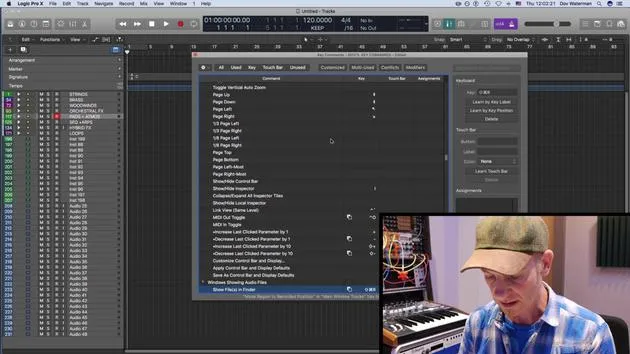
Welcome to the key command lesson! This page is a fantastic resource for understanding your key commands. If you're ever unsure about what a key command does, or if you're looking for a specific one, here's how to navigate it:
Finding Key Commands
-
Type in a Key Command:
- For example, if I press H, I get Toggle Hide View.
- This function is useful for showing various hidden tracks in Logic.
-
Not a How-To Video:
- Just a heads up, this isn't an in-depth video on the various functions of Logic.
- Covering all functions would take much longer than we have.
-
Using the Key Commands Page:
- If you're unsure of what a key command does, or if you're searching for a command that isn't listed, simply type in a key and you'll discover its functionality.
Common Key Commands
- Voice Separation Tool: A command I seldom use.
- Metronome (C):
- Press C to toggle the metronome on and off.
- Searching for "metronome" yields options for MIDI monitoring and metronome clicking.
Saving Customized Key Commands
- If you create key commands not included in the default settings, you can save these as a preset:
- Store your key commands in a file that can be exported and used on another computer with Logic.
Example: Changing a Key Command
-
Search for "Record":
- You might find commands like "Record on" or "Record repeat".
- Let's say you want to change the record button to Shift + S.
-
Result:
- Pressing Shift + S may display "Select similar region events in main window."
- If you don't use this often, simply replace the command.
-
Deleting Commands:
- To remove a command, press delete on the section, and it will vanish.
-
Saving Changes:
- After adjusting commands, save them to your Key Commands folder in your Music directory for future use.
Recap of the Command Bar
- In the command bar at the top, you can view all available key commands in Logic:
- All Commands: A comprehensive list, including those you have customized.
- Unused: Displays functions without assigned key commands.
- Multi Use: Highlights key commands with conflicts that may confuse Logic.
- Modifier Keys: Make use of the extended keyboard or right-side ASCII commands for an enhanced workflow.
Utilizing these key commands will greatly enhance your efficiency while working in Logic. Happy music making!
10 Lektionen
0 Std. 46 Min. strukturierte Videolektionen
Erweiterte Videofunktionen
Verlangsamen, Passagen loopen, mitlesen
Handy, Tablet & Desktop
Üben, wo du willst
100 % Zufriedenheitsgarantie
30 Tage Geld-zurück-Garantie
Lern deinen Guru kennen
Lern deinen Guru kennen
Dov Waterman ist Komponist, Pianist und Produzent. Er hat für Filme wie After Earth, Terminator Genisys, Transformers: The Last Knight und The Snowman Musik geschrieben und das Sounddesign gestaltet und arbeitet als Audio-Editor für Sample-Bibliotheken und Sounddesigner mit Firmen wie Native Instruments und SonoKinetic.
Seine Reihe Composition in Logic geht den Aufbau eines Tracks von Anfang bis Ende in Logic Pro durch – von Templates und Workflow über Synthese und Beat-Programmierung, MIDI-Effekte, Editing bis zum finalen Mix – für Produzenten, die ihre Ideen in fertige Tracks verwandeln möchten.







