



Stemming & Reverb
What's in the course
16 lessons (1h 36m) · 1 free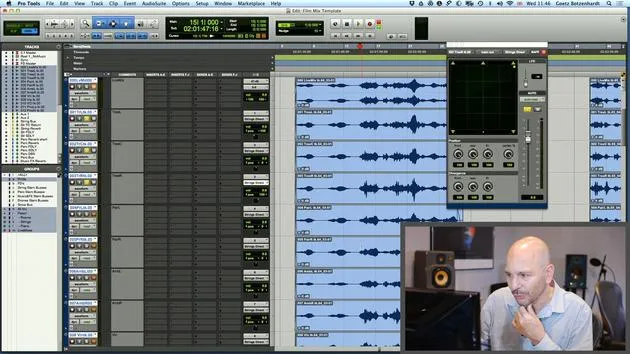
01. How to use both film footage and audio in Pro Tools
19:52
02. Importing an orchestral recording - key concepts
8:10
03. Stemming & Reverb
You are here8:51
04. Adding more parts to the mix - percussive elements
4:33
05. The mixing process
6:35
06. Dynamics & rides
3:08
07. Walk-through of all Goetz's mixing on this score
5:02
08. ASSIGNMENT #2: CREATE A MIX
0:40
09. CHALLENGE #1: MIX TO FILM
0:55
Lesson transcript
Music Lesson: Stemming and Reverb Techniques
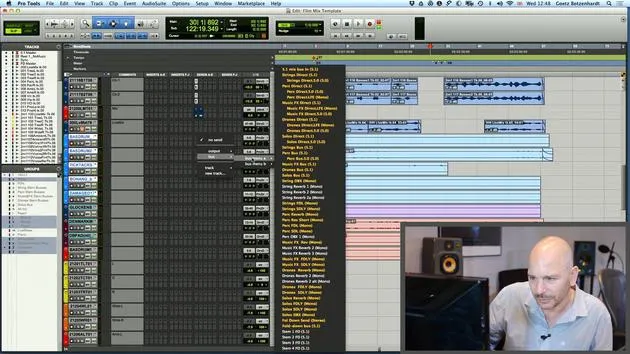
Now, I'm going to talk about the stemming a little bit more again, because now we can see we've got:
- An orchestra
- A piano
- The solo string players (violin, viola, and cello)
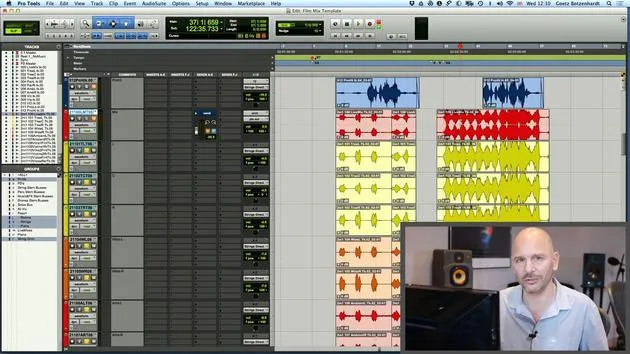
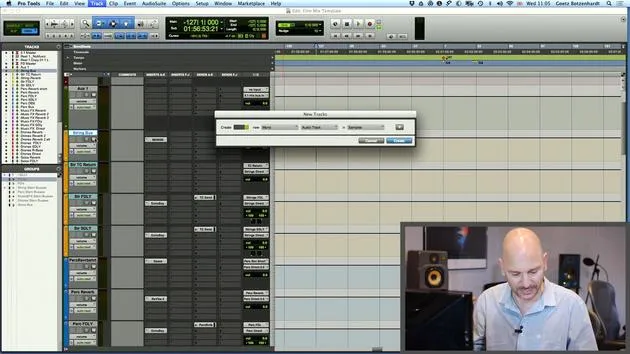
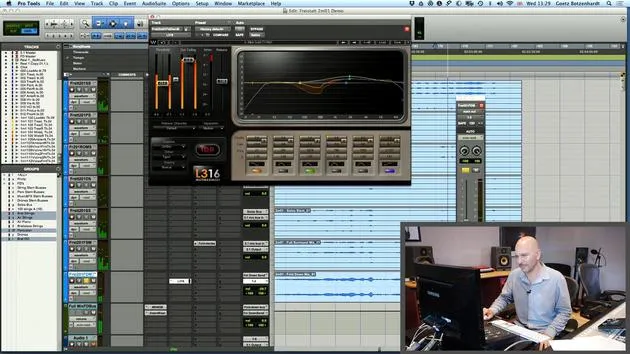
It would actually be quite nice to have all those on separate stems. So I'm just going to change my mind up here and:
- Put our solo strings onto my soloist stems.
- Root them to "solos direct."
- Root the piano to our music stem.
Adjusting Reverb for Solo Strings
I've already added a little bit of reverb here to the solo string players. This reverb is from the string orchestra stem. Therefore, I really don't want the reverb for my soloist now to send to that stem. If I did, the reverb of the soloist would crop up on the string stem, which is not right.
So, I'm going to have to change that and select the solos reverb down here.
- Checking the level again: There we go! That's a nice amount of reverb.
Key Thoughts on Reverb
Generally, I'm a big fan of the TC6000, especially because it has a lovely program called Large Warm Hole. This program is considered an industry standard for orchestral reverb and is one of the favorite programs that many engineers around the world use, simply because it sounds really great.
Now, probably most people at home won't have a TC6000. However, what most people do have is a convolution reverb. I use A1, which is called Space, an Avid product. Another popular option is Ultiverb.
All these convolution reverbs will likely have, under different names, a copy/clone of what goes on in here.
On my Space reverb, there's a setting called Under European Sound that I can dial up, which gives me a similar sound.
- Large Wormholes: Select that, and it should sound very similar to what goes on in here.
Now I have my string reverb back, but this time it's actually down here on the solo stem.
Checking the Signal Flow
Let's double-check that:
- If I solo my strings up here, my solo strings should only show a signal on:
- Our solo stem buses
- Our solo stem track
- The full mix and fold down
Looking good! Silent everywhere else, that's what we want.
Adding Reverb to Spot Mics
We might want some reverb on the spot mics of the orchestral strings. I'm just going to put that there and send it to our TC, probably with a little bit less on the double basses.
Don't forget to put the follow main pan on!
I'm just going to create a group for these spot mics so I can control the reverb all in one go.
Fine-Tuning the Mix
If I play, we should see some action on our string bus and also on our string reverb.
- Checking down here: It's coming onto our string track and string stem record track and doesn't crop up anywhere else, that's crucial.
Blending the Mix
Now I'll quickly blend these two together. You may not have heard this, but I just noticed a little click. Many times, orchestral sessions are done in a hurry with a lot of material to get through.
Often, the recording engineer doesn't have time to edit the takes together the way we would like.
We can see there's a little edit that hasn't been faded, so I'm just going to pull that out and create a little crossfade. Hopefully, that will eliminate the click.
Using the Multi Tool in Pro Tools
I'd like to show how I did this. I actually like using the Multi Tool on Pro Tools. If you hit F6 and F7, this Multi Tool becomes active, allowing all three of these fields to turn blue.
This tool changes to suit what you need depending on where you place it.
- For example, if I start at the beginning, it allows me to adjust the length.
- If I go to the top, it allows me to create a crossfade.
If I go between two sections, the fade tool comes up again, and all I have to do is drag it across like this, it's very handy!
Final Thoughts
It's always worthwhile to look quickly at the editing of the recorded material.
- Make sure things are edited nicely, with no extra bits of noise at the end of takes or in between takes.
For instance, there's another edit here we can see.
Things like this do not belong in our mix, so just get busy and edit that out.
I'm going to quickly get rid of this and also check that the front is clean.
16 lessons
1h 36m of structured video lessons
Advanced video features
Slow down, loop a passage, follow along
Mobile, tablet & desktop
Practise wherever you are
100% satisfaction guarantee
30-day money-back guarantee
Meet your guru
Meet your guru
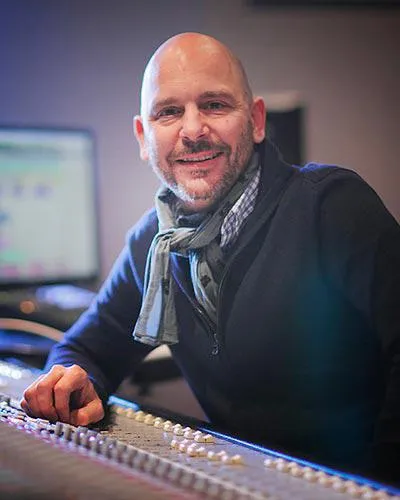
In the early nineties, Goetz Botzenhardt trained at Swanyard Recording Studios, assisting top producers like Flood, Alan Moulder and Tom Lord-Alge, and cut his teeth recording and mixing the dance and Acid Jazz bands of the 90s - Incognito, Galliano, Soul II Soul and many others.
At Swanyard he met Rollo Armstrong and the two quickly formed a creative partnership, leading to many big dance records and remixes and, soon after, to recording and mixing the first two acclaimed Faithless albums and Dido's multi-platinum 'No Angel'.
Ranging across genres, he recorded and mixed the Sugababes' debut album 'One Touch', including their first hit 'Overload', and has mixed for The Cardigans, Bjork, The Cinematic Orchestra, Craig David, the Pet Shop Boys and Hikaru Utada, one of Japan's most successful artists.
More recently he expanded into film and TV, working extensively with composers Christian Henson, Martin Phipps and Anne Nikitin, and mixing Daniel Pemberton's Golden Globe-nominated score for 'Steve Jobs', directed by Danny Boyle. Away from film he produced Tanita Tikaram's 'Closer to the People', mixed tracks for Sigala, Ella Eyre, Breton, Planet Funk and Tito Jackson, and in 2016 mixed Peabo Bryson's album with Jimmy Jam and Terry Lewis. A full list of his work is on his discography and filmography pages at goetz-botzenhardt.com.
Goetz works from his own studio and mix room, built around an SSL E4044 console, Adam 5.1 surround monitoring, a 48-channel Pro Tools HDX system and choice outboard gear. In his courses he takes you inside that room to show how he mixes across two very different worlds: in Mixing for Film & TV Score, how he balances and shapes orchestral and hybrid scores to serve the picture; and in Mixing Commercial Pop Music, how he builds punchy, radio-ready pop mixes from the multitrack up.







