



BONUS: Production Template

With
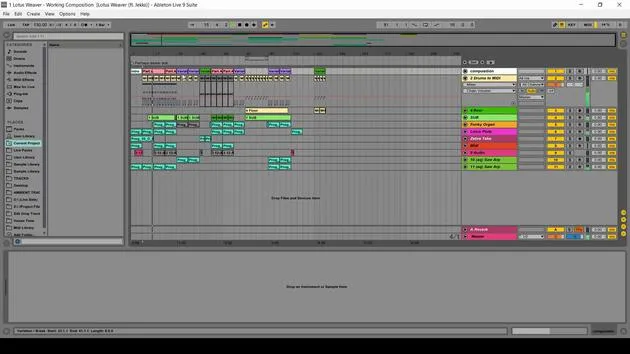
Isaac CotecAs an added bonus, here is a video walkthrough of my Production Template. This will work for Live Standard and Suite. It has some audio effect racks, and routing that I like for my production template. Don't forget to download the Live Set attached to this lesson.
What's in the course
19 lessons (2h 54m) · 1 free
Lesson transcript
Production Template Overview
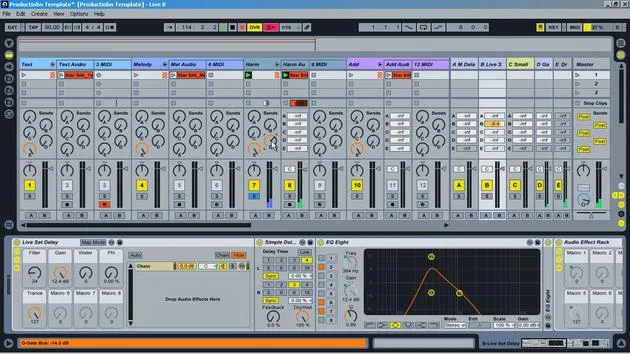
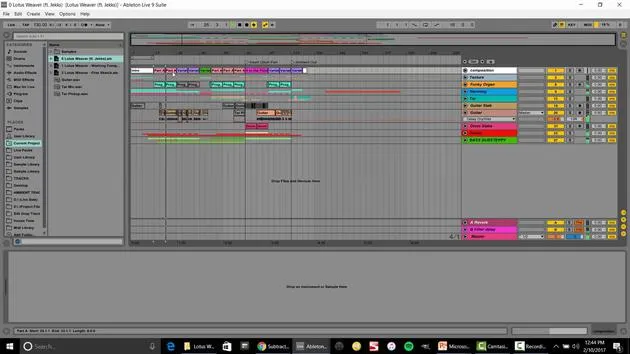
In this video, I'm going to run through the production template I put together. After years of knowledge dealing with track creation, different effects, and file management, I've designed this production template as a quick and easy way to sit down and start producing with all my tools at the ready.
Template Structure
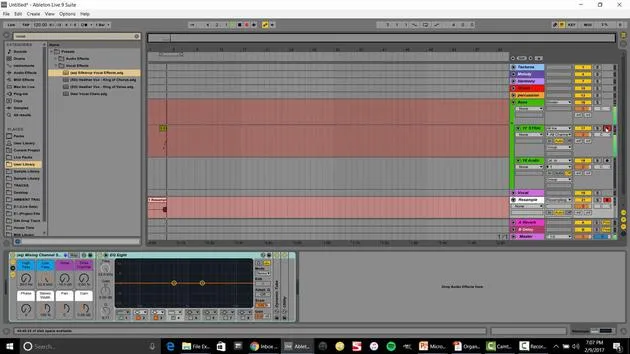
Color-Coded Groups
- Texture
- Melody
- Harmony
- Add: Includes any type of percussion that isn't a traditional percussion sound, like a stab.
- Percussion Beats
- Kicks: Different from the beats due to unique EQ and utilizaion.
- Snares and Hi-Hats
- Bass: This is where I'll have my sub-bass and multiple different basses.
Grouping Tracks
The reason I group these elements is that:
- All tracks (audio and MIDI) are sent into the group.
- I can EQ and control the final volume for that group.
- When I finish a track, I can solo it and bounce down that group to get the stem.
I utilize an 8 stem system, making it easy to translate into my live set.
Channel Strips
Each group has its own EQ settings, allowing for straightforward adjustments. Within each group, there's a basic channel strip, which allows me to:
- Adjust volume and pan easily.
- Automate volume settings directly within the track.
- Control final volume adjustments during mix down while retaining all automation.
Sends and Returns
A unique aspect of my production template involves the sends and returns.
- Each group routes through the sends only; they don't go directly to the master but to a send first.
- I've labeled these sends with "E" for easy identification.
Return Tracks
- Dry Return Track: No effects, going straight to the master.
- Effects Sends:
- Master Delay: For creating cool delay sounds.
- Dub Delay: Utilized in live sets, adjustable feedback control.
- Small Room Reverb: Great for gluing together different elements with a cohesive sound.
- Gate Bus: Allows for choosing different gate sounds and adding gate effects on top of the dry signal.
Example Demonstration
Let's unsolo and play the whole track to hear all the different parts in action. I can then access my E key for melodies, harmonies, and so on.
Compatibility
This production template works in Live 8 and Live 9. You can open it up and start producing immediately.
I will leave these stems here for you to explore how and why I separated them. Start playing around with it and get right to creating!
19 lessons
2h 54m of structured video lessons
Advanced video features
Slow down, loop a passage, follow along
Mobile, tablet & desktop
Practise wherever you are
100% satisfaction guarantee
30-day money-back guarantee
Meet your guru
Meet your guru
Isaac Cotec is, arguably, one of the best Ableton trainers in the world! While working on his own music, he began teaching recording techniques, sound design, and Ableton Live to private students, and since earning his certification as an official Ableton Certified Trainer he has helped thousands of producers step up their game and succeed as musicians.
Isaac started producing electronic music in 2005 with Psyche Sonics, an experimental group working with the science and research of binaural beats and altering consciousness through sound. After touring, he continued writing music under the alias Cotec and later emerged as the artist Subaqueous, blending his electronic past with both future and organic production techniques. To date, he has released 3 albums and 4 EPs.
Isaac is also the founder and manager of the record label Invibe Music, which represents some of the Pacific Northwest's best electronic music and specialises in midtempo dance music.
In his Ableton Live courses, Isaac shares the production, sound design and songwriting techniques he has spent years refining - the very skills he uses to turn a spark of an idea into a finished track.







