



Device Randomization with M4L

With
Isaac CotecIsaac Cotec shows how to use the Randomization Max for Live device to add movement and create effects in your Ableton track. Live Suite only, and optional.
What's in the course
19 lessons (2h 54m) · 1 free
Lesson transcript
Exploring the Randomization Device in Ableton Live
All right, let's look at another thing: the randomization device. This can be more helpful for creating effects compared to what we were doing before. Previously, we focused on making whole sounds using generative techniques. Now, let's explore this randomization idea.
Getting Started with the Randomization Device
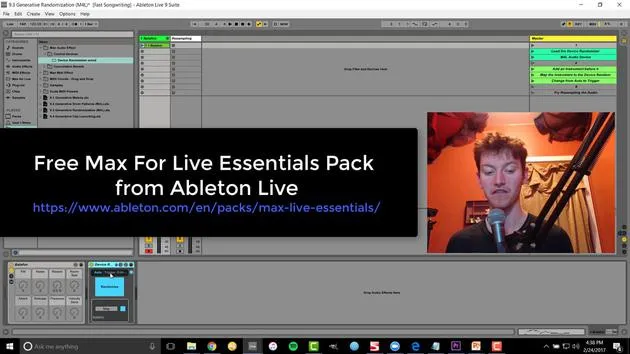
- Load the Randomization Device:
- This device comes with the Ableton Live Max for Live kit, which includes most of the different effects you see in Ableton Live videos.
How It Works
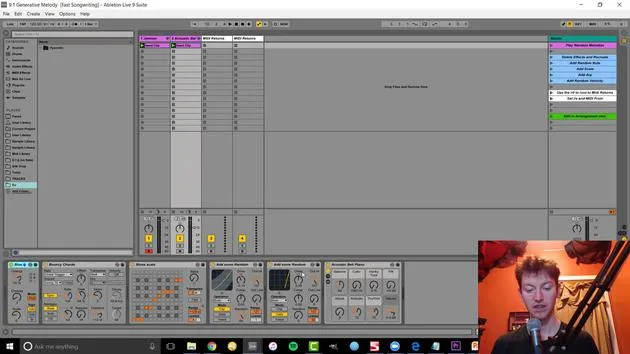
The randomization device randomizes whatever it's pointed to. Let's open it up and check it out.
-
Play the Device:
- Randomization is already set.
-
Turning Off Randomization:
- Nothing is happening right now.
-
Mapping to Randomize:
- Map this device by hitting map and clicking. This takes it over.
Exploring Controls
Once you hit a little button to open it up, you'll see the different controls available:
- Frequency
- Depth
- Smoothness
- And many other options
You can easily randomize anything! For example, add a frozen smear and adjust the sync amount to make it like super slow.
Now, we have a slow-evolving change, and you can see how that's going to create a cool new morphing sound that we might not think of or create by hand. This is a much faster way of doing it!
Additional Features of the Randomization Device
When using the Randomizer, if you switch from Auto to Trigger or Edit, you access a lot more parameters:
- You can edit which effects are being affected.
- You can turn off parameters selectively.
For instance, you could:
- Turn off a couple to narrow it down.
- This leaves you with the desired effects to tweak further.
Using the Trigger Option
The Trigger option allows you to:
- Randomize only once by hitting randomize.
- This way, you can find an effect you like, and it will stay consistent rather than always changing over time.
In conclusion, adding randomization to your audio opens up a world of creative possibilities!
19 lessons
2h 54m of structured video lessons
Advanced video features
Slow down, loop a passage, follow along
Mobile, tablet & desktop
Practise wherever you are
100% satisfaction guarantee
30-day money-back guarantee
Meet your guru
Meet your guru
Isaac Cotec is, arguably, one of the best Ableton trainers in the world! While working on his own music, he began teaching recording techniques, sound design, and Ableton Live to private students, and since earning his certification as an official Ableton Certified Trainer he has helped thousands of producers step up their game and succeed as musicians.
Isaac started producing electronic music in 2005 with Psyche Sonics, an experimental group working with the science and research of binaural beats and altering consciousness through sound. After touring, he continued writing music under the alias Cotec and later emerged as the artist Subaqueous, blending his electronic past with both future and organic production techniques. To date, he has released 3 albums and 4 EPs.
Isaac is also the founder and manager of the record label Invibe Music, which represents some of the Pacific Northwest's best electronic music and specialises in midtempo dance music.
In his Ableton Live courses, Isaac shares the production, sound design and songwriting techniques he has spent years refining - the very skills he uses to turn a spark of an idea into a finished track.







