



Mapping smart controls

With
Dov WatermanLissie shares the story behind 'Everywhere I Go', a favourite from her debut album Catching a Tiger, before showing you how to play it on acoustic guitar.
 Part of the courseComposition in Logic: MIDI Effects, Smart Controls & Automation14 lessons (0h 53m)Your guruDov Waterman
What's in the course
14 lessons (0h 53m) · 1 free
Lesson transcript
Music Lesson
Introduction to Automation Controls
So it's all very well using your mouse to automate any controls over here. I'm just going to go and delete what I've done over here and put this back into Reed.
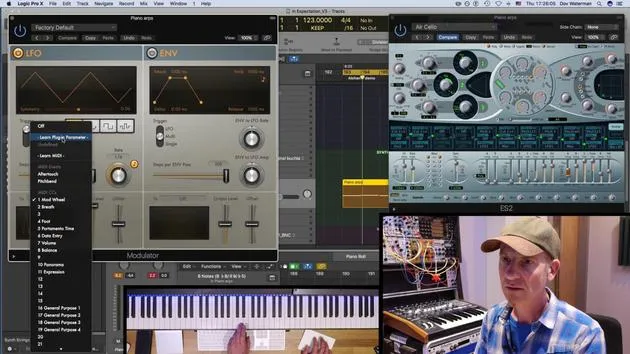
Info Button and Parameter Mapping
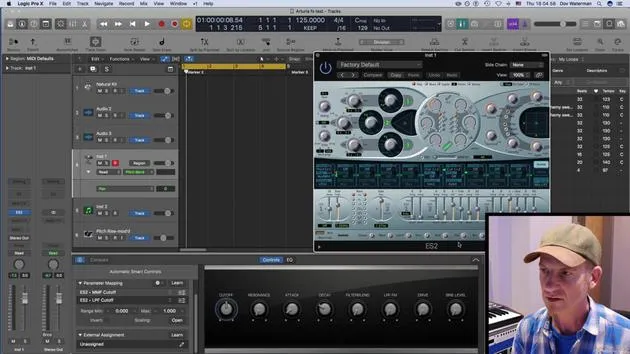
This little button over here, the info button, opens up a panel which allows you to:
- Assign various aspects of controls
- Connect to external instruments
- Map these eight controls over here to other functions
Current Setup
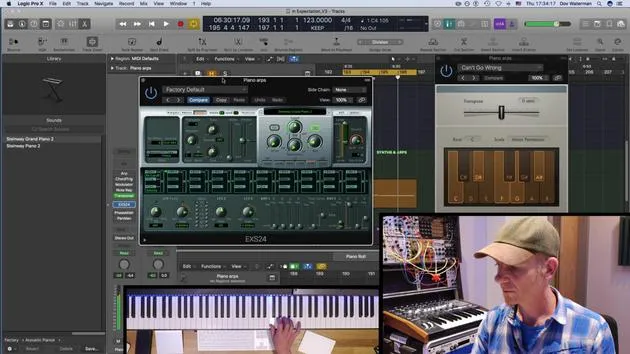
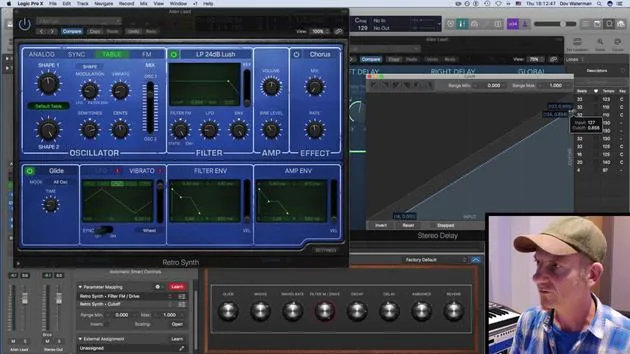
At the moment, we've got the ES24, sorry, the Retrosynth. Let's pull that up a second.
Adjusting the Cutoff
The cutoff is being affected. We can see the cutoff over here. Now, say I want to change the cutoff. This knob over here, which is controlling the cutoff, I want to change it to something else.
Remapping Parameters
In this section over here, the parameter mapping, I can remap it.
- I can delete that mapping, which will make it unmapped.
- To remap it, if I go to "Learn," it will turn this red. I can then change it to filter drive.
Adding Mappings
Likewise, if I wanted that, I like the filter drive, but I also want the filter cutoff to be moving with that same control:
- I can add a parameter over here by going to "Add Mapping".
- It needs to be in Learn mode; if I have it in Learn mode, and then go to here, you see it's changed it to cutoff.
Effect of Knobs
So what this knob is now doing is affecting both the filter modulation and cutoff. When it's playing, it's changing both of these. You can also change the scaling of them:
- You can adjust how much or how little it's modulating these two parameters.
Envelope and Filter FM
I can have my envelope, sorry, my filter FM. Let's pull this down a little bit, so it's just moving that much.
Final Mapping Summary
What we've done here is map this switch to two different parameters. Now, it's moving both parameters. This scaling page opens up, and you're able to scale the amount and the rate of each parameter.
Using MIDI Controllers
It's all well and good having a mouse, but how about setting a control to it?
I have a MIDI controller here, my trusty S88, which has a bunch of different controls, eight, actually.
Mapping External Assignments
For all intents and purposes, I'm going to just use these two last ones over here. Now, I'm going to:
- Turn the mapping off
- Turn the external assignment on
Mapping Filter and Decay
For filter modulation and the cutoff (which we'd mapped before), I'm going to put that one there. Then, I'll go to my decay and map it to this control. After turning this off, it's now very handy.
Setting Up EQ Movements
I find the fact that we're able to set external controllers not just to a synth, but to all the parameters of this whole signal chain, very powerful. For example, I've got my EQ here.
- Say I wanted my sound to sweep; clearly, I don't have anything here that sweeps the EQ. I can set that quite easily.
- I'm going to delete what is there and give it this over here. It's now set to peak.
Final Adjustments
Now, if I move this, oops! We want movement; let's set it again. Let's set it to frequency. Now, it'll sweep through this section over here. Obviously, that can be controlled with a controller.
Automation Features
I'll set CC27 to that. All these smart controls are automatable, so I can set the arrange playing and record automation as I normally would with my reed turned to touch or to latch.
14 lessons
0h 53m of structured video lessons
Advanced video features
Slow down, loop a passage, follow along
Mobile, tablet & desktop
Practise wherever you are
100% satisfaction guarantee
30-day money-back guarantee
Meet your guru
Meet your guru
Dov Waterman is a composer, pianist and producer. He has written and designed sound for films including After Earth, Terminator Genisys, Transformers: The Last Knight and The Snowman, and works as a sample-library audio editor and sound designer with companies such as Native Instruments and SonoKinetic.
His Composition in Logic series walks through building a track end to end in Logic Pro - from templates and workflow to synthesis and beat programming, MIDI effects, editing and the final mix - for producers who want to turn their ideas into finished records.







