



The Modulator

With
Dov WatermanDov Waterman demonstrates Logic's Modulator MIDI effect, using it with the ES2 synth to modulate parameters inside another virtual instrument.
 Part of the courseComposition in Logic: MIDI Effects, Smart Controls & Automation14 lessons (0h 53m)Your guruDov Waterman
What's in the course
14 lessons (0h 53m) · 1 free
Lesson transcript
Understanding the Modulator MIDI Effect
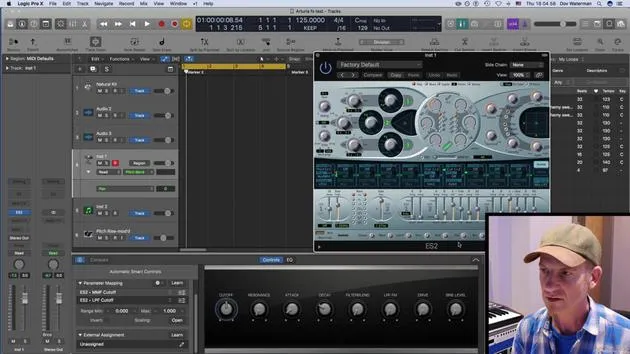
The modulator is a very cool little MIDI effect! In this lesson, I'm going to pull up a synthy sound by using the ES2, and we'll explore how to use the modulator effectively.
Modulation Basics
Basically, you can modulate any parameter within any other virtual instrument. Let's dive into what modulation means:
- Definition: Modulation involves using one parameter, such as an LFO or an envelope, to modulate another parameter.
- For example, as discussed in the Alchemy lesson, you can use this MIDI effect for modulation.
Getting Started
-
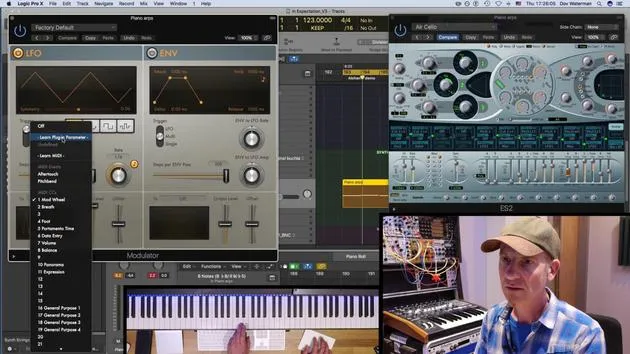
Activate the Modulator: When I turn this on, it is actually modulating something already. (I don't quite know what it is yet.)
-
Identify Modulation:
- Oh, it's modulating the modulation wheel!
- When I turn this down a second, you can see over here that this little thing is me moving the mod wheel, yep, that's the mod wheel.
-
Output Signal: The mod wheel can automatically be moved by this output level displayed.
Practical Application in ES2
In the ES2:
- The modulation wheel of my keyboard affects the pitch. Let's demonstrate pitch modulation:
- If I turn this up a little, it will have a substantial effect.
Filter Cutoff
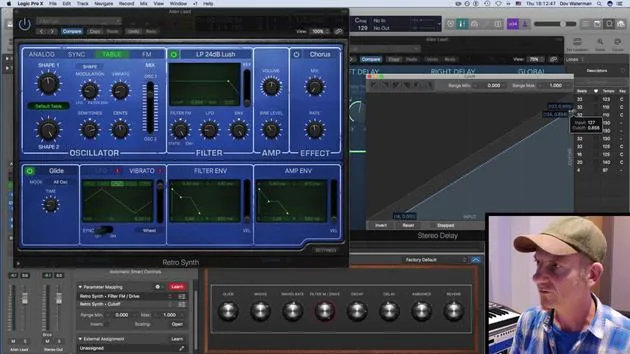
- Want to modulate the filter cutoff? Here's how:
- Go to the modulation section.
- Click on "Learn MIDI" (sorry, "Learn Plugin Parameter").
- Touch the parameter in the plugin that I want to modulate.
Now, when I press a key, it's moving, hey ho!
LFO Settings
In this section, you can adjust the settings for the LFO:
- Change the rate of the LFO.
- Choose between synced or not synced.
- Select various different LFO waveforms.
Multiple LFOs
You can set up as many of these as you like. However, keep in mind:
- Unfortunately, within each MIDI effect, there is only one LFO modulation routing available.
Adding More Modulators
If you want to modulate additional parameters within the same channel strip:
- You'll need to open another modulator.
- To do this, go to the modulation section and select another parameter.
Example: Distortion
Let's modulate something that will drastically affect the sound, distortion:
- Click "Learn Parameter".
- Press the distortion knob.
Now it's changing the effects of distortion gain.
Modular Synthesis Concept
Much like a modular synth, you can route your LFOs to various parameters of an instrument within the channel strip that it's affecting.
Envelope Modulation
The envelope works in a similar way:
- Use it to send a routing to another parameter.
- Click "Learn Plugin Parameter" again.
- Let's see how it affects my filter.
Final Thoughts
- The output might be a bit difficult to hear at times, but you can adjust it for clarity!
- This is an example of an envelope affecting the ES2.
- Remember, the idea here is to create something unique, not just pulling up an effect or preset within an effect, but truly delving into the tools at your disposal to create unique sounds.
14 lessons
0h 53m of structured video lessons
Advanced video features
Slow down, loop a passage, follow along
Mobile, tablet & desktop
Practise wherever you are
100% satisfaction guarantee
30-day money-back guarantee
Meet your guru
Meet your guru
Dov Waterman is a composer, pianist and producer. He has written and designed sound for films including After Earth, Terminator Genisys, Transformers: The Last Knight and The Snowman, and works as a sample-library audio editor and sound designer with companies such as Native Instruments and SonoKinetic.
His Composition in Logic series walks through building a track end to end in Logic Pro - from templates and workflow to synthesis and beat programming, MIDI effects, editing and the final mix - for producers who want to turn their ideas into finished records.







