Effets MIDI - Arpégiateur

Avec
Aamir YaqubUn arpégiateur te permet de prendre une série de notes et de les décomposer pour qu'elles soient jouées comme des notes individuelles selon un certain motif.
Le contenu du cours
20 leçons (1h 47min) · 1 gratuites
01. Bienvenue dans la synthèse
Leçon gratuite0:53
02. Introduction à la synthèse, synthèse soustractive
3:22
03. Première étape : génération du son
4:09
04. Deuxième étape - Façonnage du son et filtres
1:35
05. Façonner le volume - ADSR
3:27
06. LFO
1:54
07. Alchemy
4:11
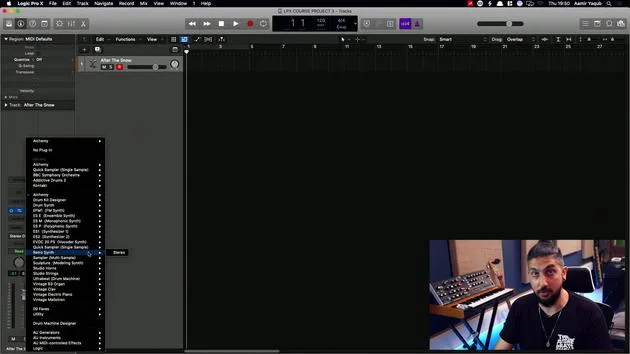
08. Retro synth
4:55
09. Synthés ES1 et ES2
4:00
10. Synthétiseur ESP
1:17
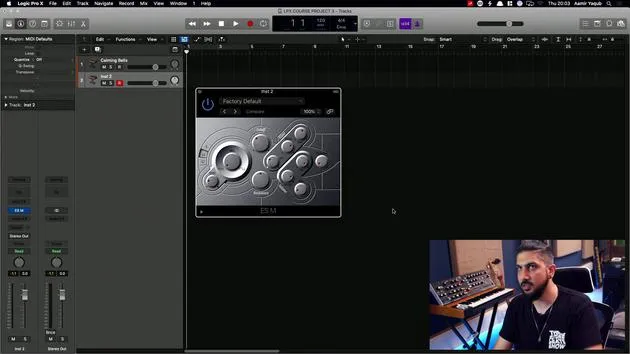
11. ESM, ESE, EFM1
8:54
12. Sculpture, EVOC20 et vocoding
7:53
13. Drum Synth et Ultrabeat
7:11
14. Drum Kit and Drum Machine Designer
7:23
15. Synthés de clavier : orgue vintage, EP, Clav, Mellotron
9:03
16. Studio Horns et Studio Strings
4:48
17. Effets MIDI - Arpégiateur
Tu es ici21:21
18. Effets MIDI - Chord Trigger
5:45
19. Autres effets MIDI
4:33
Transcription de la leçon
Understanding MIDI Effects in Logic
What is MIDI?
MIDI stands for Musical Instrument Digital Interface. It is essentially the way a MIDI controller, keyboard, or any other controller communicates with Logic, sending information like:
- What note is being played?
- What velocity is it being played at?
MIDI is quite an old technology, born in 1982 when hardware synthesizer makers collaborated to enable their instruments to communicate.
Evolution of MIDI:
- Old Technology: Originally used 5-pin connectors to connect instruments.
- Modern Connection: Now, you can connect MIDI controller keyboards via USB.
Remember, MIDI does not transfer audio between devices. It simply sends messages from one device to trigger another.
Introduction to MIDI Effects
MIDI effects intercept data before it reaches a software instrument, allowing you to do exciting things, such as:
- Arpeggiating
- Triggering chords
Getting Started with MIDI Effects in Logic
- Open Logic.
- Load a synth bell sound.
- Navigate to your Channel Strip.
- Click on MIDI Effects.
Once you click on it, you will see all available MIDI effects. Let's begin with one of the most interesting options: the Arpeggiator.
Exploring the Arpeggiator
What is an Arpeggiator?
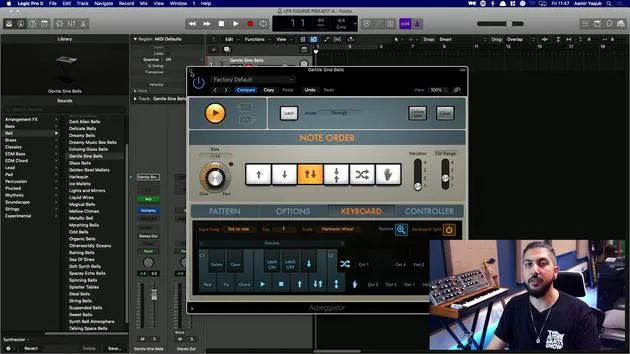
An Arpeggiator allows you to take a series of notes and break them up so that they are played as individual notes in a specific pattern.
Demonstration:
-
With the Arpeggiator off, you might play a pattern like this:
[A series of ascending broken-up notes]
-
When the Arpeggiator is on, you only need to hold down the notes, and the Arpeggiator will trigger them in a defined pattern. This pattern can also sync with the tempo of your track.
Adjusting the Rate
- The Rate knob determines how quickly it will play in tempo.
- 16th notes, 30-second notes, and eighth notes can be adjusted with this dial.
Playback Patterns
- Up: Plays from the bottom note to the top note.
- Down: Plays from the highest note to the lowest note.
- Outside In: Plays the highest note, then the lowest note, and so on.
- Random: Plays notes in a random order.
- Hand: Plays notes based on the order you played them.
Variation and Octave Range
- Variation Switch: Determines how much variation occurs during playback.
- 1 = Less random
- 4 = More random
- Octave Range: Adjust the range of octaves used during playback.
Latch Mode
Latch mode allows notes to continue playing without having to hold them down.
- You can use a sustain pedal to trigger latch mode.
- Modes available in latch:
- Transpose Mode: Transposes to new notes without adding to the previous ones.
- Gated Transpose Mode: Stops the sound when new notes are played.
- Add Temporarily: Adds new notes to what's already latched.
- Through Mode: Allows you to play through the latched notes.
Pattern Grid Options
- Live Mode: Captures what you're playing live, including the number of notes and their velocity.
- Grid Mode: You can build your own patterns.
Customizing Patterns
You can assign different patterns:
- Use pre-existing patterns like grooving pulse 02 or syncopated chords 02 to enhance your creativity.
Options Tab
Here are some options you can adjust in this tab:
- Note Length: Shorter or longer notes.
- Velocity Settings: Set as played or to a fixed value.
- Swing: Adds swing to your pattern.
- Cycle Length: Adjusts based on what's played or defines a specific length.
Keyboard Sync and Control
MIDI effects can sync into a specific key, allowing you to play notes only within that scale.
- For example, if you set to D major blues scale, you will only play the notes from that scale.
Keyboard Split Feature
When you activate the keyboard split, a designated area of your keyboard becomes a controller for the Arpeggiator's functions.
- Example: Notes below C2 control the pattern, while notes above become triggers for the arpeggio.
Conclusion
The Arpeggiator in Logic is an incredibly powerful tool, allowing you to infuse your music with complexity and dynamism. Don't hesitate to experiment with all these settings to discover the sounds that resonate with you!
20 leçons
1h 47m de leçons vidéo structurées
Fonctions vidéo avancées
Ralentissez, bouclez un passage, suivez la partition
Mobile, tablette et ordinateur
Pratiquez où vous voulez
Satisfaction garantie à 100 %
Garantie remboursement 30 jours
Rencontrez votre guru
Rencontrez votre guru
Aamir Yaqub est un producteur et ingénieur du son basé à Londres. Il a travaillé avec certains des plus grands noms de la musique, dont Alicia Keys, David Guetta, Rihanna, Sia et will.i.am, tout en développant des artistes indépendants.
Au fil de ses cours, il enseigne l'intégralité de son flux de travail sur Logic Pro : de l'interface et de l'enregistrement à la création de beats, la synthèse et les effets MIDI, jusqu'au mixage et à la finalisation d'un morceau.