



Recording configuration
With
Ciaran RobinsonA recap of recording setup in Pro Tools - what latency is, how the hardware buffer size affects it, and using input monitoring to keep performers in time.
What's in the course
31 lessons (2h 41m) · 1 free
01. Section 1 overview
0:25
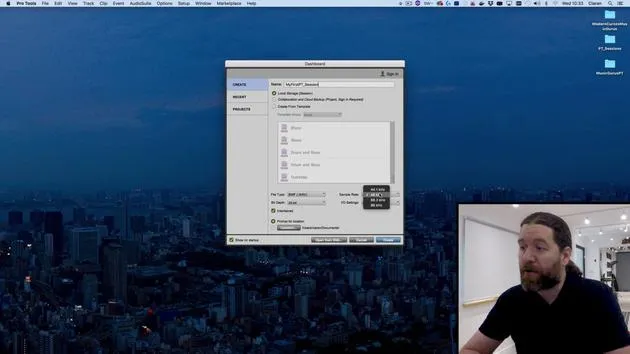
02. Opening Pro Tools session & settings
Free lesson4:37
03. IO Setup & audio interface
8:12
04. Edit Window overview
9:35
05. Zooming & track heights
11:00
06. Track types & creating tracks
9:47
07. Configuring a click track
5:11
08. Making your first recording
4:01
09. Recording configuration
You are here6:11
10. Punching in & out
9:10
11. Playlists & loop recording
4:28
12. Saving & backing up your work
5:04
13. CHALLENGE #1: MAKE YOUR FIRST RECORDING
0:27
Lesson transcript
Music Production Lesson: Latency and Stereo vs. Mono
Introduction
In this video, I'll briefly cover a few key concepts we've discussed earlier.
Understanding Latency
-
What is Latency?
Latency is the delay between sending signals to Pro Tools and receiving them back. -
Demonstration
To illustrate this, I've turned my latency all the way up. When I input monitor this track and speak into the microphone, you'll hear a slightly disconcerting delay. -
Impact on Musicians
This delay can be very distracting to a musician. When they play, the fraction of a second delay may hinder their performance.
Managing Latency
-
Lowering Latency
Reducing latency gives the computer less time to process tasks. If we ask it to perform processor-intensive tasks, like using reverb or impulse responses, it needs time to manage these. -
Balance Hardware Buffer Size
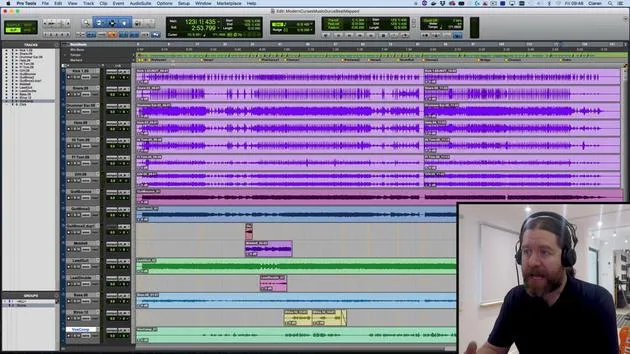
You can adjust the hardware buffer size in Pro Tools by going toSetup > Playback Engine. Currently, my hardware buffer size is set to 1024 samples.- When I lower it to 32 samples, the latency becomes almost unnoticeable. However, my computer may struggle with multiple tracks and plugins.
- 128 samples is typically a good compromise, allowing for minimal delay while the computer still performs adequately.
Input Monitoring
-
Testing Again
Let's input monitor again: "1, 2, 3. 1, 2, 3." I can detect a slight delay, but it's manageable for most musicians. Sensitivity to delay varies per musician, so keep that in mind and accommodate as needed. -
Using Input Monitoring
If latency remains problematic, consider input monitoring, sending a copy of the signal to the musician before it reaches your analog-to-digital converters. This capability depends on your audio interface.- For example, my Audient ID 22 offers an application to control this.
- Check your manual for details on your equipment or reach out to me for assistance.
The Mono vs. Stereo Debate
- Clarifying Terms
This is a common source of confusion:- Stereo does not simply mean two; it refers to sound with positional information. The term "stereo" actually means "solid."
- Mono does not mean one; it is a sound without positional context.
Understanding Stereo Sound
-
Perception of Sound
Our brains identify the location of sound through interaural amplitude, time, and timbre differences. Capturing this information, particularly with stereo mic techniques, results in a true stereo signal. -
Recording Techniques
-
Recording with One Microphone:
If I use a single microphone, I can capture the sound's timbre but not its spatial characteristics.- Example: When I snap my fingers, it's a monophonic sound source, but I hear it in stereo.
-
Minimum Requirements for Stereo:
To capture a stereo signal, you need at least two microphones and, to reproduce this signal with positional information, you need two speakers.
-
Conclusion: Distinction in Microphone Techniques
-
If I place two microphones on a snare drum (one top, one bottom), that's not stereo, but rather dual micing or dual mono, essentially two copies of the snare signal.
-
When to Use Stereo vs. Mono in Pro Tools:
- For stereo tracks, capture sounds with positional information using a stereo mic array, ideal for drum overheads, pianos, choirs, etc.
- Use a single microphone for kick drums, snare drums, or guitars, those are mono recordings.
-
Final Note:
You can always pan mono recordings later to create stereo properties, but remember that what you initially captured is mono.
Recap
- One microphone = mono recording.
- Two microphones = dual mono, unless capturing positional information, in which case you have stereo.
See you in the next video!
31 lessons
2h 41m of structured video lessons
Advanced video features
Slow down, loop a passage, follow along
Mobile, tablet & desktop
Practise wherever you are
100% satisfaction guarantee
30-day money-back guarantee
Meet your guru
Meet your guru
Ciarán Robinson is an audio engineer with over 25 years of experience across live engineering, mixing, recording, studio design and sound for film, TV and games. He is currently head of the Music Producer MA at Tileyard Education in London and has taught at contemporary music institutes including BIMM, SSR and SAE.
He has lectured in audio production for more than 20 years, building courses on Pro Tools, game audio, studio engineering and post-production, with former students going on to work with acts such as Coldplay and Biffy Clyro.







