



Playlists & loop recording
With
Ciaran RobinsonCiaran Robinson shows how playlists let you record several takes of a part on one track, so you can keep trying without losing earlier versions or risky edits.
What's in the course
31 lessons (2h 41m) · 1 free
01. Section 1 overview
0:25
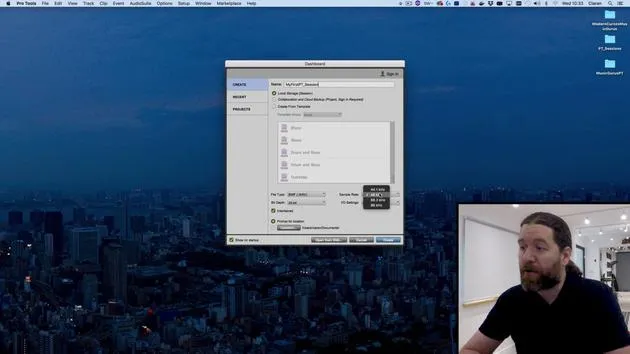
02. Opening Pro Tools session & settings
Free lesson4:37
03. IO Setup & audio interface
8:12
04. Edit Window overview
9:35
05. Zooming & track heights
11:00
06. Track types & creating tracks
9:47
07. Configuring a click track
5:11
08. Making your first recording
4:01
09. Recording configuration
6:11
10. Punching in & out
9:10
11. Playlists & loop recording
You are here4:28
12. Saving & backing up your work
5:04
13. CHALLENGE #1: MAKE YOUR FIRST RECORDING
0:27
Lesson transcript
Understanding Playlists in Pro Tools
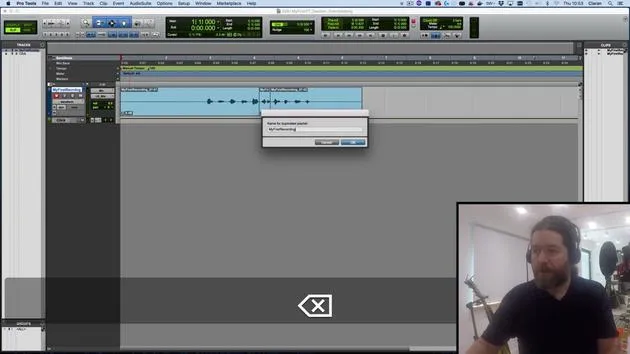
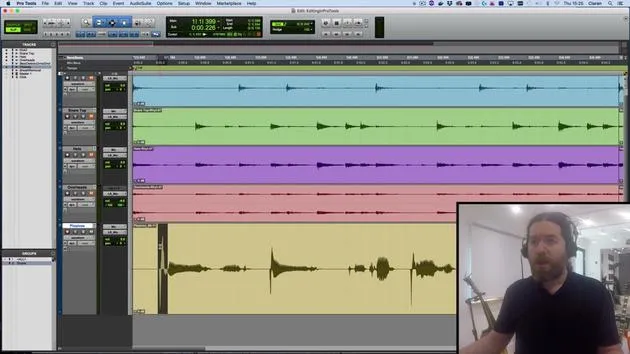
In this video, we're going to take a look at playlists. These are alternative versions of tracks, allowing you to capture multiple attempts at a performance without losing the earlier versions.
Creating a New Playlist
- Let's say I want to redo the numbers 1 to 10. I still haven't quite got the hang of it.
- Instead of overwriting the existing track, I'll click on the little triangle next to the track name and select New.
- I'm happy with the name; it just adds a number at the end of it.
Recording New Takes
- I will arm my track and hit Record:
- "1, 2, 3, 4, 5, 6, 7, 8, 9, 10."
- Great! If I prefer the previous version, not a problem. I can simply click and go back.
Benefits of Playlists
Playlists can also be useful when you're doing some editing and are not 100% sure the changes will be successful.
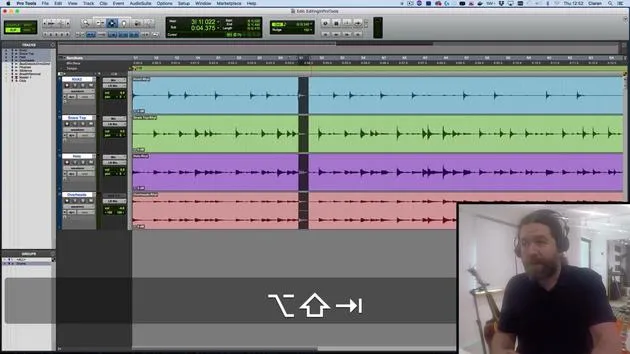
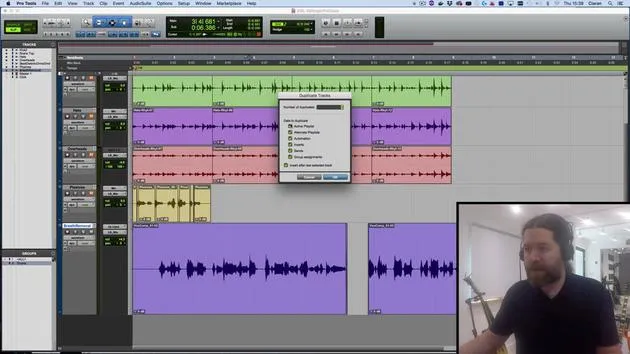
- Instead of relying on the "undo" function, which has a limited capacity in Pro Tools 64, I can back things up as a duplicate playlist.
- To do this, I click here and choose Duplicate from the top menu, adding the word "edit" to the end of that.
Making Edits
Now, I can go through and make some changes:
- Let's say I just want to trim this to here.
- There's my new version.
- If I want to go back to the unedited version, it's still available in the original playlist.
Playlists are really handy for this type of work.
Loop Recording
We can also use playlists for loop recording.
- This is where, rather than stopping and starting every single time, we create one continuous loop.
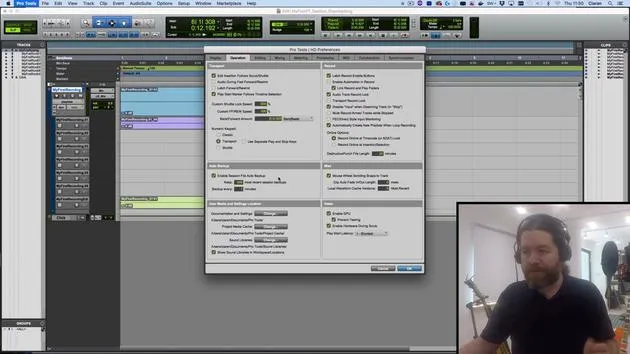
Before we continue, let's check the Pro Tools preferences:
- Navigate to the Operation tab.
- Ensure it is set to automatically create new playlists when loop recording.
Setting Up Loop Recording
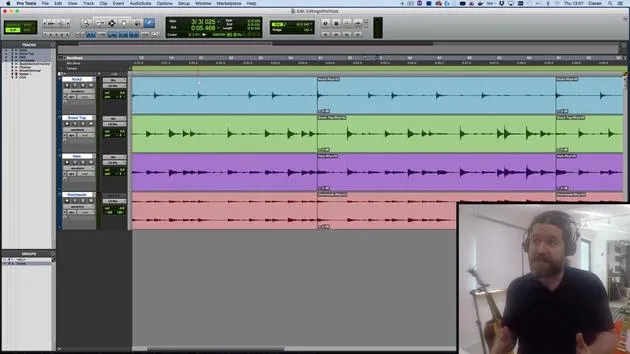
- I'll make a selection and turn on Loop Record.
- You might have spotted earlier that we can right-click here; it's also accessible by hitting the 5 button on the numeric keypad.
Recording the Loop
When I hit record:
- "1, 2, 3, 4. 1, 2, 3, 4. 1, 2, 3, 4. 1, 2, 3, 4."
- I'll stop it before it gets halfway.
- This discards the very last started loop. If I went more than halfway, I would get up to that point.
What this does is create one continuous recording.
Listening to the Recording
Let's have a listen to this:
- "1, 2, 3, 4. 1, 2, 3, 4..."
- I can undo that by pressing Z since I have Edit Key Focus turned on.
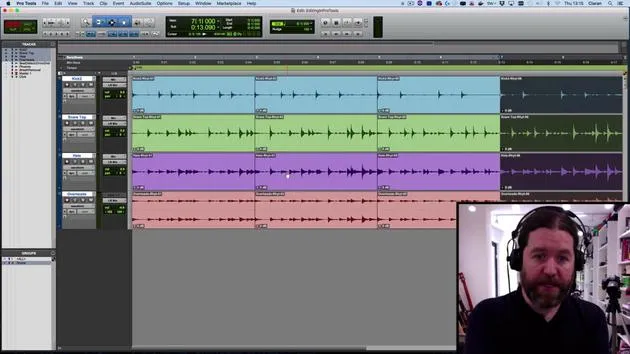
Each of those loop cycles goes into separate playlists. I can access them similarly to before.
Viewing Playlists
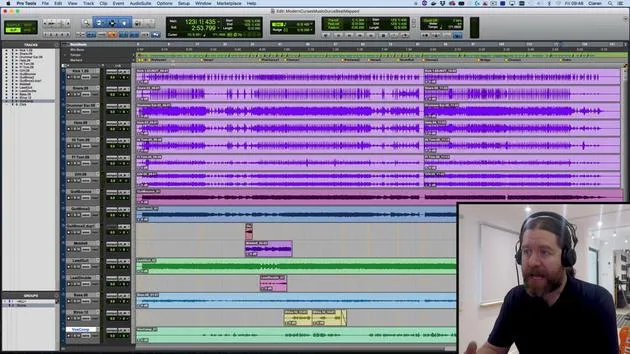
- But a neater option is to change from Waveform View to Playlist View.
- Now we can see all of the different playlists we've created:
- The edit version
- The second version
- The original (with this part replaced)
- All the loops
What's Next?
In the next session, we'll look at comping. This means taking all the good bits from these playlists and creating one version that contains all the best moments.
Remember: Playlists are incredibly useful! If you have a musician who needs multiple attempts to get things right, you can later pick and choose the best parts.
31 lessons
2h 41m of structured video lessons
Advanced video features
Slow down, loop a passage, follow along
Mobile, tablet & desktop
Practise wherever you are
100% satisfaction guarantee
30-day money-back guarantee
Meet your guru
Meet your guru
Ciarán Robinson is an audio engineer with over 25 years of experience across live engineering, mixing, recording, studio design and sound for film, TV and games. He is currently head of the Music Producer MA at Tileyard Education in London and has taught at contemporary music institutes including BIMM, SSR and SAE.
He has lectured in audio production for more than 20 years, building courses on Pro Tools, game audio, studio engineering and post-production, with former students going on to work with acts such as Coldplay and Biffy Clyro.







