



Ultrabeat as a multi-output instrument

With
Dov WatermanSet up Logic's Ultrabeat as a multi-output instrument so you can route individual drum sounds to their own channels and process each one separately.
What's in the course
14 lessons (1h 19m) · 1 free
Lesson transcript
Understanding Ultrabeat as a Multi-Output Instrument
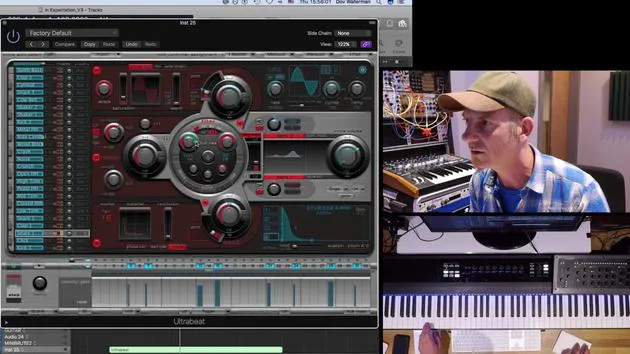
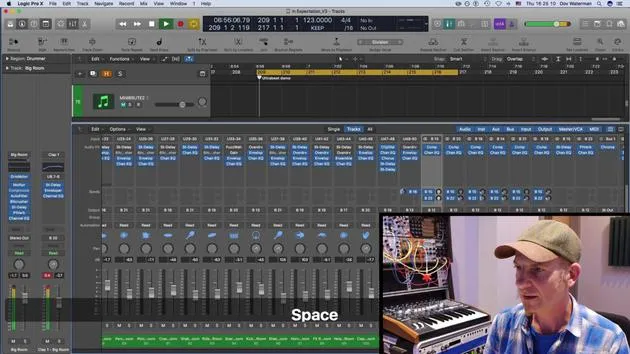
Another thing that Ultrabeat is capable of is turning itself into a multi-output instrument. Currently, I've got it set as a multi-output instrument.
Outputs Overview
If you look over here, you'll see the outputs. Each one of these can be opened up in stereo output.
- Reconfiguration: It will reconfigure itself even if it's still showing the different subgroups. However, it will only go to the main stereo output of that instrument.
- Finding Ultrabeat: So, let's find Ultrabeat. Where's Ultrabeat? Ah, Ultrabeat!
Configuring Multi Outputs
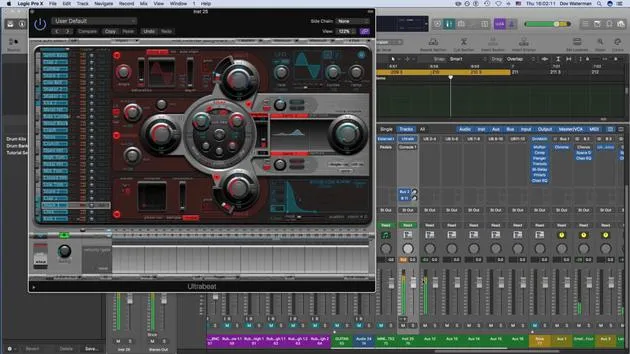
Now, if I change Ultrabeat to multi out, what I will get is little plus and minus signs here.
- Adding Auxiliary Outs: These allow me to add as many auxiliary outputs as I'd like, depending on what I want to send out.
- Auxiliary Channel Behavior: Logic is a bit funny; it opens auxiliary channels in odd places, so you can't actually drag them into something a little more coherent.
Current Setup
Currently, I have my little drum loop going. It's just using a kick and a snare.
- Sound Sources: For all intents and purposes, I'm going to change this to something that uses more sound sources.
- In Use: It currently has the kick, snare, ride, and various cymbals.
Sending Sounds to Outputs
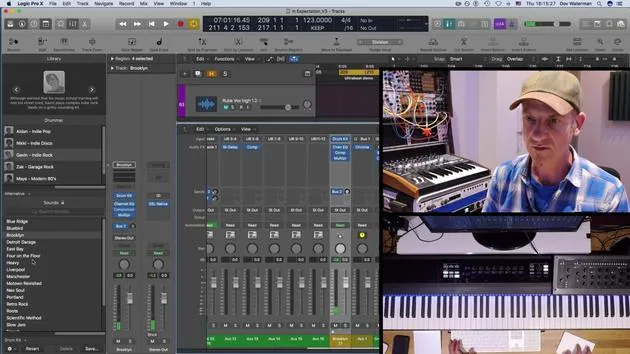
Now, let's send the wood block out to one of the outputs given to it:
- Available Outputs: I have outputs from 3 to 12, but I will send it to outputs 3 and 4.
- Echo Effect: On 3 and 4, the cowbell will come in. I'll give that an echo by calling up a plugin.
Choosing Plugins
Let's stick to Logic plugins just for the sake of it.
- Applying Delay: I'll call a stereo delay plugin and give it some effect.
Fine-Tuning Sounds
Now, back to my kick, where is that kick? Oh, here it is!
- Pitch Adjustment: I'm going to pitch it slightly and center this to outputs 3 and 4, 5 and 6.
- Compression: Next, I'm going to compress that to give it a little kick.
Recap of Ultrabeat's Capabilities
You start seeing how we've managed to dissect Ultrabeat a little and open it out into its auxiliaries.
- Control & Modulation: This allows us to control things and make them unique by giving each sound source its own discrete channel, affecting or modulating it as we like.
Step Sequencer Features
Without going into too much detail, here's a recap:
- Custom Sequences: The step sequencer is excellent for pulling up generic presets that come with Logic.
- Movement in Tracks: You can set up your own sequences and save them. The step sequencer allows you to modulate sound sources, creating movement and body in the track.
- Multi Outputs: Having Ultrabeat as a multi-output instrument enables you to affect and control the different sources at will.
14 lessons
1h 19m of structured video lessons
Advanced video features
Slow down, loop a passage, follow along
Mobile, tablet & desktop
Practise wherever you are
100% satisfaction guarantee
30-day money-back guarantee
Meet your guru
Meet your guru
Dov Waterman is a composer, pianist and producer. He has written and designed sound for films including After Earth, Terminator Genisys, Transformers: The Last Knight and The Snowman, and works as a sample-library audio editor and sound designer with companies such as Native Instruments and SonoKinetic.
His Composition in Logic series walks through building a track end to end in Logic Pro - from templates and workflow to synthesis and beat programming, MIDI effects, editing and the final mix - for producers who want to turn their ideas into finished records.







