Retro synth

Con
Aamir YaqubUn recorrido por el Retro Synth de Logic Pro: sus cuatro motores (analog, sync, wavetable y FM) y cómo el oscilador analógico, el filtro y las envolventes moldean un sonido.
Qué incluye el curso
20 lecciones (1h 47m) · 1 gratis
01. Bienvenido a la síntesis
Lección gratis0:53
02. Introducción a la síntesis, síntesis sustractiva
3:22
03. Primera etapa: generación de tono
4:09
04. Segunda etapa - Modelado del tono y filtros
1:35
05. Modelar el volumen - ADSR
3:27
06. LFOs
1:54
07. Alchemy
4:11
08. Retro synth
Estás aquí4:55
09. Sintetizadores ES1 y ES2
4:00
10. Sintetizador ESP
1:17
11. ESM, ESE, EFM1
8:54
12. Sculpture, EVOC20 y vocoding
7:53
13. Drum Synth y Ultrabeat
7:11
14. Drum Kit and Drum Machine Designer
7:23
15. Sintetizadores de teclado: órgano vintage, EP, Clav, Mellotron
9:03
16. Studio Horns y Studio Strings
4:48
17. Efectos MIDI - Arpegiador
21:21
18. Efectos MIDI - Chord Trigger
5:45
19. Otros efectos MIDI
4:33
Transcripción de la lección
Exploring Retrosynth
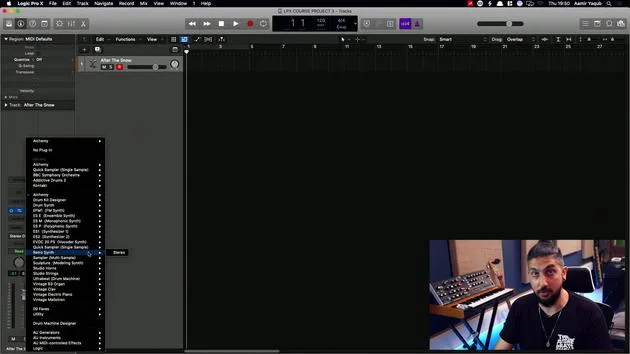
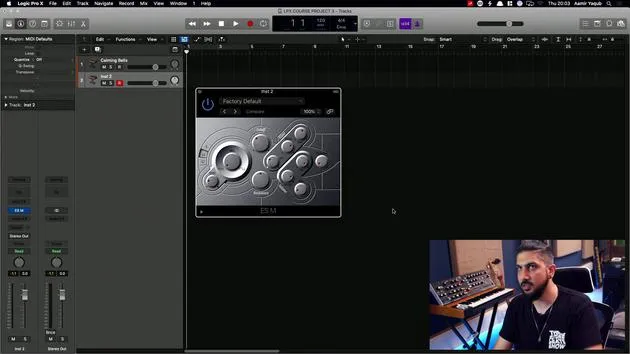
So now I'm going to open up Retrosynth. Retrosynth is a cool synth. As you can tell, it's a retrosynth.
Overview
When you look at it, what you're seeing is a 16-voice synthesizer that can produce a wide variety of sounds. Here are the four different synth engines at work:
- Analog
- Sync
- Wavetable
- FM
Analog Engine
Looking at the analog engine, this was probably designed to mimic some of the early Moog synthesizers. You can see:
- Oscillator Section: This is where we shape and generate our tones.
- Filter: Adjusts the sound frequencies.
- Amplitude Envelope (ADSR): Controls the attack, decay, sustain, and release.
- Filter Envelope: Shapes the dynamics of the filter.
- LFO: Low-frequency oscillator for modulation effects.
- Glide Functionality: Smooth transitions between notes.
- Effects: Options like flanger or chorus can be applied for additional texture.
Retrosynth is really cool in terms of the analog engine because it allows us to achieve vintage, old-school sounds.
FM Engine
However, if you look at the FM engine and how FM synthesis works, you can achieve much more belly-type, digital sounds.
Working with Presets
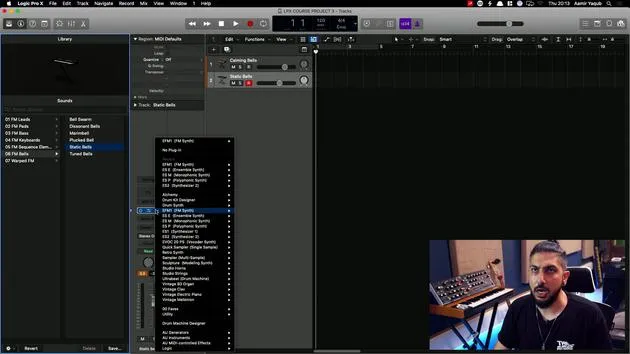
One of the best ways to understand how sounds are constructed is to experiment with presets and play with some of the available parameters. For example, if I wanted a synth lead, I might choose Vintage Doppler.
- Initial Sound
- Adjust the filter to make it sound a bit brighter.
- Increase attack for a quicker response to make it more percussive.
- Add more chorus to introduce a whistley tone.
As you can see, I'm starting to open up the world of synthesis using simple parameters.
Benefits of Using Retrosynth
Spending time playing around with something like Retrosynth can be very beneficial to your advancement in the world of synthesis. It allows you to gradually move up to more complicated synthesizers in Logic once you feel confident with the basics.
Example: Calming Bells
If you look at a preset like Calming Bells:
- Play around with it and think, "I want it to sound darker."
- You can bring the chorus rate down for a slower movement.
- Experiment with vibrato or LFO rates.
There's so much you can do when you use a sound as a preset or launch pad. You can learn a lot about how to make certain modules interact with each other.
In summary, embrace experimentation in Retrosynth to deepen your understanding and creativity in synthesis!
20 lecciones
1h 47m de lecciones en vídeo estructuradas
Funciones de vídeo avanzadas
Ralentiza, repite un pasaje, sigue la partitura
Móvil, tablet y ordenador
Practica donde quieras
Garantía de satisfacción 100%
30 días de garantía de devolución
Conoce a tu gurú
Conoce a tu gurú
Aamir Yaqub es un productor e ingeniero musical afincado en Londres. Ha trabajado con algunos de los nombres más grandes de la música, entre ellos Alicia Keys, David Guetta, Rihanna, Sia y will.i.am, además de desarrollar a artistas independientes.
A lo largo de sus cursos enseña su flujo de trabajo completo en Logic Pro: desde la interfaz y la grabación, pasando por la creación de ritmos, la síntesis y los efectos MIDI, hasta la mezcla y el acabado de un tema.