Alchemy

Con
Aamir YaqubUn recorrido por Alchemy, el sintetizador estrella de Logic, desde sus vistas Simple y Advanced hasta la navegación por etiquetas que te ayuda a encontrar el sonido que buscas.
Qué incluye el curso
20 lecciones (1h 47m) · 1 gratis
01. Bienvenido a la síntesis
Lección gratis0:53
02. Introducción a la síntesis, síntesis sustractiva
3:22
03. Primera etapa: generación de tono
4:09
04. Segunda etapa - Modelado del tono y filtros
1:35
05. Modelar el volumen - ADSR
3:27
06. LFOs
1:54
07. Alchemy
Estás aquí4:11
08. Retro synth
4:55
09. Sintetizadores ES1 y ES2
4:00
10. Sintetizador ESP
1:17
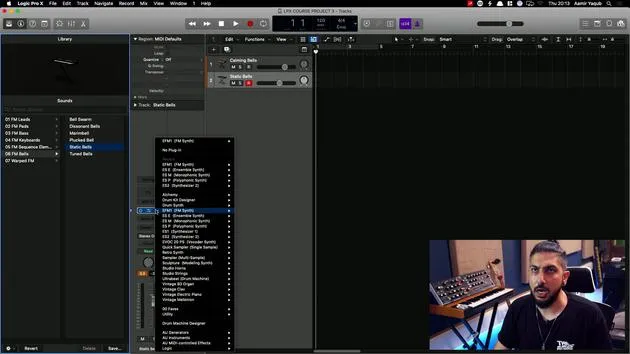
11. ESM, ESE, EFM1
8:54
12. Sculpture, EVOC20 y vocoding
7:53
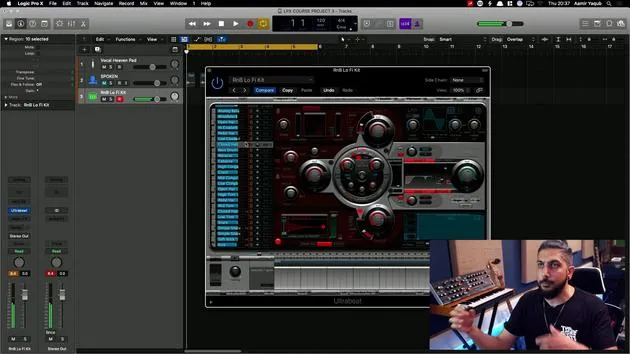
13. Drum Synth y Ultrabeat
7:11
14. Drum Kit and Drum Machine Designer
7:23
15. Sintetizadores de teclado: órgano vintage, EP, Clav, Mellotron
9:03
16. Studio Horns y Studio Strings
4:48
17. Efectos MIDI - Arpegiador
21:21
18. Efectos MIDI - Chord Trigger
5:45
19. Otros efectos MIDI
4:33
Transcripción de la lección
Introduction to Synthesis in Logic
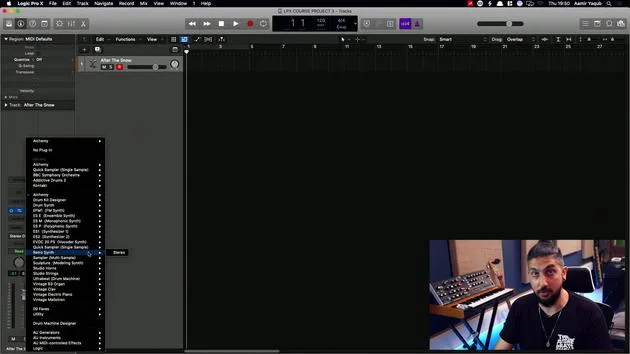
So having learned about the basis of synthesis, let's look at what Logic offers us in terms of synthesis and how we can take some of that stuff and really open up that world of synthesis within Logic.
Loading Synths in Logic
Whenever you load a synth into Logic:
- You will want to load it onto a software instrument track.
- Load it in the plugin slot that says Instrument.
If you look at the channel strip, you will be looking at Instrument. Here, you'll find all of the synths and instruments that are available to you in Logic.
Starting with Alchemy
We're going to start with Alchemy. Alchemy is pretty much Logic's flagship synth.
Highlights of Alchemy:
- It is a super powerful synth that can be very simple if you click on Simple, or very advanced if you click on Advanced.
- One of the ways this ties into Logic's overall approach is through a system similar to Apple Loops: tag-based browsing.
Finding Sounds with Tag-Based Browsing
In Alchemy, you can define a sound that you want, selecting a category:
- Sub: Sometimes you may want to look for specific genres.
- You can explore all timbres as well. For example, who doesn't like a fat sub?
Once you define your parameters, you get results based on what you've searched for. You can go through and audition these sounds using your up and down arrows.
Modulating Sounds
Underneath all of that, there's a feature similar to what we looked at with Drummer. You can:
- Move elements around.
- Modulate a sound and change it as you're working with it.
However, if you prefer, you can leave it set and not modulate or evolve that sound.
Performance Section
For example, if I select "After the Snow," I can play it. As I play and hold that, I'll hear transitions between different sounds and states.
While what we see here is simple, it's a mix of:
- Changing modulations.
- Oscillators.
- Adding different effects (including arpeggios).
All of this is happening under the hood.
Exploring the Advanced Tab
When you look in Browse View and even simpler in Simple View, it's easy to get into Alchemy, which comes loaded with great sounds.
However, if we switch to the Advanced tab, this is where all the complex functionality occurs:
- Sources: This is essentially your oscillators.
- Filter: You have access to filtering options.
- ADSR/AHDSR: Adjust the attack, decay, sustain, and release.
- Modulation: Access all your modulation settings.
Alchemy can do so much more than what you initially see in the Simple View. It's a wonderful synth that not only sounds great but also functions amazingly at whatever level you're at.
20 lecciones
1h 47m de lecciones en vídeo estructuradas
Funciones de vídeo avanzadas
Ralentiza, repite un pasaje, sigue la partitura
Móvil, tablet y ordenador
Practica donde quieras
Garantía de satisfacción 100%
30 días de garantía de devolución
Conoce a tu gurú
Conoce a tu gurú
Aamir Yaqub es un productor e ingeniero musical afincado en Londres. Ha trabajado con algunos de los nombres más grandes de la música, entre ellos Alicia Keys, David Guetta, Rihanna, Sia y will.i.am, además de desarrollar a artistas independientes.
A lo largo de sus cursos enseña su flujo de trabajo completo en Logic Pro: desde la interfaz y la grabación, pasando por la creación de ritmos, la síntesis y los efectos MIDI, hasta la mezcla y el acabado de un tema.