



So verwendest du Flex Pitch

Mit
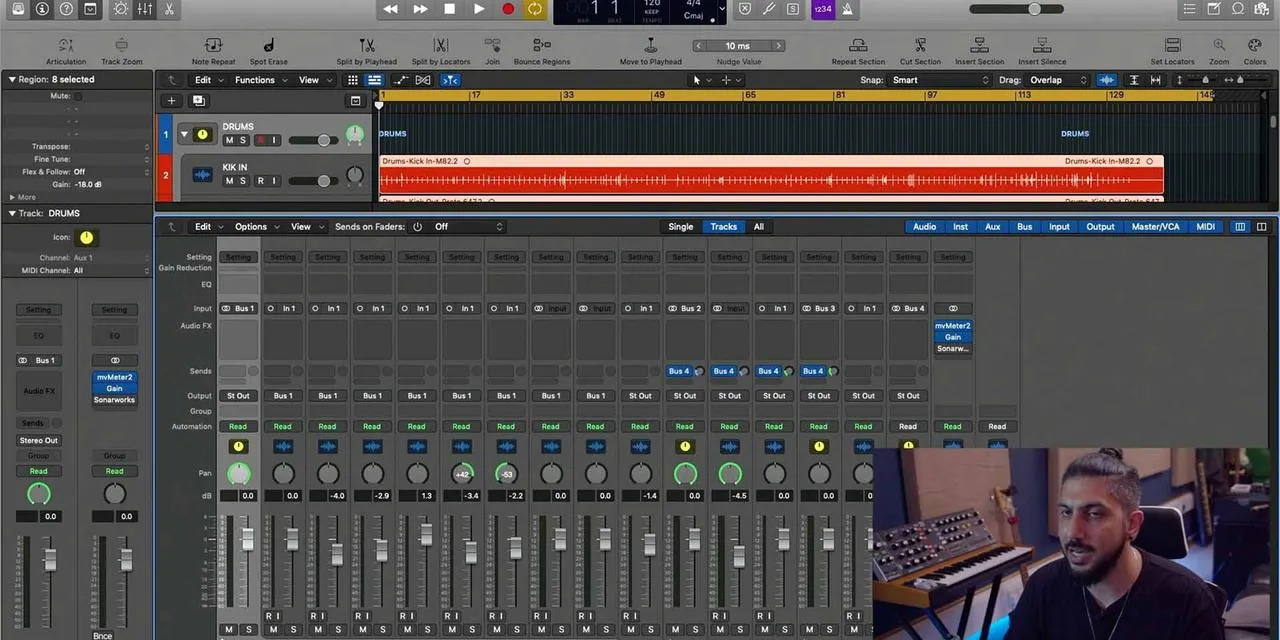
Aamir YaqubAamir Yaqub erklärt Flex Pitch in Logic Pro - wie man die Tonhöhe einer aufgenommenen Gesangsspur korrigiert und umformt und was jeder Parameter bewirkt.
Das steckt im Kurs
14 Lektionen (1h 22m) · 1 gratis
01. Willkommen beim Aufnehmen von Audio
0:58
02. Einführung in die Audioaufnahme
4:47
03. Das Metronom verwenden
5:00
04. Deine erste Aufnahme machen
Gratis-Lektion5:32
05. Comping
13:03
06. Audio bearbeiten
9:41
07. Projektdateien verwalten
3:46
08. Eine Instrumentenspur aufnehmen
2:06
09. So verwendest du Flex Time
10:58
10. So verwendest du Flex Pitch
Du bist hier11:12
11. Tonhöhe in MIDI-Daten umwandeln
3:11
12. Smart Tempo
3:04
13. Varispeed-Parameter und -Anwendungen
4:08
14. Adaptives Projekttempo
5:00
Transkript der Lektion
Exploring Flex Pitch in Logic Pro
We also have Flex Pitch in Logic Pro, a very powerful feature that allows us to manipulate the pitch of a recorded performance, such as vocals. Let's dive in and see how we access Flex Pitch.
Accessing Flex Pitch
-
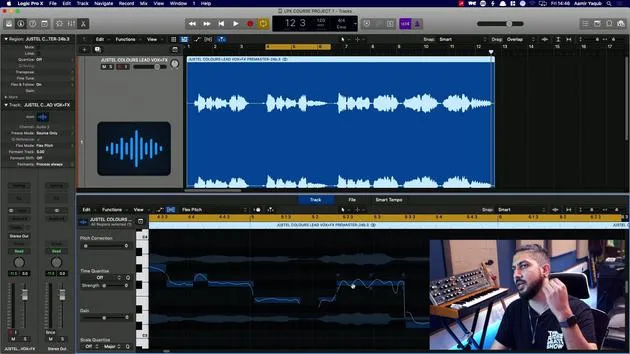
Open the Editor Window
Here in the workspace, I have a vocal that I recorded. I would initially double-click on this to get to the editor window. -
Enable Flex Pitch
In the editor window, you can see the Flex button, similar to what we have up there. When you're working with Flex Pitch, you want to be inside the editor window.- Turn on Flex Pitch.
- Logic will automatically select Flex Time, but we want to choose Flex Pitch.
-
Analyzing the Vocal Performance
This will now analyze the pitch of the vocal performance.- Luckily, I was working with a very good singer.
- The notes are represented as they would be in the piano roll, just like MIDI data.
Understanding the Pitch Representation
- Logic detects various notes:
- As I move over, various dots appear around each note, six dots per note.
- You can observe all notes, phrasing, and even vibrato.
Example Vocal Phrase
Let's listen to the vocal:
"You're loving a million colors, love in a million colors..."
You can see that all of those notes are being picked up by Flex Pitch, which is fantastic.
Working with Vocal Editing
I'm focusing on a phrase here, which forms part of vocal editing when working on recorded vocals.
Adjusting Notes
-
Hovering Over Notes
On the left-hand side, we have sliders similar to those in the MIDI piano roll editor. I'll hover over some notes to see the six dots appear again.- For example, this note is about 2/3 filled in.
-
Fine-Tuning Pitch
- The grey area indicates the singer isn't 100% on the note.
- You can adjust it by moving the fine pitch circle down to fill it in more.
-
Using Pitch Correction
- Select the note and use pitch correction to slide it to be 100% accurate.
- Remember, this can be done for multiple notes at once.
Additional Controls
Pitch Drift
- Pitch drift allows for adjustments if someone slides into or out of a note.
- Adjusting this will show how closely the squiggly line tracks the note's pitch movement.
Gain Control
- The bottom left will control the gain for the note, which is simply another term for volume.
- Adjusting this will make the note louder, reflected in both the waveform and workspace.
Vibrato Control
- The middle control adjusts vibrato, which is the quick modulation of pitch.
- You can decrease or increase vibrato, depending on the desired effect.
Formant Shift
- Formant shift is crucial for maintaining the tonality of an instrument or voice as notes move up or down the scale.
- Shifting the formant downwards or upwards can create unique sounds without altering the pitch.
Snapping to a Scale
With this whole vocal performance, I can snap it to a scale. For instance, if the song is in C Major, I can ensure the singer only sings that specific scale.
Creating Harmonies with Flex Pitch
-
Duplicate the Track
Create a duplicate of the vocal track and bring it down. -
Create Harmonies
- You can use this duplicate to create harmonies, especially if the original singer is unavailable.
- Play around with harmony arrangements.
Example Harmony Adjustments
- If I move a section up by three semitones, it may sound like, "Love in a million colors," but I could also move notes up by a fifth for a better harmony.
Experimenting with these features allows for a creative approach to vocal arrangements, opening doors to new musical possibilities.
14 Lektionen
1 Std. 22 Min. strukturierte Videolektionen
Erweiterte Videofunktionen
Verlangsamen, Passagen loopen, mitlesen
Handy, Tablet & Desktop
Üben, wo du willst
100 % Zufriedenheitsgarantie
30 Tage Geld-zurück-Garantie
Lern deinen Guru kennen
Lern deinen Guru kennen
Aamir Yaqub ist ein in London ansässiger Musikproduzent und Toningenieur. Er hat mit einigen der größten Namen der Musik gearbeitet, darunter Alicia Keys, David Guetta, Rihanna, Sia und will.i.am, und fördert außerdem unabhängige Künstler.
In seinen Kursen vermittelt er seinen kompletten Logic-Pro-Workflow – von der Oberfläche und dem Aufnehmen über Beatmaking, Synthese und MIDI-Effekte bis zum Mixing und Finalisieren eines Tracks.







