



Übung - MIDI bearbeiten - Beispiel-Beat

Mit
Isaac CotecMit MIDI-Clips und Drum Racks kannst du anfangen, deine eigenen einzigartigen Beats zu schreiben. Diese Aufgabe führt dich durch das Erstellen eines Beats in Live. So kannst du sicherstellen, dass du alles über das Bearbeiten von MIDI in Ableton Live verstanden hast. Das Example Set steht in der ersten Lektion dieses Moduls zum Download bereit. Falls du es noch nicht hast, kannst du es unten herunterladen.
Das steckt im Kurs
17 Lektionen (1h 33m) · 1 gratis
Transkript der Lektion
Music Lesson: Creating a Beat in Ableton Live
So we have this example set for creating a beat. Here's what we're going to do:
- Open the Project: Start by opening up the project.
- Create a MIDI Clip:
- Add a drum rack to the MIDI clip to implement some sounds.
- Write your own unique beat.
Step-by-Step Instructions
- Here is this set and all you have to do is follow along what's written here:
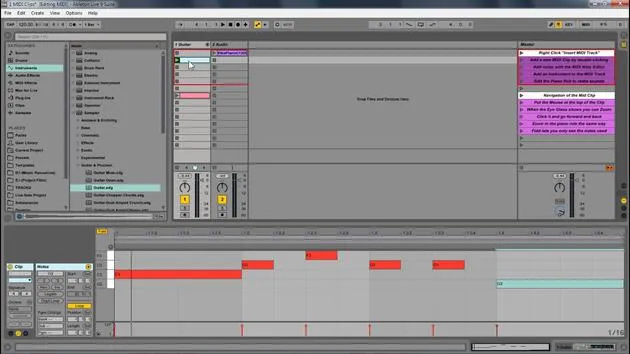
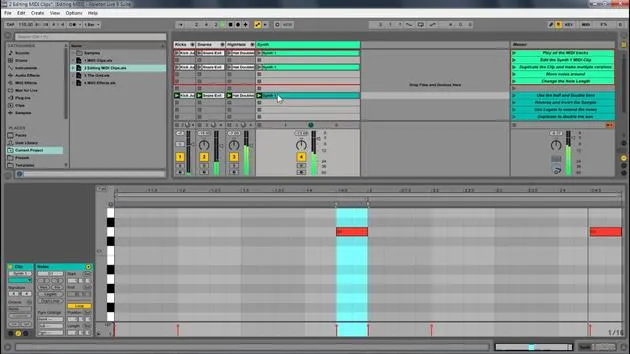
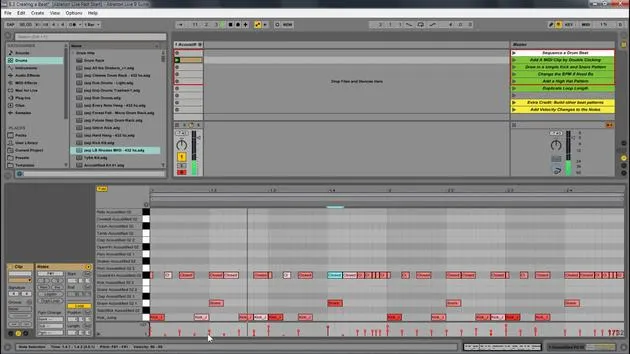
- Add a MIDI Clip: Double click to do that.
- Draw in a Kick and Snare Pattern: This is very easy.
- Choose your speed (BPM). I'm going to go with 90 to create something a little more hip hop.
Working with the Drum Rack
-
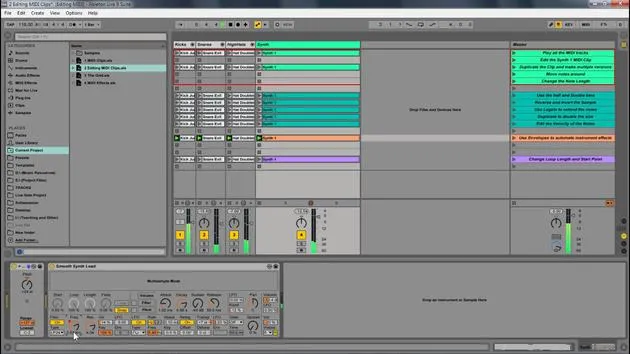
The drum rack displays only what's in it. There's already a drum rack available within this track.
- If you want to use a different one, go to Drums and drag in another drum rack.
-
Now, let's draw in a kick and some snare. Great!
Adding Hi-Hats and Adjusting the Grid
- Next, I want to add a closed hi-hat.
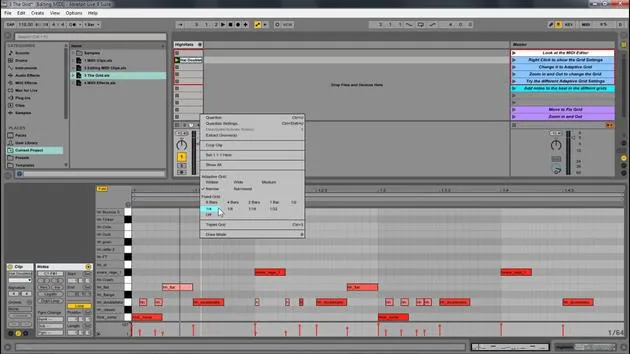
- Change the grid to 16th notes.
- Select all the elements and press Ctrl D to duplicate them.
- Change the grid to 32nd notes.
- Create a little fill at the end.
Enhancing the Beat with Velocity Changes
-
This is a great start to a beat:
- Kick
- Different elements
- Hi-hat
-
Now, let's add some velocity changes:
- Select all of this.
- Hit Duplicate Loop to double the size, allowing for variation in the loop.
-
Accent the kicks on the one.
- Since this kick instrument isn't velocity sensitive, I'll change that in the Simpler.
- Also, add variation to the hi-hats.
Finalizing the Beat
-
Ensure the hi-hat is velocity sensitive.
- Increase it and adjust the others accordingly.
- You can hold Alt and drag up to adjust velocity.
-
We have the beginning of the beat; it's a pretty good start!
Exploring Different Styles
-
This is a simple project for you to go through, but you can go crazy creating various beats.
-
Different Examples:
- Let's say we want something in 4/4 time.
- Delete the preceding elements.
- Duplicate and add a snare and some shakers.
-
Set it to 16th notes and again use Ctrl D to duplicate.
-
Add more variation and sounds until you find something that flows.
Creative Exploration
- You can create genres like hip hop, dubstep, or trap. Play around with different structures and sounds:
- Lay down a simple kick.
- Experiment with different elements and see how it sounds.
Hot Swap and Final Tweaks
-
Now that we've looked at the basics, let's discuss the Hot Swap feature:
- Simply press that button to change out the instrument to any other you like.
-
Try different instruments and see how they transform your beat.
Conclusion
- Editing MIDI within Ableton Live allows you to create your own instruments, sounds, and melodies. Explore and enjoy making music using MIDI!
17 Lektionen
1 Std. 33 Min. strukturierte Videolektionen
Erweiterte Videofunktionen
Verlangsamen, Passagen loopen, mitlesen
Handy, Tablet & Desktop
Üben, wo du willst
100 % Zufriedenheitsgarantie
30 Tage Geld-zurück-Garantie
Lern deinen Guru kennen
Lern deinen Guru kennen
Isaac Cotec ist wohl einer der besten Ableton-Trainer der Welt! Während er an seiner eigenen Musik arbeitete, begann er, Privatschülern Aufnahmetechniken, Sounddesign und Ableton Live beizubringen, und seit seiner Zertifizierung als offizieller Ableton Certified Trainer hat er Tausenden von Produzenten geholfen, ihr Niveau zu steigern und als Musiker erfolgreich zu sein.
Isaac begann 2005 mit Psyche Sonics elektronische Musik zu produzieren, einer experimentellen Gruppe, die sich mit der Wissenschaft und Erforschung binauraler Beats und der Bewusstseinsveränderung durch Klang beschäftigte. Nach dem Touren schrieb er weiter Musik unter dem Alias Cotec und trat später als Künstler Subaqueous hervor, der seine elektronische Vergangenheit mit zukunftsgewandten wie organischen Produktionstechniken verband. Bis heute hat er 3 Alben und 4 EPs veröffentlicht.
Isaac ist außerdem Gründer und Manager des Plattenlabels Invibe Music, das einige der besten Elektronik-Künstler des Pacific Northwest vertritt und sich auf Midtempo-Dance-Musik spezialisiert.
In seinen Ableton-Live-Kursen teilt Isaac die Produktions-, Sounddesign- und Songwriting-Techniken, die er über Jahre verfeinert hat – genau jene Fähigkeiten, mit denen er aus dem Funken einer Idee einen fertigen Track macht.







