



Filter plugins

With
Aamir YaqubTour Logic's filter plugins for shaping tone and movement, including the Autofilter, EVOC 20 filter bank, Fuzz-Wah, and Spectral Gate.
What's in the course
16 lessons (1h 33m) · 1 free
01. Welcome to audio Effects
Free lesson0:46
02. Audio Effects
3:00
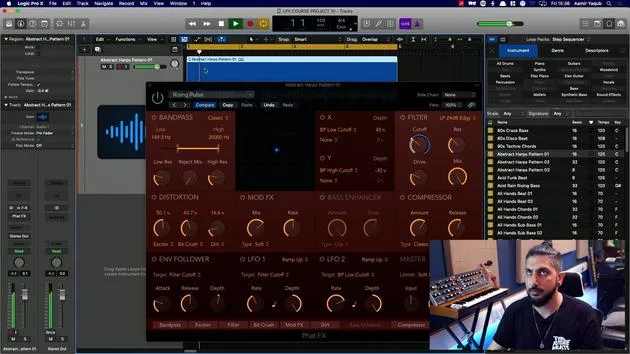
03. Using the Multi Effects - Phat FX and Step FX
5:11
04. Setting up Reverb Bus with a Send
3:58
05. Using Reverbs in Logic Pro
3:27
06. Using Delays in Logic Pro
8:02
07. Distortion plugins
6:35
08. Filter plugins
You are here5:35

09. Distortion and Filters outro
0:30
10. Modulation plugins
12:54
11. Pitch plugins
6:50

12. Modulation and Pitch outro
1:03
13. Amps and Pedal effects
10:38
14. Specialised effects
5:49
15. EQs (Equalizers)
7:18
16. Dynamics and Compression
11:43
Lesson transcript
Understanding Filter Categories in Synthesis
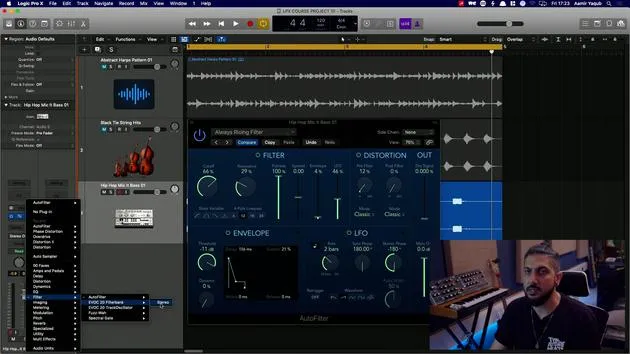
The filter category plays a significant role in synthesis, reflecting how hardware synths traditionally utilized filters to adjust and manipulate sound tones. Below, we explore various filter options for sound design and manipulation.
Auto Filter
- Functionality: Provides the sound of filtering and movement.
- Features:
- Incorporates an LFO (Low-Frequency Oscillator).
- Suitable for bass sounds.
- Example: Try using an always rising filter in a bass sound.
- Additional Elements:
- Includes a distortion section.
- Modulation and envelope control with the LFO.
Evoc20 Filter Bank
- Source: Derived from the Evoc20 vocoder synth found in Logic.
- Characteristics:
- Produces unique, often alien-sounding effects by manipulating formants.
- Controls:
- LFO settings.
- Resonance adjustment.
- Formant changes.
- Rate adjustments of the LFO.
- Further Options:
- Basic filtering on one side.
- Overdrive for additional distortion.
Evoc20 Track Oscillator
- Overview: Represents the oscillator section of the Evoc20 poly synth.
- Functionality:
- Allows for resynthesis and vocoder sidechain input.
- Functions similarly to a vocoder sound but without necessary MIDI input.
- Examples:
- Basic channel resynthesis maintains a specific note.
Fuzzwire Filter
- Inspiration: Based on the vintage clav.
- Features:
- Functions as an auto wah, automatically opening and closing the wah sound.
- Sound Example: The characteristic "wah, wah, wah" effect.
- Additional Features:
- Fuzz distortion, providing hard distortion with additional higher frequencies.
- Compression levels are adjustable.
- Application: Great for bass sounds, particularly with the bass automatic setting.
Spectral Gate
- Description: A special filter designed for advanced sound design.
- Settings:
- "Dark super energy" is a recommended preset.
- Sound Characteristics: Produces a distinct digital, spectral sound.
- Adjustable Parameters:
- Low-level energy.
- High-level energy.
- Center frequency manipulation.
- Bandwidth adjustments for more or less frequency filtering.
Experiment with these various filter options to explore their unique qualities and enhance your music production skills!
16 lessons
1h 33m of structured video lessons
Advanced video features
Slow down, loop a passage, follow along
Mobile, tablet & desktop
Practise wherever you are
100% satisfaction guarantee
30-day money-back guarantee
Meet your guru
Meet your guru
Aamir Yaqub is a music producer and engineer based in London. He has worked with some of the biggest names in music, including Alicia Keys, David Guetta, Rihanna, Sia and will.i.am, as well as developing independent artists.
Across his courses he teaches his complete Logic Pro workflow - from the interface and recording through beat-making, synthesis and MIDI effects to mixing and finishing a track.







