



How to use Flex-time

With
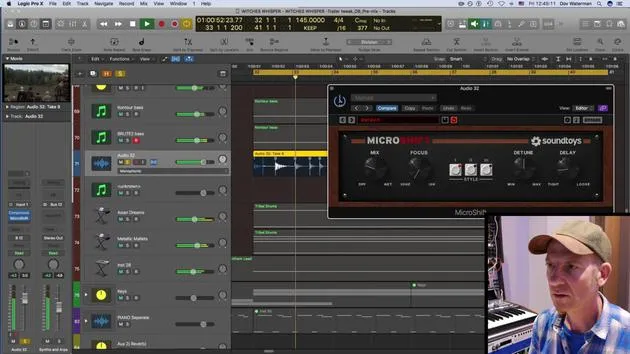
Dov WatermanDov Waterman uses Logic's Flex Time to nudge a recorded part back into the groove, tightening its timing against the track.
What's in the course
9 lessons (0h 56m) · 1 free
01. Intro to the editing process
Free lesson0:23
02. Comping in Logic Pro
4:21
03. How to use Flex-time
You are here4:36
04. Creative use of compression, stereo delay, EQ, reverb
9:28
05. Track building techniques
7:03
06. Working with raw material
10:18
07. Coming up with creative ideas
12:54
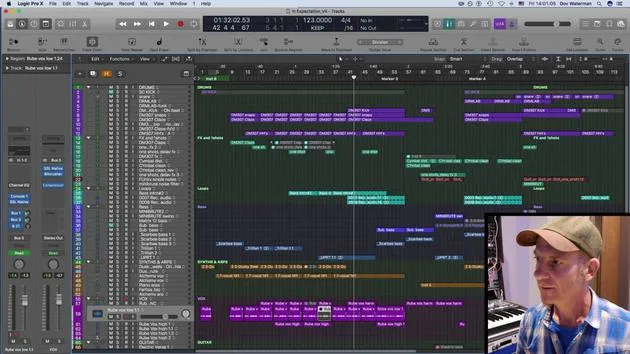
08. Arranging a track
6:36
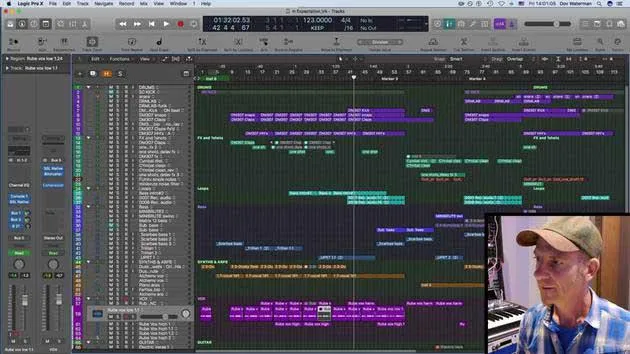
09. ASSIGNMENT: Creative Editing
0:35
Lesson transcript
Music Lesson Formatting
Okay.
And it kind of ramps up. So it ramps up here and then kind of goes down again, with a little ramp towards the end.
I like it the way it is. So I'm not going to do much comping on it. I'm not going to do any comping on it, but what I am going to do is just get it a little bit more in time with the track.
Synchronization Issues
Although it was synchronized, the Arturia was synchronized to Logic, it had a bit of a hard time picking up the sync clock again because:
- The oscillators and the LFOs on the Arturia, although they're analogous, were playing just one long note.
And I guess for some reason it was just... It's the magic of these instruments, actually.
Flex Time Adjustment
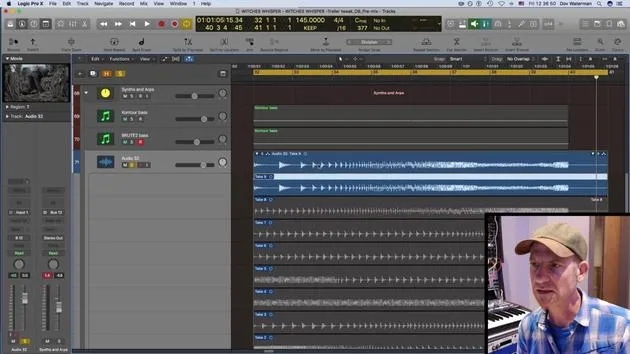
So what I'm going to do is flex time it and just get it a little bit more in time.
- This is the flex time.
- I've turned it on over here and for the track.
As you can see... So wait a minute, what I'm going to do is just flatten this track.
I've not done any comping on it, so if I had, I would flatten and merge. This process takes all the different comps from the different takes and merges them into one. But I didn't do any comping, so I'm just going to flatten that.
Monophonic Sound Analysis
So now what I've got is this. Let's turn some things off over here for a bit of a larger screen to work with.
This is what I would call monophonic sound.
Okay. It was just scanning, analyzing this. I'm going to stick my metronome on and just try to get a few things in time.
Marking the End Section
What I'm going to do is set a marker at the end over here, at my end section. Then, when I pull things in and move things around, I have less dragging to do.
- Let's just pull this one in a little bit.
- Pull this one in.
Let's have a listen quickly:
- That one's okay.
- That one comes in okay.
- This could be dragged to there a little bit.
- That to there, that to there.
Let's have a quick listen.
You know what? I'm going to drag this a little bit in here just to give it that extra oomph.
- It's coming a little bit sooner, so it sounds more like a bouncing ball.
If we listen to it beforehand, before that move, it's very much on the grid and there's quite a jump. So I'm just going to move that back to give the spacing between these two. So it sounds a little bit more like a ball bouncing.
Final Adjustments
Okay. This is so fast that I actually don't really need to do too much to it. I think it's really just for the beginning over here.
So I'm just doing some subtle flex time. Moving this in just a little bit more, spacing them out a little bit so it gives it more of an organic feel.
Let's see how that works.
Okay, I'm happy with that.
And the rest of it is just...
9 lessons
0h 56m of structured video lessons
Advanced video features
Slow down, loop a passage, follow along
Mobile, tablet & desktop
Practise wherever you are
100% satisfaction guarantee
30-day money-back guarantee
Meet your guru
Meet your guru
Dov Waterman is a composer, pianist and producer. He has written and designed sound for films including After Earth, Terminator Genisys, Transformers: The Last Knight and The Snowman, and works as a sample-library audio editor and sound designer with companies such as Native Instruments and SonoKinetic.
His Composition in Logic series walks through building a track end to end in Logic Pro - from templates and workflow to synthesis and beat programming, MIDI effects, editing and the final mix - for producers who want to turn their ideas into finished records.







