



Pre-fade vs Post-fade metering

With
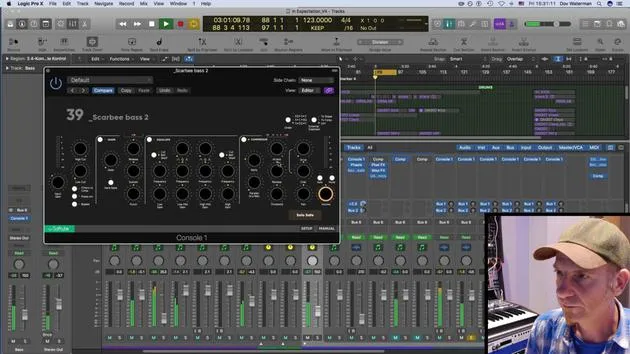
Dov WatermanThe difference between pre-fader and post-fader metering in Logic: pre-fader always shows the source signal, while post-fader reflects the level after the channel fader.
What's in the course
14 lessons (0h 33m) · 1 free
01. Intro to mixing and automation
Free lesson0:45
02. Finessing your track
2:52
03. Approaching the mix - housekeeping and leveling
6:42
04. Widening the drum sound
3:47
05. Side-chaining
2:42
06. Pre-fade vs Post-fade metering
You are here2:45
07. Quantizing & flex-timing
2:05
08. Checking levels, adding compression
1:18
09. Creative processing & effects
3:14
10. ASSIGNMENT: Track Alternatives
1:02

Lesson transcript
Understanding Pre-Fader and Post-Fader Metering in Mixing Logic
One important aspect to note when mixing in Logic is the choice between pre-fader and post-fader metering.
Post-Fader Metering
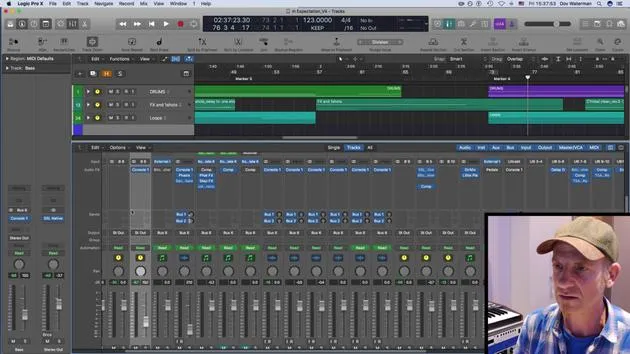
- Post-fader metering shows you the signal after it has passed through the channel.
- If you're listening to something and you lower the volume here, it will lower the overall output volume.
Pre-Fader Metering
- Pre-fader metering displays the original output signal, regardless of your fader position.
- No matter where you set the fader, it will always indicate the original signal.
Key Differences
- If you're peaking, the input signal will still show peaking status even if the output volume is low.
- This provides a far better representation of your mixing status and helps you identify any peaking at the main volume.
Example
- For instance, if your fader is down but the meter shows the signal is still up, you can see where the peaks are:
- "Whether I have it up here or down here, it's still going to show me the source signal."
- If I'm peaking over here, even when the volume is very low, I'll be aware of where it is at.
Adjusting Levels
- I might go ahead and adjust whichever instrument is peaking.
- For example, the bass seems to be too high; I can pull it down a bit now.
- Be careful: lowering it here influences the output volume, but the original signal remains high.
Final Adjustments
- The original signal is coming through the ACQ section of my SSL console.
- My approach would be to lower the input signal slightly and perhaps apply a little compression.
- For now, I'll leave the EQ as is since it doesn't bother me much.
- Overall, the signal level is acceptable now.
Let's see how the next instrument is performing.
14 lessons
0h 33m of structured video lessons
Advanced video features
Slow down, loop a passage, follow along
Mobile, tablet & desktop
Practise wherever you are
100% satisfaction guarantee
30-day money-back guarantee
Meet your guru
Meet your guru
Dov Waterman is a composer, pianist and producer. He has written and designed sound for films including After Earth, Terminator Genisys, Transformers: The Last Knight and The Snowman, and works as a sample-library audio editor and sound designer with companies such as Native Instruments and SonoKinetic.
His Composition in Logic series walks through building a track end to end in Logic Pro - from templates and workflow to synthesis and beat programming, MIDI effects, editing and the final mix - for producers who want to turn their ideas into finished records.







