Drum Synth und Ultrabeat

Mit
Aamir YaqubAamir Yaqub erkundet Logics Drum Synth, um elektronische Kicks, Snares, Claps und Hats zu bauen und sie mit Tonhöhe, Decay und etwas Dreck zu formen.
Das steckt im Kurs
20 Lektionen (1h 47m) · 1 gratis
01. Willkommen bei der Synthese
Gratis-Lektion0:53
02. Einführung in die Synthese, subtraktive Synthese
3:22
03. Erste Stufe - Klangerzeugung
4:09
04. Zweite Stufe - Klangformung & Filter
1:35
05. Lautstärke formen - ADSR
3:27
06. LFOs
1:54
07. Alchemy
4:11
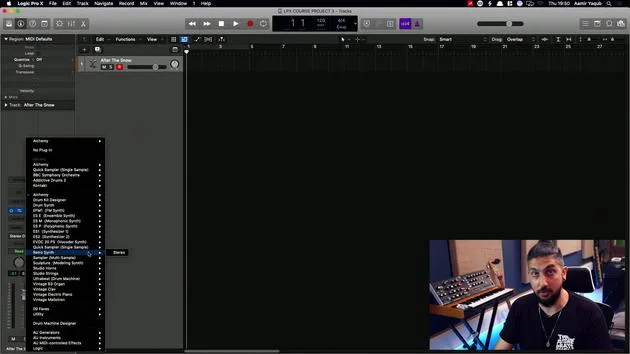
08. Retro synth
4:55
09. ES1- und ES2-Synths
4:00
10. ESP-Synthesizer
1:17
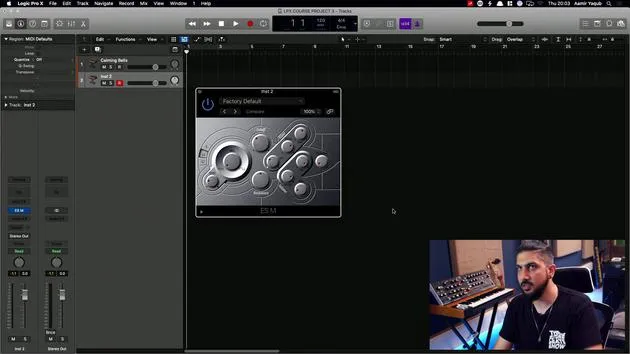
11. ESM, ESE, EFM1
8:54
12. Sculpture, EVOC20 und Vocoding
7:53
13. Drum Synth und Ultrabeat
Du bist hier7:11
14. Drum Kit and Drum Machine Designer
7:23
15. Keyboard-Synths: Vintage-Orgel, EP, Clav, Mellotron
9:03
16. Studio Horns und Studio Strings
4:48
17. MIDI-Effekte - Arpeggiator
21:21
18. MIDI-Effekte - Chord Trigger
5:45
19. Weitere MIDI-Effekte
4:33
Transkript der Lektion
Working with Logic Synths
When we are working with Logic synths, it's important to remember that synths don't always have to emulate older models. One of the coolest synths available in Logic is the Drum Synth.
Drum Synth Overview
The Drum Synth provides sounds such as:
- Kicks
- Snares
- Claps
- Percussion hats
- Cymbals
It features a very simple interface, making it easy to use.
Exploring Sounds
For example, if I access the snares and claps, I can choose a snappy snare. Here's what that sounds like:
Sound example here
I can change this to an air snare. By adjusting the pitch, you can hear how the tonality changes the tone as well.
- Body Decay: We know what that means.
- Add Some Dirt: Adding texture to the sound.
The Drum Synth allows you to access an electronic drum synthesis engine. If you prefer an electronic drum sound, it makes sense to use this rather than drum samples or other available options.
Ultrabeat: A Powerful Tool
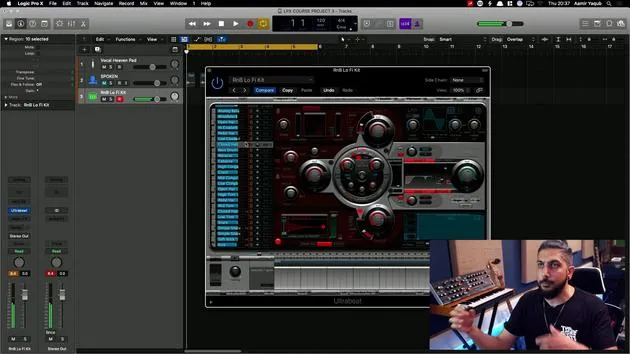
Continuing in the realm of drum synthesis, let's load up Ultrabeat, which is also available in Logic. This drum machine is one of the oldest plugins in Logic and serves as a drum synthesizer capable of creating percussive sounds and polyphonic rhythms.
Features of Ultrabeat
- Powerful Step Sequencer: Combine elements we've looked at before.
- Drum Kits: Start by calling up a drum kit or drum bank.
For instance, let's select the RB Lo Fi Kit. Loading this kit will bring in various samples for synthesis. You can perform actions such as:
- Filtering
- Utilizing oscillators
- And more
This creates an interactive drum kit you can manipulate.
Programming Patterns
When working with Ultrabeat, you can program sounds manually or use the built-in step sequencer to initiate a pattern quickly. By default, the step sequencer is off, but upon pressing play, you will notice an existing pattern.
Changing Patterns
- Navigate to where it says Pattern.
- Select a different one to compare the variations.
To enter full view mode:
- This feature allows you to see all 32 steps.
Adding Groove
For example, you might want to add a four-on-the-floor feel with a kick at the start. You can experiment with:
- Swing: Adjust the swing to change how the pattern feels.
- Closed Hats: Modify their pattern to create variation.
Additionally, you can:
- Solo instruments
- Change levels and panning using sliders
- Adjust velocity to create dynamic hits
Exporting Patterns
Once you finish, you can drag your pattern to the Arrange Window. Simply click on the light-up area next to pattern to initiate this.
Note: Remember to turn off the step sequencer before playing back the pattern. Otherwise, you'll experience double triggering, which will sound odd.
After turning it off, you can explore the pattern in the piano roll for a more familiar interface.
While Ultrabeat may not have the most modern aesthetic compared to newer drum synthesis options, it is certainly worth exploring, especially when you start experimenting with different sounds and filter options. With some creativity, you can achieve phenomenal sound design results!
20 Lektionen
1 Std. 47 Min. strukturierte Videolektionen
Erweiterte Videofunktionen
Verlangsamen, Passagen loopen, mitlesen
Handy, Tablet & Desktop
Üben, wo du willst
100 % Zufriedenheitsgarantie
30 Tage Geld-zurück-Garantie
Lern deinen Guru kennen
Lern deinen Guru kennen
Aamir Yaqub ist ein in London ansässiger Musikproduzent und Toningenieur. Er hat mit einigen der größten Namen der Musik gearbeitet, darunter Alicia Keys, David Guetta, Rihanna, Sia und will.i.am, und fördert außerdem unabhängige Künstler.
In seinen Kursen vermittelt er seinen kompletten Logic-Pro-Workflow – von der Oberfläche und dem Aufnehmen über Beatmaking, Synthese und MIDI-Effekte bis zum Mixing und Finalisieren eines Tracks.