



Beats mit Apple Loops erstellen

Mit
Aamir YaqubApple Loops ist eine mit Logic Pro gelieferte Sammlung von Loops. In dieser Lektion tauchen wir tief in Apple Loops ein.
Das steckt im Kurs
12 Lektionen (1h 20m) · 1 gratis
01. Einführung ins Beats-Machen
Gratis-Lektion0:33
02. Was ist MIDI
1:07
03. Einen USB-Controller anschließen
1:46
04. Aufnehmen mit einem USB-MIDI-Controller
9:08
05. Verstecktes Feature – Capture Recording
3:09
06. Quantisierung
6:38
07. Bearbeitungswerkzeuge im Piano Roll
13:24
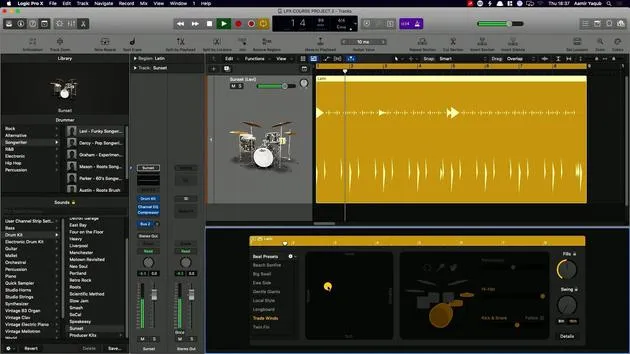
08. Beats mit Drummer erstellen
6:42
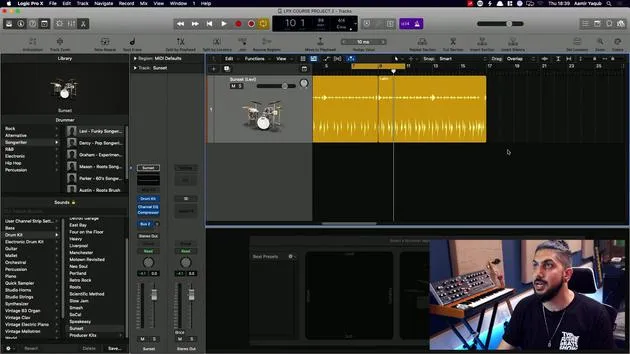
09. Das Beste aus Drummer herausholen
13:55
10. Erweiterte Parameter in Drummer
4:32
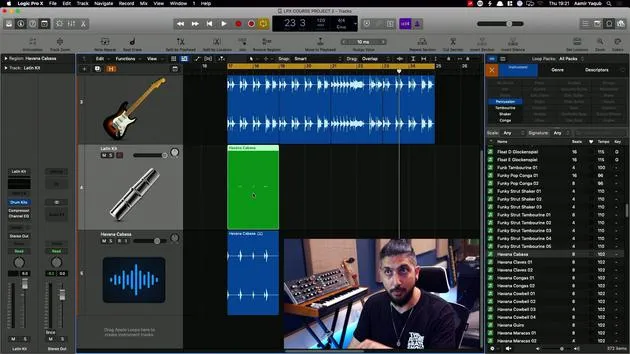
11. Beats mit Apple Loops erstellen
Du bist hier10:16
12. Loops durchsuchen und Loop-Metadaten verwenden
9:17
Transkript der Lektion
Exploring Apple Loops
Even though we've looked at them already, we haven't quite deep dived into Apple Loops, and that's what we're going to do.
What Are Apple Loops?
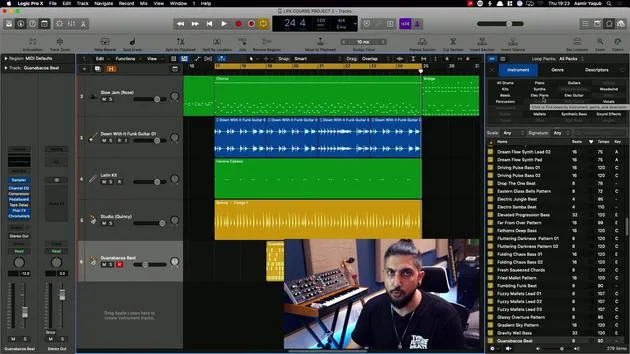
Apple Loops are essentially a repository of loops that come with Logic Pro X when you buy it. These loops:
- Conform to the key
- Match the time signature
- Adapt to the tempo of your song
We have a variety of loops available, including:
- Different types of instruments
- A wide range of styles
- Various genres
Apple Loops can be used to:
- Spark ideas
- Beef up existing ideas
There are endless possibilities with Apple Loops!
Accessing the Apple Loops Browser
You can access the Apple Loops browser by pressing O. When you do, you will see:
- Loop Packs or Packs at the top, providing access to all available loops.
While the number of loops is vast, you can view them in two different ways:
- Filtered View
- Finder-like View based on genres, instruments, moods, etc.
Personally, I prefer the filtered method.
Loop Tagging and Descriptors
All Apple Loops are tagged, meaning they have specific values attached to them. For example, you might search for:
- Bass sound
- Dark quality
- Hip hop category
You can easily work with these tags and descriptors to find the loop that you want quickly.
Types of Apple Loops
As you explore the loops, you'll notice different color codes:
- Blue: Audio loops
- Green: Software instrument loops
- Yellow with a waveform: Loops from the Drummer feature
- Other Yellow: Step sequencer loops
These loops can be dragged and dropped into your project, conforming to the sound and tempo you are working with.
Usage and Rights
All loops are royalty-free, allowing you to use them on records that you are releasing commercially. One popular example is the loop titled Vintage funk03, which was used in Rihanna's song Umbrella.
Exploring Loop Packs
At the top of the Apple Loops browser, you'll find the Loot Packs section.
When you look at All Packs, you can explore everything available. For instance, if you want to check out the Disco Funk Pack:
- Navigate to the Disco Funk Pack.
- If you already have a drummer track, you might want a loop to complement that.
Adding a Loop
- Set the tempo to 120 BPM.
- Select a funk guitar loop by clicking on it to bring it into your project.
Variations in Loops
Often, you'll find variations of loops available:
- For instance, if you have variations like 1, 2, 3, and 4, you can easily select and use them based on the same basic pattern.
Filtering and Using Software Instrument Loops
If you'd like to filter the loops by just Software Instrument Loops:
- Click on the filter.
- Select Percussion to find something like a Kabasa loop.
- Drag and drop it into your project.
Important Note
When dragging a software instrument loop onto an audio track, it creates an audio version rather than a software instrument version with MIDI information.
Working with Drummer Loops
We've already explored Drummer, and we can add a Congas loop from a drummer named Quincy:
- Add the Congas to our track to enhance the rhythm.
Adding Step Sequencer Loops
To add electronic percussion:
- Stay in the Percussion filter.
- Select an electronic loop.
- Drag and drop it into your project for a new step sequencer.
Conclusion
In summary, we've covered the types of Apple Loops available and how to navigate, filter, and utilize them in your projects. Let's take a further look at how we can explore and efficiently work with Apple Loops!
12 Lektionen
1 Std. 20 Min. strukturierte Videolektionen
Erweiterte Videofunktionen
Verlangsamen, Passagen loopen, mitlesen
Handy, Tablet & Desktop
Üben, wo du willst
100 % Zufriedenheitsgarantie
30 Tage Geld-zurück-Garantie
Lern deinen Guru kennen
Lern deinen Guru kennen
Aamir Yaqub ist ein in London ansässiger Musikproduzent und Toningenieur. Er hat mit einigen der größten Namen der Musik gearbeitet, darunter Alicia Keys, David Guetta, Rihanna, Sia und will.i.am, und fördert außerdem unabhängige Künstler.
In seinen Kursen vermittelt er seinen kompletten Logic-Pro-Workflow – von der Oberfläche und dem Aufnehmen über Beatmaking, Synthese und MIDI-Effekte bis zum Mixing und Finalisieren eines Tracks.







