



Kreative Ideen entwickeln

Mit
Dov WatermanDov Waterman erklärt, wie er diesen Track aus geloopten Abschnitten aufgebaut hat, und teilt die kreativen Entscheidungen, die du auf deine eigenen Produktionen anwenden kannst.
Das steckt im Kurs
9 Lektionen (0h 56m) · 1 gratis
01. Einführung in den Editing-Prozess
Gratis-Lektion0:23
02. Comping in Logic Pro
4:21
03. Wie du Flex Time verwendest
4:36
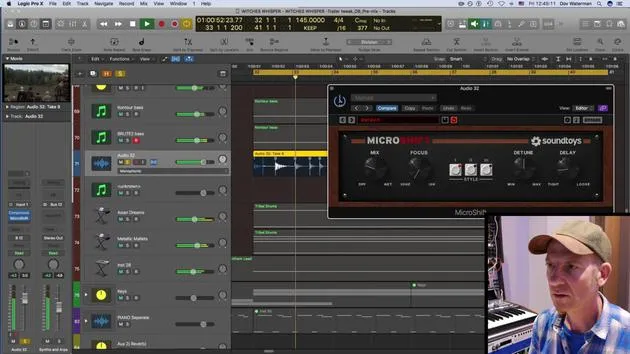
04. Kreativer Einsatz von Kompression, Stereo-Delay, EQ und Reverb
9:28
05. Techniken zum Aufbau eines Tracks
7:03
06. Mit dem Rohmaterial arbeiten
10:18
07. Kreative Ideen entwickeln
Du bist hier12:54
08. Einen Track arrangieren
6:36
09. AUFGABE: Kreatives Editing
0:35
Transkript der Lektion
Music Lesson: Developing a Track
Okay, so I've developed this track a little bit more. I have edited the vocals and the guitar bits, just synchronized them up a little bit, tightened up the vocal harmonies and the other bits of audio.
Understanding the Track Structure
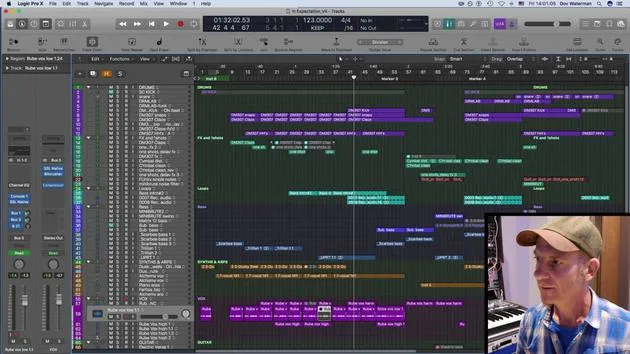
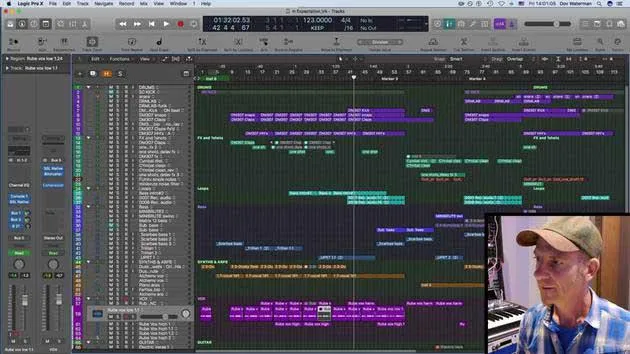
We mustn't forget that this track is not really a track. It's basically a collection of loops all looped in sections of 8 to 16 bars. So the idea really for this loop pack is that it'll be slotted into a little application for iPhone for people to arrange these parts as they will.
I'm not actually writing any kind of arrangement for it, although I'm working on the parts and seeing which parts go with what. They're supposed to work together, and everything is obviously within the same scale.
Key Details:
- Scale: E minor
- Tempo: 123 BPM
These were the briefing notes for this loop pack: to have things that work together. So, obviously, you know, drums, bass, guitars, vocals, and synths all broken up into sections with different parts that can work for different parts of an arrangement, whether it's a verse, chorus, middle eight, or whatever.
Creative Process and Structure
So, you can really stretch this out into something unique. The way I created this, in terms of its structure, is unlike the other track that we had a look at before, which was created in a much more linear fashion.
Although I had a starting point, which was that loop processed from the animal sounds, it really took on a much more linear approach. Here, the starting point was a vocal recording; the scratch recording that the vocalist sent me, literally just as an idea.
I took a tiny snippet of it, put it into Alchemy, and came up with this sound. That really was my starting point, and I built the track on that.
Stacking Parts
As you can see here, I basically stacked all my parts on top of each other and just started playing around to see how each one would work. Just before we dig deeper, I'm going to quickly play you our vocal sections so you can see how things are in time and how they work together with other parts of the elements of the track.
So, let's solo out some of the vocal sections:
- The low section works well; he sang it twice, so I made two alternative takes of the low vox.
- Some of them work with the other parts of the vocals, some don't.
These are the highs, the hook of the piece. Although again, this is very loop-based, the most prominent part here is the melody line, the top line that he sings, which works with another part of the vocal.
Guitar Parts and Structure
Some of the guitar parts in here that I edited are included in this little loop with everything in it. It's literally a case of stacking all these parts together, elements that feed off each other as I was writing them. I started off with that little vocal phrase in chord fashion.
This section here generated a few different ideas, such as a little piano arp, which is basically the same chord progression, just with a different sound and a different rhythmic feel. The arp is actually one of the presets. I didn't have much time to come up with this, so I just worked with presets, which is not my normal way of working. I usually create these things myself.
So, that initial chord and sound generated other ideas. Very fluidly and quickly, in my creative zone, I created these ideas on the fly. Again, same structure, chord structure, and a different sound.
Adding Layers
Just layering them up a little bit, adding some bass, and adding some funky sub bass. This actually started off as a bass sound, but with a lot of mangling to it, I turned it into some kind of loopable, scratchy ambient sound that kind of goes across the whole track.
There's actually quite a lot of automation on here using the Bit Crusher. I'm just writing the down-sampling section, so that kind of goes nicely with moving up to the drum section.
Drum Section Insights
The drums were interesting because I used a Virtual Drummer and it was just a stock sample of one of the funkiest drums. I very quickly bounced it down to audio so I could manipulate it, cut it up, and do some weird stuff to it.
So, it's layered. This is the original:
- The original drums have a little tweak you'll hear as it comes in. It's very Motown in feel.
That little fill here was something I added; it comes in on the first bar of the track, shifting things a bit so it doesn't just come in at the end of the 8 bars.
What I did was layer it with some extra sounds, much more quantized. We talked yesterday about using Virtual Drummer and Ultra Beat or other grid-quantized sounds together.
Human Feel with Layers
We've got this Motown drummer playing to quite a snappy four-on-the-floor kick, with some bit crushing added for texture. It was really just a matter of having all my parts, deciding when to end, and writing different parts.
For this kind of project, having a larger body of ideas is better because you can chop and change between different sections. So the more you have, the better.
Recap and Structure Focus
To recap, this project is very grid-based. The focus was really on getting things to work together musically in terms of melody and harmony. Each loop can work with any other loop.
Structuring the Ideas
It was all about ensuring that nothing felt jarring, and the easiest way for me to structure it was just to stack everything up, mute things in and out, and see what works.
I created an arrangement in Logic to hear how it would sound. Although I had all these ideas, I was involved in moving things around within this 16-bar loop, muting things in and out, especially with the guitars and vocals.
So, while the app this is intended for wasn't created yet, at least the loops were ready to be arranged to see how they can all work together.
And that's what it sounded like!
9 Lektionen
0 Std. 56 Min. strukturierte Videolektionen
Erweiterte Videofunktionen
Verlangsamen, Passagen loopen, mitlesen
Handy, Tablet & Desktop
Üben, wo du willst
100 % Zufriedenheitsgarantie
30 Tage Geld-zurück-Garantie
Lern deinen Guru kennen
Lern deinen Guru kennen
Dov Waterman ist Komponist, Pianist und Produzent. Er hat für Filme wie After Earth, Terminator Genisys, Transformers: The Last Knight und The Snowman Musik geschrieben und das Sounddesign gestaltet und arbeitet als Audio-Editor für Sample-Bibliotheken und Sounddesigner mit Firmen wie Native Instruments und SonoKinetic.
Seine Reihe Composition in Logic geht den Aufbau eines Tracks von Anfang bis Ende in Logic Pro durch – von Templates und Workflow über Synthese und Beat-Programmierung, MIDI-Effekte, Editing bis zum finalen Mix – für Produzenten, die ihre Ideen in fertige Tracks verwandeln möchten.







